





Mazvydas
Members
-
Joined
-
Last visited
-
Thank you for the reply and thank you for the solution! I removed the Docker socket mapping and it's working perfectly (from what I can tell) with Tailscale! Thank you!!
-
I have an issue getting Uptime Kuma behaving with Tailscale (CorneliousJD louislam/UptimeKuma from the Community Apps). I want to have that container connected to my Tailscale network so I could ping devices and track their up/down status. However whenever I try to enable the Tailscale integration for that container - it overrides (as far as I can tell) the Unraid tailscale state in /boot/config/plugins/tailscale/state Unraid is connected to Tailscale. When I launch that Kuma container with the Tailscale integration enabled for it - my Unraid Tailscale device hostname and config changes to that of the Kuma container one. No matter what path I choose in the containers Tailscale State Directory - it will not use it. It creates that folder on the container itself but the contents are empty. I assume it uses Unraids /boot/config/plugins/tailscale/state as it adds that containers certs to /boot/config/plugins/tailscale/state/certs, and as I mentioned - it changes the Unraid hosts config/hostname/etc to that of what should have been inside the container. This also caused an issue where the Unraid nginx service would start failing and I couldn't access the WebGUI anymore. Message from syslogd@Core at Apr 12 00:41:49 ... nginx: 2025/04/12 00:41:49 [emerg] 2974352#2974352: bind() to 100.81.178.103:443 failed (98: Address already in use) Message from syslogd@Core at Apr 12 00:41:49 ... nginx: 2025/04/12 00:41:49 [emerg] 2974352#2974352: bind() to [fd7a:115c:a1e0::a801:b267]:443 failed (98: Address already in use) I had to stop Tailscale on Unraid /etc/rc.d/rc.tailscale Delete the contents of /boot/config/plugins/tailscale/ rm -rf /boot/config/plugins/tailscale/* Restart Docker, disable the Tailscale integration in the Kuma container, do another round of stopping, deleting, etc. until I was finally able to launch the WebGUI and not have it crash. I used the exact same settings on my Grafana container and it works perfectly on Tailscale. Network type: Bridge Privileged: Off Tailscale Hostname: <whatever> Tailscale State Directory: <whatever> The rest of container Tailscale configuration options - default/no changes.
-
As this is now the top Google result when searching for "Unraid DPC ISR" I thought I'd leave an update. Tried what I think was everything under the sun. Tried various different configuration options regarding core isolation and boot parameters. Tried various VM settings in Unraid (mostly followed recommendations and suggestions on this forum). All had 0 effect. I did managed to get better latency tweaking Windows though. This guide had the biggest positive impact, might be the solution if you've stumbled across this thread. However ultimately this did not outright fix my audio dropout issues. My final solution that fixed all my problems - deleted the Windows VM and bought an Nvidia Shield Pro 🙃
-
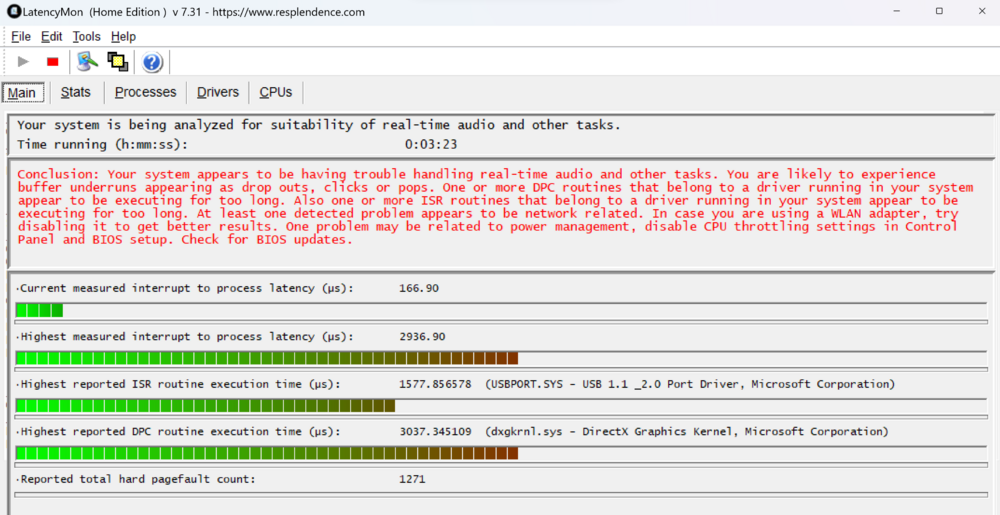
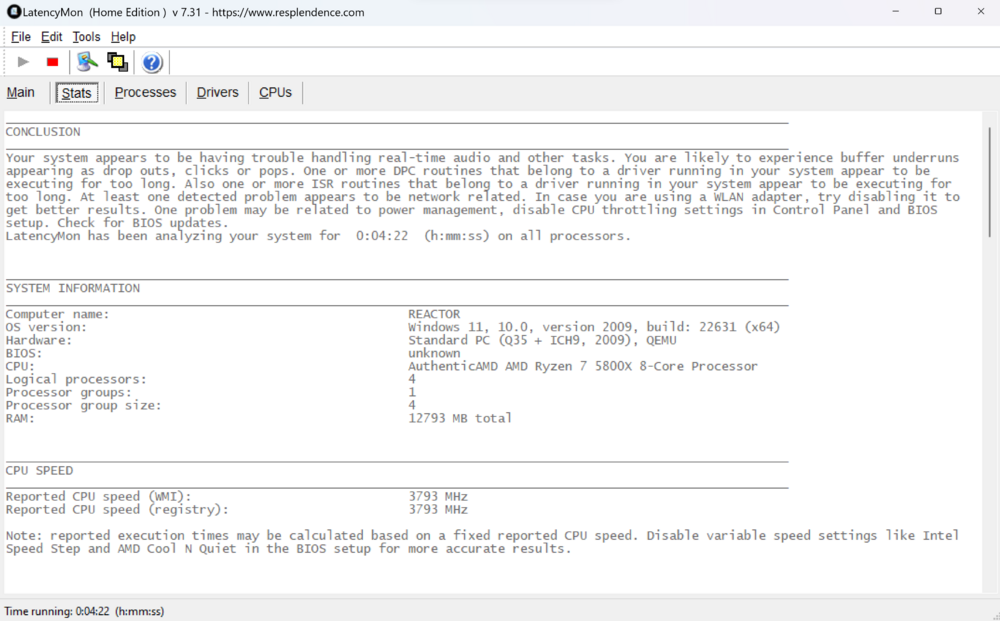
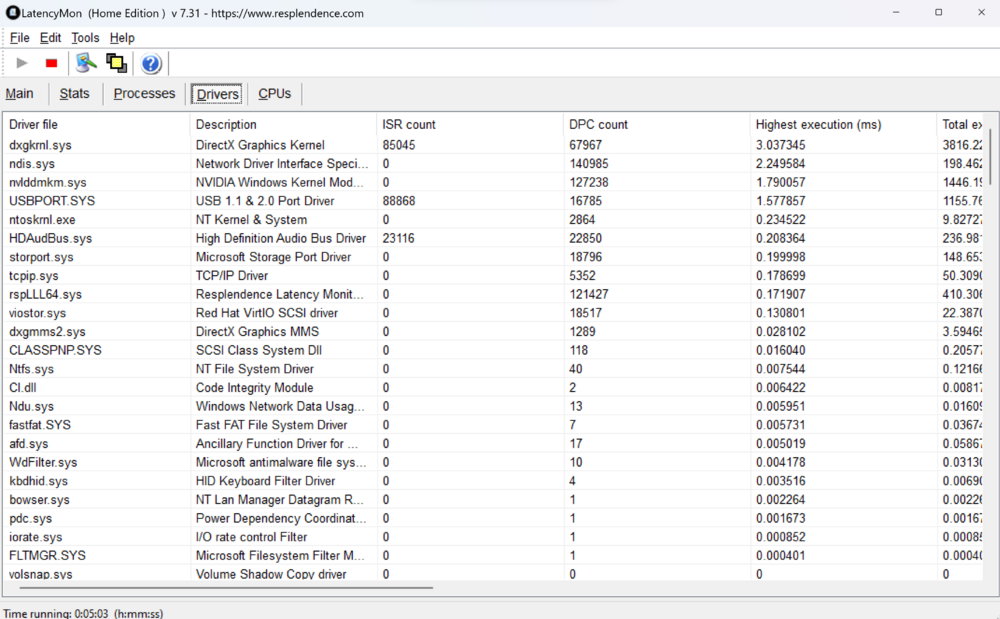
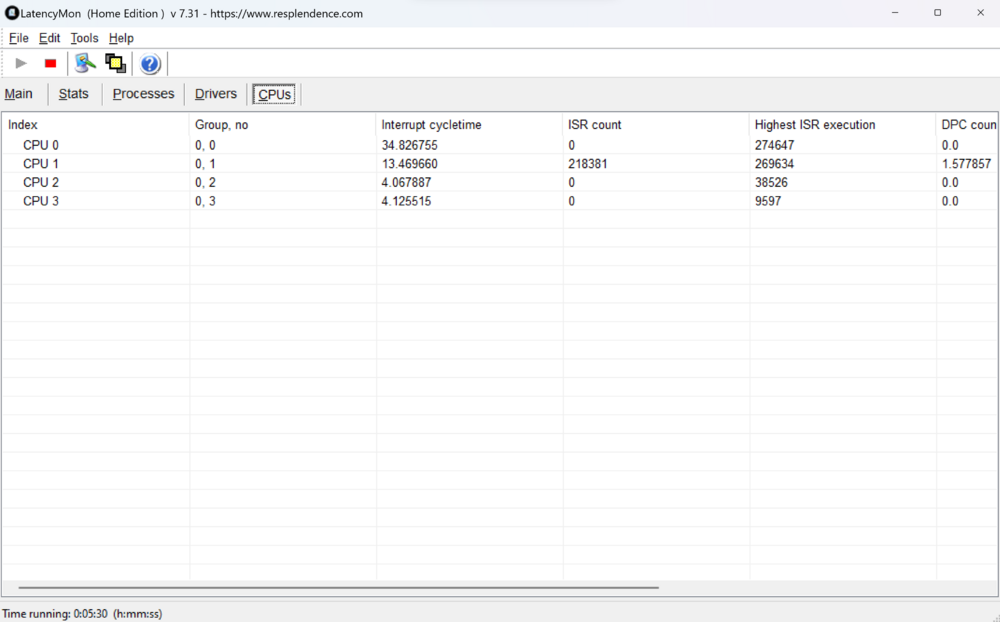
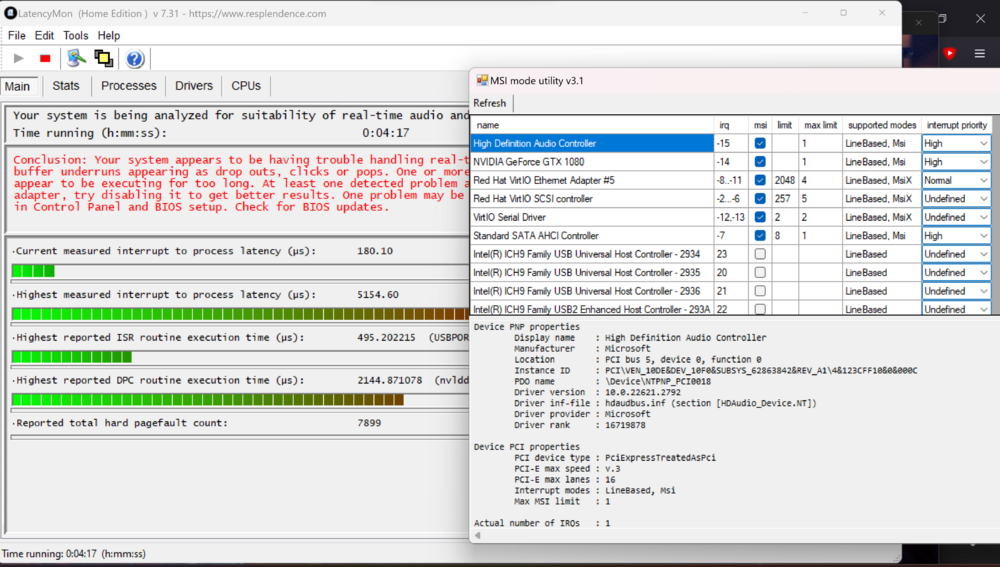
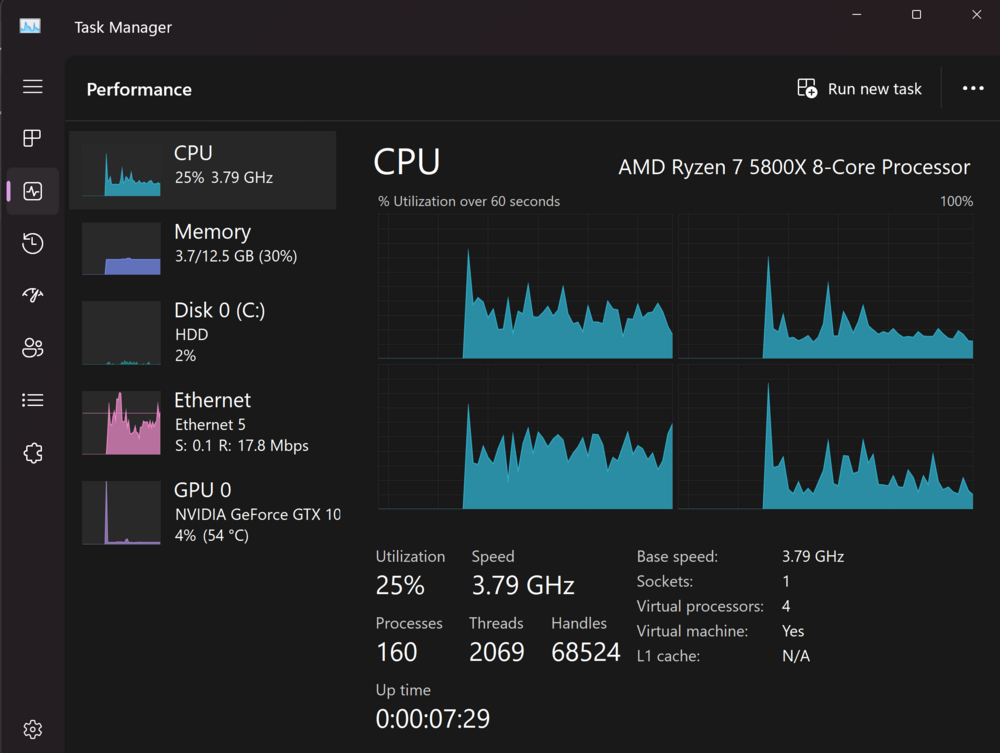
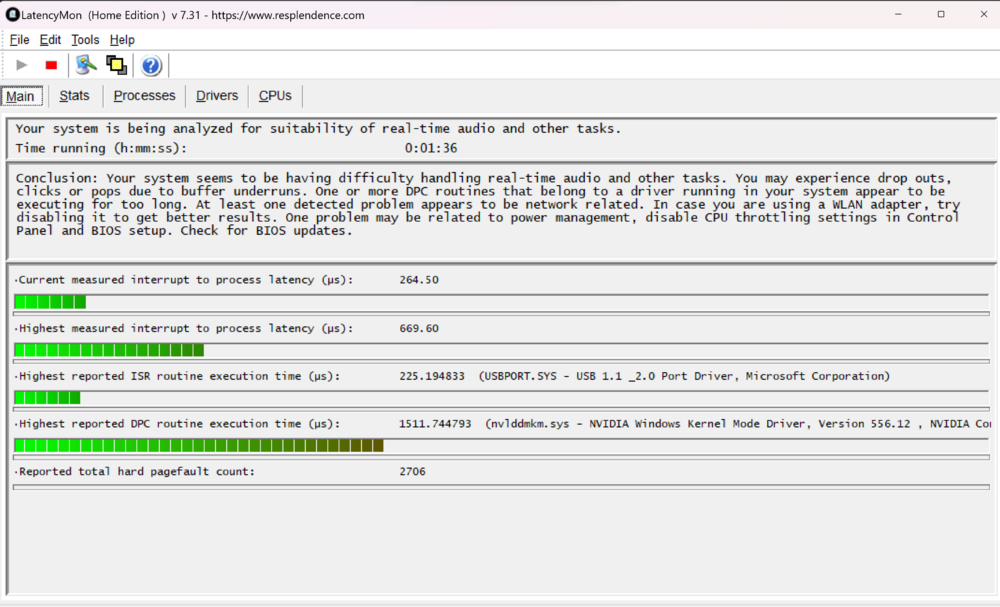
Hey everyone, I'm experiencing audio dropouts when passing through high quality audio over the GPU. Running Win 10/11 (had this issue with 10, thought maybe 11 would fix it) with a GTX 1080 passed through. 4 (also tried 6) 5600X cores, 12gb ram (also tried 16), running on a dedicated VM-only NVME drive (Win10 raw, Win11 qcow2 images). Tried i440fx-7.1, i440fx-7.2, Q35-7.2 OVMF/OVMF TPM bioses. Playing back 4K HDR and passing through audio over HDMI via eARC to my receiver. I have to pass the audio through to get DTS:X/Atmos, otherwise I'd only get raw 5.1/7.1 channels without the additional metadata required for those formats. Occasionally (30sec to 5 minutes intervals) there is a cutoff in sound the lasts 0.5 - 1sec, the receiver shows no audio passing through, then everything recovers and continues fine. MPV and VLC report no dropped frames or anything out of the ordinary. I ran LatencyMon whilst playing back TrueHD content and saw this: More tabs: MSI enabled for the GPU. Tried all interrupt priorities CPU & GPU not working hard whilst playing back that video. Tried pinning different pairs of CPU cores to no effect. "High performance" mode is on in Windows. I've also tried setting Power Management mode in NVidia "Manage 3D settings" to Max performance as per recommendation from the Plex/AVS forums. I think it may have helped a little, but the dropouts are still there. When playing back YouTube audio it seems to be fine-ish, but every now and again (far rarer than with high quality audio passthrough) the same brief dropouts happen. I've been banging my head on the wall all weekend, thinking this was a Windows/MPV/VLC/Dolby/whatever issue. I tried playing back the same content on my XPS 13 with no onboard GPU to help it, same software and setting setup - 0 dropouts, played back Dune Part1 4K TrueHD perfectly.
-
Starting to create parts list for an Unraid build that I plan to center around a 5700G with iGPU passthrough to a Windows 10 VM. If those who have managed to get passthrough working could please share what motherboard they're using and bios version I would be very grateful :) Thanks!


