TerabyteTitan
Members
-
Joined
-
Last visited
-
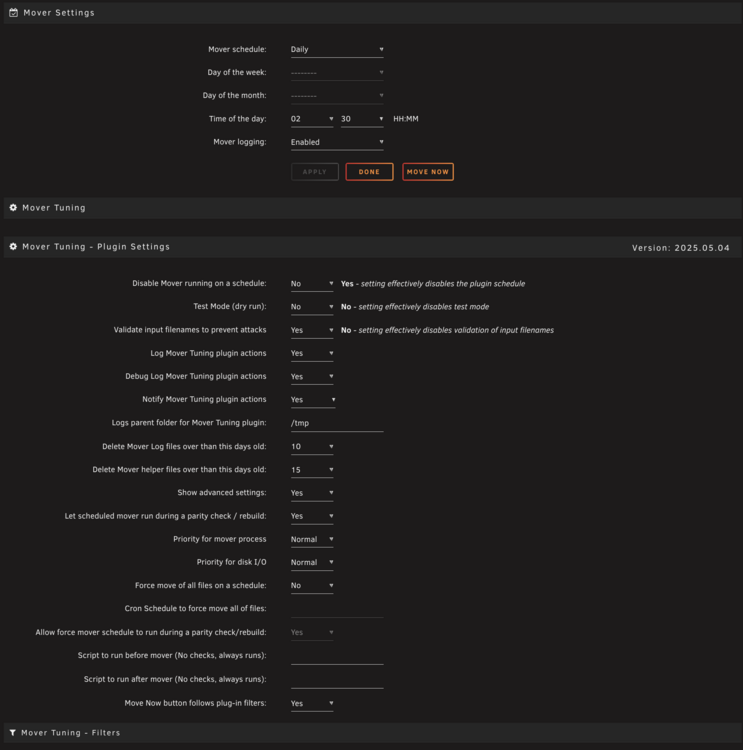
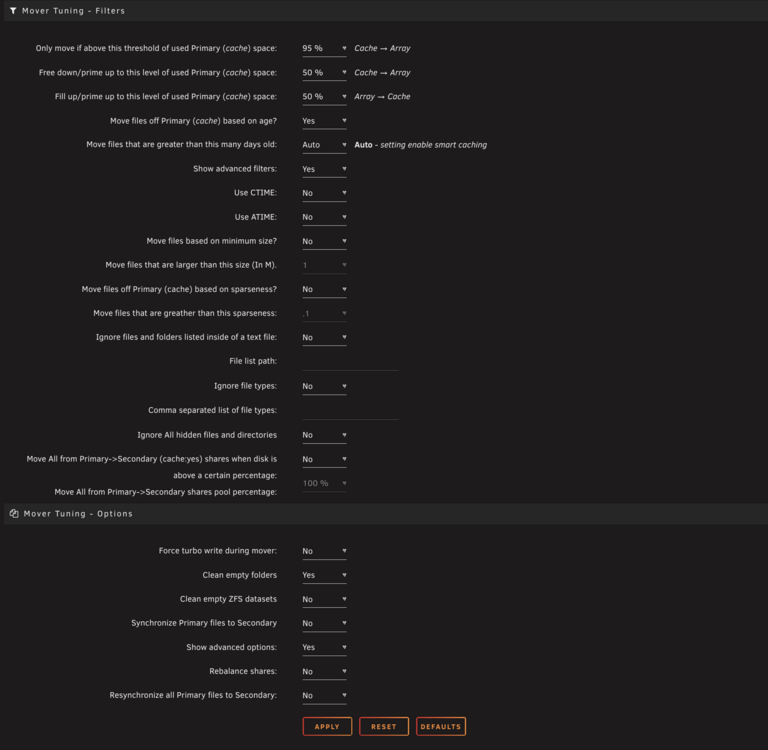
I just enable Test Mode for testing, after I noticed the cache not being used, as described last week (https://forums.unraid.net/topic/70783-plugin-mover-tuning/page/108/#findComment-1554238). The cache has not reached 95% in a long time, but stays under 10%. If i manually start Mover, nothing is moved, which fits the behaviour I'm looking for! I will observe this over the next days more closely. In case of Mover moving all the cache again to the array without respecting the 95% threshold, what logs would you need?
-
I am running Unraid 7.1.2, before a week I was on 7.0.1. debug.zip attached. Did not find it at first... ca.mover.tuning-debug-20250520-1153.zip
-
Exactly, that's the idea. And it used to work flawlessly before. Might have to do with the update from 6.12.x to 7.x? Unfortunately i cannot say, when mover stopped working as intended. Any ideas what I could check or do?
-
Thank you for your effort with this plugin! It did work like a charm for years now, but recently I noticed that my cache had very little usage over some time. So the mover moves way too early to the array and the cache is almost never used for a longer time. I startet fiddling with the settings, but was not able to accomplish the old behavior. In short: I want the cache (ca. 3TB SSD) to be used in a range of 50 and 95% (there is no value to a an empty cache ). I have attached my settings as images. When I ran a dry-run-move and looked at the logs the files in question stayed on the cache, which would indicate the config would work fine. I am confused... See the logs of that dry run attached as well. Thank you in advance for any hints! Would love to hav my cache working as expected again and keep my drives in standby.