jasssssson
Members
-
Joined
-
Last visited
-
Let me rephrase the problem: When I started the virtual machine with a direct network card (one of the 2.5G network card ports), I entered the installation program for debian12 and installed it normally until the network device detected it, the page froze, and the host (the host where Unraid was installed) restarted. I tested again and used IPMI's remote control to monitor. From when I opened the virtual machine until the entire device was restarted, there was no output. It is worth noting that if you do not install the debian program and remain stuck on the welcome page, you will not restart. When restarting, IPMI remote will suddenly disconnect and there will be nothing. So I reconnected a screen directly to the machine, and this is the video I recorded. IMG_6518.MOV
-
Is there any other way to check the logs?
-
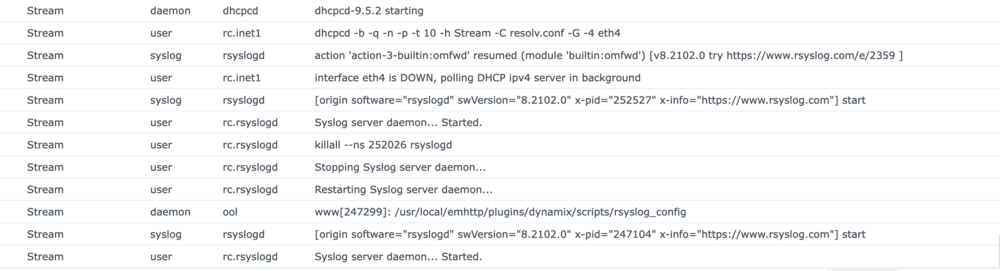
I tried to provide remote logging services on Synology, but I did not receive any abnormal data. There were no messages between the start of the logging server and the next restart.
-
It's like this, I modified the PCIe ACS and VFIO options in the VM Manager based on the messages on the forum, but it didn't help, so I restored the settings and restarted it once. This is the file after I opened the virtual machine, installed and configured it, restarted abnormally , and downloaded diagnostics. stream-diagnostics-20260126-1834.zip
-
This is diagnostic information. I can see the network card in Unraid, and the virtual machine installation program also displays the name of the network card. However, when the progress bar is in progress, it restarts. stream-diagnostics-20260126-1728.zip
-
Hello everyone, I am currently installing a virtual machine on Unraid. The system I installed was debian12, and in order to connect a 4-port 2.5G network card directly, I selected one port to the virtual machine (VM1). However, when VM1 started and the installation went through network detection, the host restarted abnormally. I have tried security drivers and even tried using a Joyful network card (8125->i226v), but this problem still exists. At the same time, VM2 is directly connected to a dual port 40G network card and running normally. I don't know how to troubleshoot the problem. Can someone help me?
-
Hello, I have purchased a new 4-port i226v network card, but I encountered the same issue. I tried using different ports, but the problem still persists. I will post a thread in the general support forum. It seems that the issue is not related to the 8125
-
Hello everyone, I am currently setting up a virtual machine on my machine. I have directly connected a 4-port RTL8125 (2.5G) network card and selected one of the network ports for use by the virtual machine (hereinafter referred to as VM1). However, after starting VM1 and entering the Debian 12 installer, when I proceeded to the network detection step, the page displayed the network card enpxxx, but then the webpage froze, and the host machine restarted. If I don't mount the network card, the virtual machine starts normally. In fact, I have used this network card on another machine, also with unraid, and encountered the same issue. I searched for relevant information and found a driver application provided by the community. I installed the r8125(b) application, but it didn't work. How can I solve this problem? I don't even know what caused it.
-
大家好,我目前正在我的机器上设置虚拟机。我直接连接了一个4端口RTL8125(2.5G)网卡,并选择了一个网络端口供虚拟机使用(以下简称VM1)。然而,在启动VM1并进入Debian 12安装程序后,当我进入网络检测步骤时,页面显示了网络卡enpxxx,但随后网页卡死了,主机重启了。 如果我不挂载网卡,虚拟机会正常启动。 事实上,我也在另一台机器上用过这张网卡,也用Unraid,也遇到了同样的问题。 我搜索了相关信息,找到了社区提供的驱动应用。我安装了r8125(b)应用,但它无法使用。 我该怎么解决这个问题?我甚至不知道是什么原因造成的。
-
Hello everyone, I am currently setting up a virtual machine on my machine. I have directly connected a 4-port RTL8125 (2.5G) network card and selected one of the network ports for use by the virtual machine (hereinafter referred to as VM1). However, after starting VM1 and entering the Debian 12 installer, when I proceeded to the network detection step, the page displayed the network card enpxxx, but then the webpage froze, and the host machine restarted. If I don't mount the network card, the virtual machine starts normally. In fact, I have used this network card on another machine, also with unraid, and encountered the same issue. I searched for relevant information and found a driver application provided by the community. I installed the r8125(b) application, but it didn't work. How can I solve this problem? I don't even know what caused it.

-
Sorry everyone, I currently need to move the equipment to a new studio, so it will take about half a month to try the solution you mentioned. After the move is completed, I will test it one by one. Thank you for your solution
-
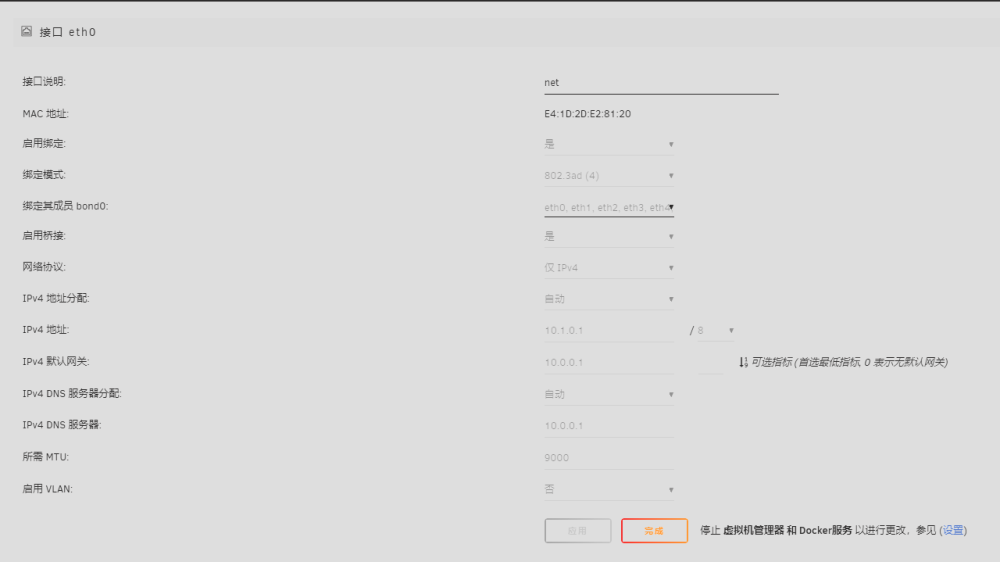
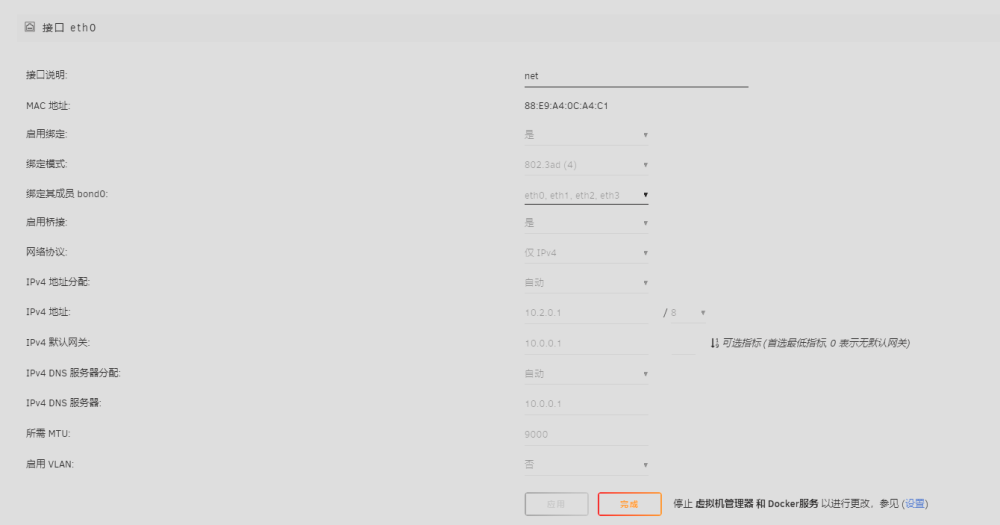
这是补充信息 1. 3x 341A Log stream-diagnostics-20240427-1945.zip 2. 2x flr544+ Log base-diagnostics-20240427-1946.zip
-
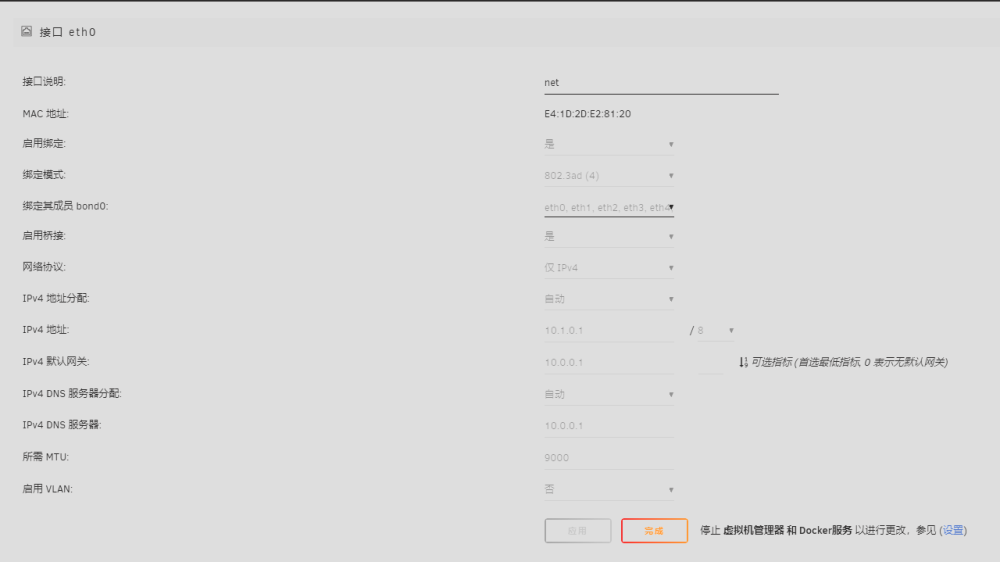
This is supplementary information 1. 3x 341A Log stream-diagnostics-20240427-1945.zip 2. 2x flr544+ Log base-diagnostics-20240427-1946.zip
-
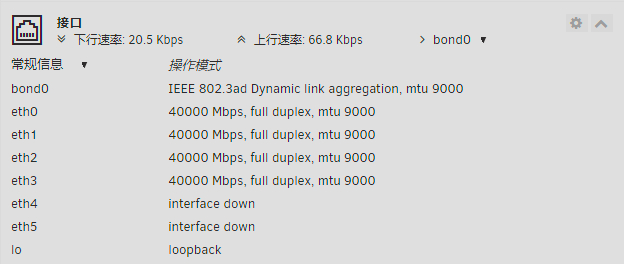
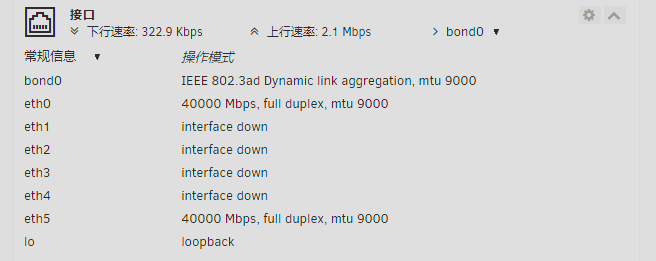
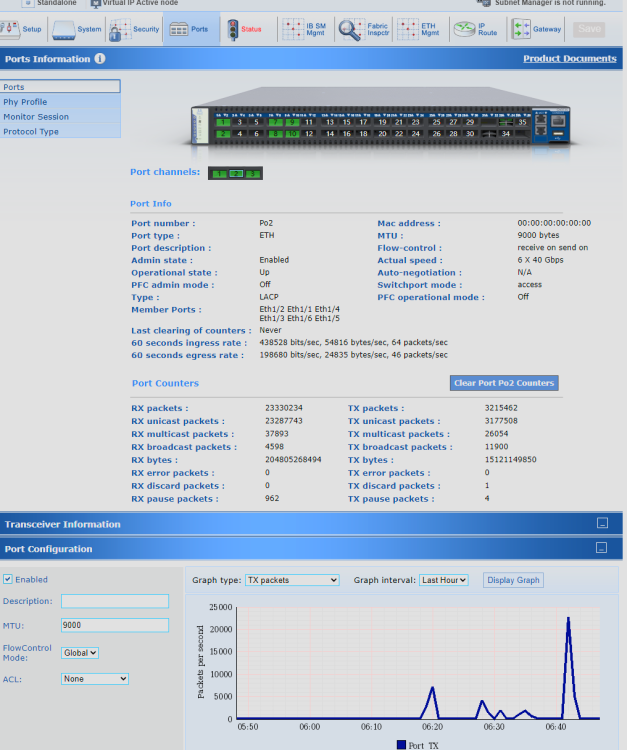
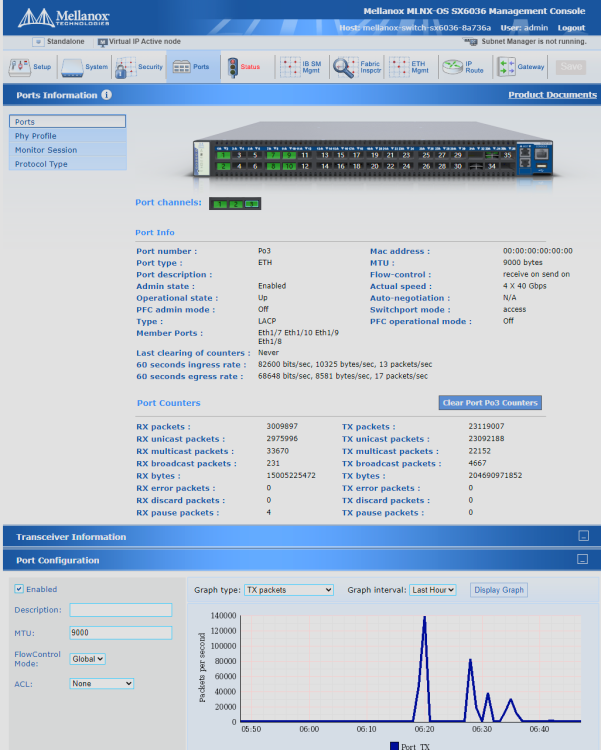
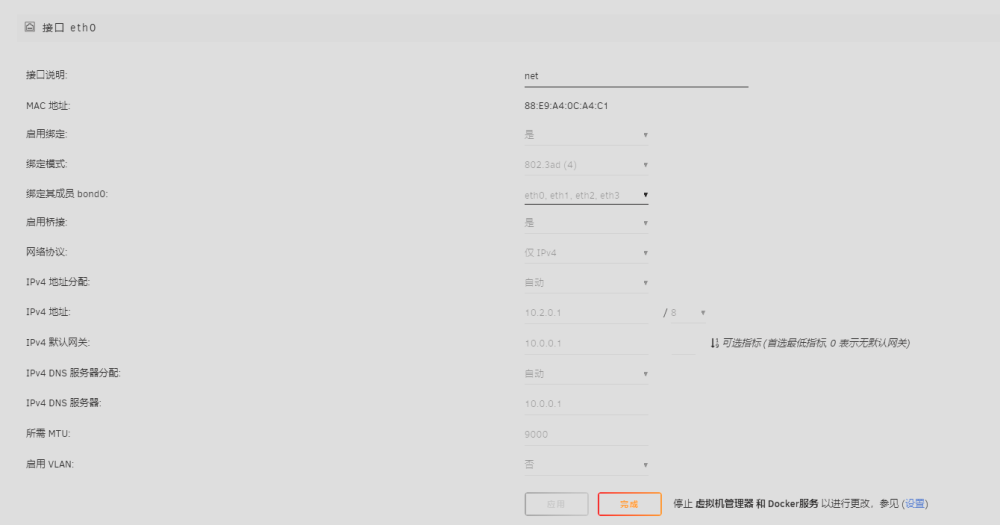
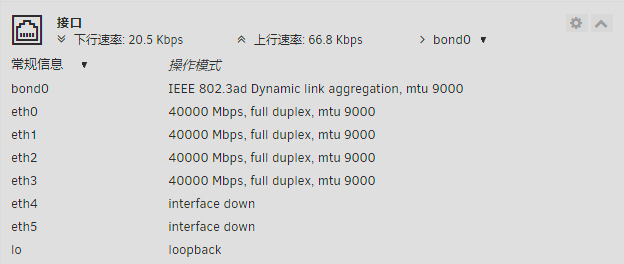
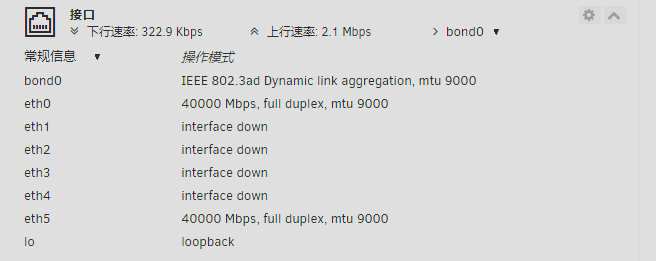
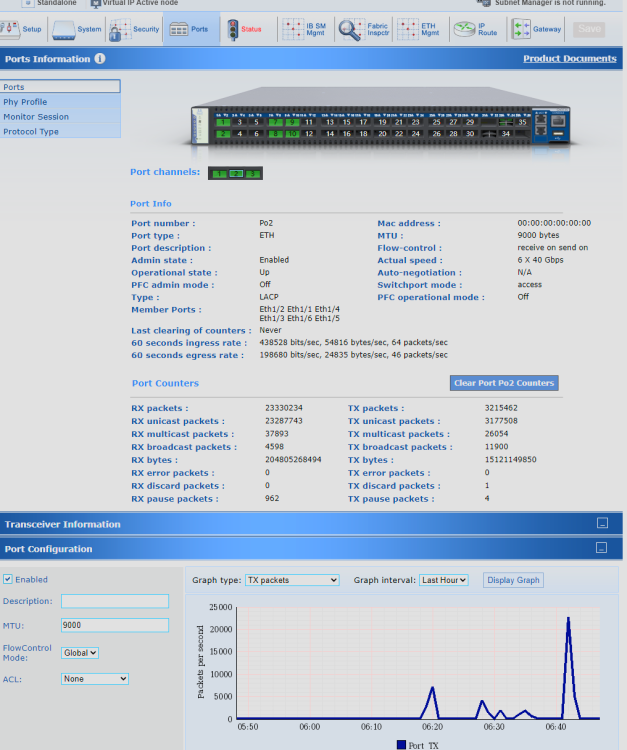
大家好,我最近使用unraid建立了两个服务器,一个使用3个314A网卡,另一个使用2个flr544+网卡。我将它们全部连接到Mellanox sx6036。由于每个网卡都有两个40G接口,我希望通过LACP实现高速。当我完成配置后,我使用内置的iperf3来测量速度,发现除了eth0之外的所有接口都没有负载,所以它只能在25G左右运行。我希望得到帮助。这是我的配置图(配备314A的机器目前只插入了两个端口) 兄弟们救一救!
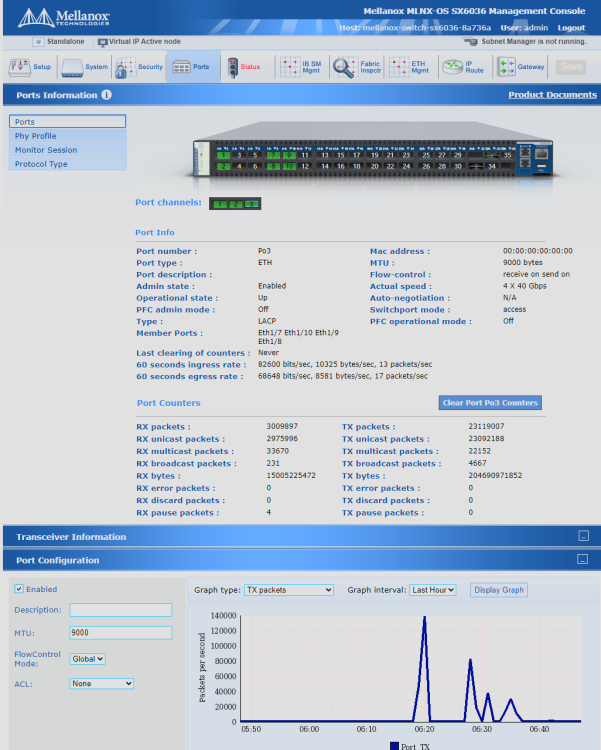
-
Hello everyone, I have recently established two servers using Unraid, one with 3 314A network cards and the other with 2 flr544+ network cards. I connected them all to Mellanox sx6036. As each network card has two 40G interfaces, I expected to achieve high speed through LACP. When I finished configuring it, I used the built-in iperf3 to measure the speed and found that all interfaces except eth0 had no load, so it could only run around 25G. I hope to get help. This is my configuration picture (the machine equipped with 314A currently only has two ports inserted)