entropy-homeserver
Members
-
Joined
-
Last visited
-
Thanks to everyone for your input and help in this matter!
-
What I meant is that I cannot find any fault with the drive when putting it into the USB port of 3 different, other machines. No diagnostic tool is reporting any errors. I can read and write just fine onto that drive. However testing the drive now again on the Unraid hardware, the server entirely refuses even to boot from this device, no matter which of the 4 USB ports I am using. So in conclusion I am working under the assumption that this particular drive, for whatever reason is not working with the USB hub of my Unraid board any longer. Gonna see how things pan out with the new USB flash drive now.
-
Short update: I prepared another flash drive, manually installed Unraid and copied the previous config manually from the backup onto that new flash drive, transferred the key and booted successfully. Unraid is up and running in working order. However, I find it quite worrisome that I am still unable to discern any fault with the previous USB flash drive. No diagnostic tool in Linux or Windows on different hardware is able to detect an issues with that drive, which also has been running for ~3 months without issues. Being unable to determine the actual root cause makes me feel very uneasy about this. Right now I was mostly concerned with bringing the Unraid server and the services on it back online. I'll check up on the suggested solution as per linked procedure next.
-
So I checked the flash drive thoroughly with a badblocks test and it got a clean bill of health on two different devices, however my unraid hardware is not booting from that drive any longer: ❯ sudo badblocks -w -s -o error.log /dev/sda1 Testing with pattern 0xaa: done Reading and comparing: done Testing with pattern 0x55: done Reading and comparing: done Testing with pattern 0xff: done Reading and comparing: done Testing with pattern 0x00: done Reading and comparing: done
-
Yes, I saw those messages in the log files. However checking integrity of the drive on other machines gave it a clean bill of health. So right now I am considering to attempt a reboot with the current flash drive before replacing it. Is that a valid approach?
-
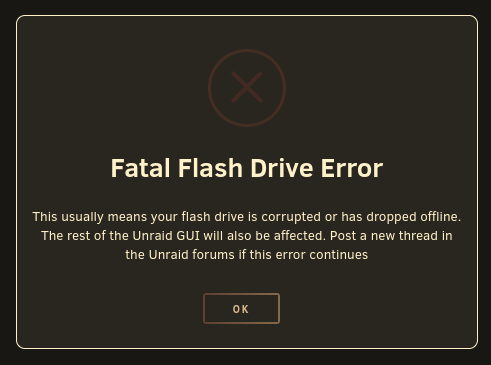
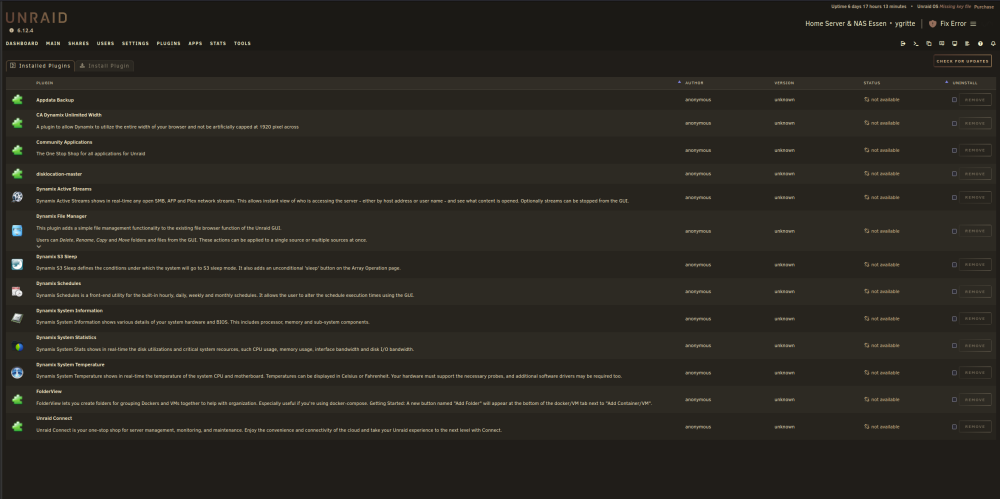
Hello everyone, this morning I was greeted by an unpleasant surprise when checking up on my Unraid installation. The main dashboard was no longer accessible, exported NFS shares that I usually mount on my laptops and workstation were no longer accessible. Checking up on the errors I got presented with notifications which all point to the attached Flash Drive being no longer available. Like for example when accessing the "Apps" item in the main menu bar results in a popup telling me "Fatal Flash Drive Error - This usually means your flash drive is corrupted or has dropped offline. The rest of the Unraid GUI will also be affected. Post a new thread in the Unraid forums if this error continues" -- Well, this error continues, so here I am. Things I tried so far: Restoring the Flash Drive from Backup utilizing the "Appdata Backup" plug-in: I initiated the restore procedure, however when starting the restore I am confronted with the error message "Something went wrong when restoring files" (Duh!) Removing the Flash Drive from the Unraid Hardware and checking the flash drive content on my main Workstation (Fedora 39): the drive could be read just fine, no file system errors or another other implication of failure, I also created another backup of the drive's content at this opportunity Re-inserting the Flash Drive into the Unraid Hardware on each of the 4 available USB ports (the port it used to be placed as well as 3 other ports of which to my knowledge 2 in total are USB 2.0, 2 are USB 3.0), however no luck there, the error persists Current Status: All Docker based services seem to be running just fine, including their access to the data pools on the spinning disk array (e.g. Nextcloud) Shares are NOT available Main Dashboard is NOT available Apps are NOT available Docker menu item NOT available Console is available Unraid Hardware: Board: KingnovyPC NAS Motherboard N5105 RAM: 1x 32GB Timetec, 2666 MHz PC4-21300 Spinning Array: 3x 16 TB Seagate Exos X18 Cache Array: 3x 1TB Crucial 1 TB SSD NVME: 1x Patriot 256 GB PSU: be quiet!Pure Power 11 Network: 4x 2.5 GBit/s NIC bonding, exposed to LAN by unmanaged switch Flash Drive: Transcend TS32GJF710S JetFlash (picked for reliability, using multiple of those for different purposes, never any issues yet) Since I'm still rather new to Unraid, any help would be greatly appreciated, my main concern right now of course is gaining full access to and control over the Unraid installation again as well as preserving data integrity. So before attempting a reboot I'd like any advice on how to best tackle this issue without risking any data/config losses. Thank you very much & Cheers ygritte-diagnostics-20240202-1005.zip