





prophetic-honour1787
Members
-
Joined
-
Last visited
-
That indeed did the trick. After removing the share cfg from the flash drive the options on the all lower case media share re-appeared and I was able re-enter those settings. Thank you so much. I still have the empty Media share showing under shares, I'm assuming that I can delete it. But I think I will just leave it there since everything is working. Thanks again. Alex
-
tower-diagnostics-20251225-2103.zip Oh yes, here is the diagnostic folder. Thank you.
-
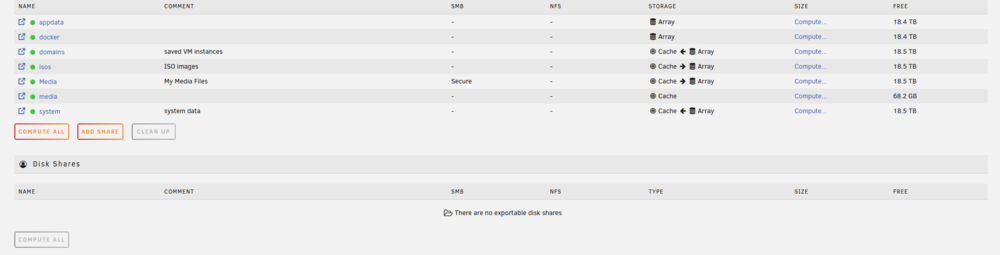
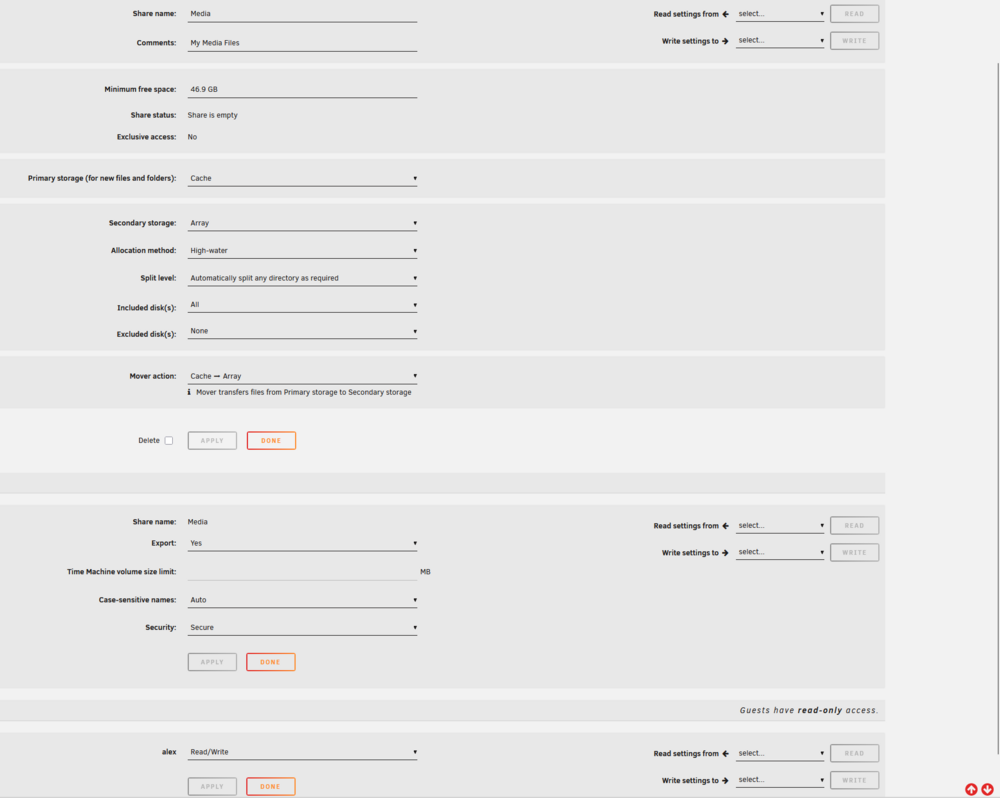
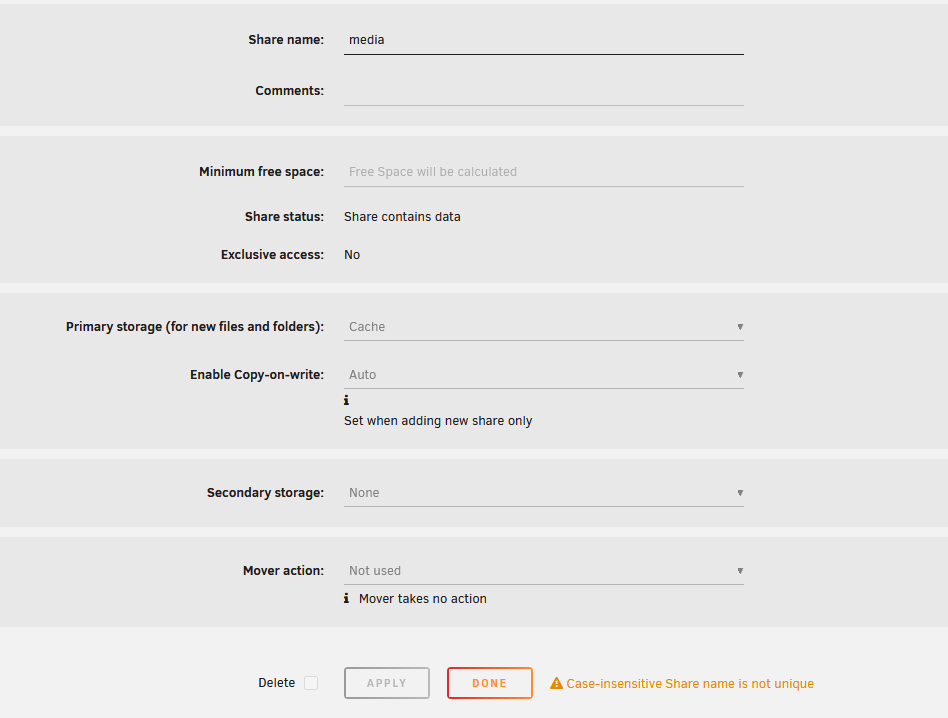
Hello, after a recent update my main share folder is now empty. I was having some internet outages in the middle of the update so maybe that did something to it. Unfortunately I haven't messed with unraid since I installed and all my memory of how to work with shares has since left my mind. I have read that it might be an error due to case sensitivity but I also noticed something odd in the users share itself. All of the files I want to access are in the media folder, but now in the shares I see 2 media folders: 1 named "Media" and another named "media" The "Media" folder contains the correct smb user access and cache drive settings but is empty. The "media" folder oddly only shows that it is the cache drive but contains all of my files and does not give me the option to give users access. I am not sure if this is typical when using a cache drive since I never really looked at this tab after I got the system running. Any suggestions you might give would be appreciated.
-
Greetings. I am attempting to get the System Temp and System Autofan to work for my ASUS Prime B450M motherboard. The program appears to be able to detect my CPU and SSD probes, but the MOBO temperature and fan controller is not appearing. I have tried to read through the topic in this rather dense form as well as I can but am hitting a barrier. Running sensors-detect yields the following Now follows a summary of the probes I have just done. Just press ENTER to continue: y Driver `to-be-written': * ISA bus, address 0x290 Chip `ITE IT8655E Super IO Sensors' (confidence: 9) Driver `k10temp' (autoloaded): * Chip `AMD Family 17h thermal sensors' (confidence: 9) Note: there is no driver for ITE IT8655E Super IO Sensors yet. Check https://hwmon.wiki.kernel.org/device_support_status for updates. No modules to load, skipping modules configuration. While it says that the IT8655E has no driver, I found a post in this thread showing that the it87 driver actually does support that chip. So I placed it87 and k10temp as lines in the drver.conf on the boot device for this plugin and now it87 & k10temp both show up under available drivers. Unfortunately still no results for the fan controller or MOBO temperature. I also tried running this in the terminal modprobe it87 ignore_resource_conflict=1 but I get the response modprobe: ERROR: could not insert 'it87': No such device Did I mess something up or miss a step here? I have not seen anyone else have that kind of response to that query. Thank You, Alex Edit: Nevermind - right after posting this I noticed that the IT87 driver was not listed in system drivers. After installing the it87 driver plugin it works. I'll leave this here in case it helps someone else though.


