





Jos79
Members
-
Joined
-
Last visited
Everything posted by Jos79
-
I managed to get it started in normal mode again (waiting to see another shut down...), see diagnostics. Maybe I should have the bios in optimized defaults? servtakis-diagnostics-20240830-0054.zip
-
Hi! I just installed a PCIE 16X to SATA Card (Main control chip: ASMedia1064*6) from Ali Express. It did seem to work fine! Now it keeps shutting down. Sometimes it takes a while, or even some hours. Than it kind of freezes. I did not change or installed anything further. I now updated the bios. Turned off Secure Boot, Package C State, Energy Performance Bias etc. Its just cant find the problem Maybe someone can help!!! The diagnostics i made in safe mode servtakis-diagnostics-20240830-0028.zip
-
Ok thanks! I will order another USB-stick. Any suggestions?
-
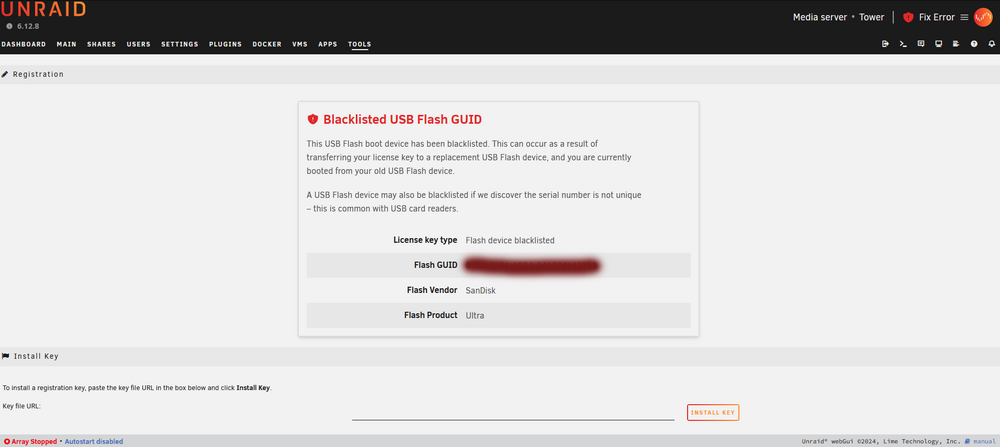
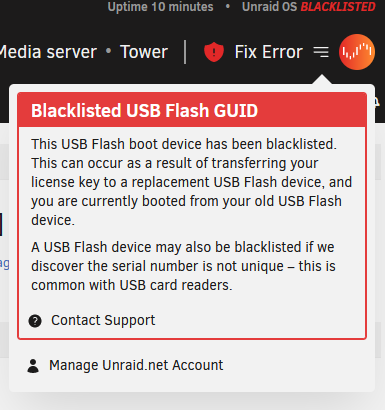
Hi! I had an old PC lying around where I put UNRAID on and I really liked it! So I bought the Pro version last november for a reduced price. (Think it was a black friday deal). Later on I build a new PC with suitable parts for a server. I also bought a faster USB-stick and transported (succesfully!) the license and all to this new stick. Than I setup my new motherboard etc. It all works fantastically!!! But now: The older PC I had used with the licensed UNRAID was lying around again. So I thought to make another UNRAID server for some special data. But: When I used an USB-stick it would say the stick was black-listed. It could be that I already used it for UNRAID, but I bought and tried a new one: it was also blacklisted. The where all Sandisk sticks by the way. Now I've 2 possible things going: 1. First the blacklisted USB-stick. 2. The older PC that had the licensed UNRAID on it. Maybe it won't work because UNRAID sees it as a system already used with a license..? I just dont know which is the problem here. The blacklisting seems so awkward because I tried multiple USB-sticks. Maybe it relates to my email-address? Pfff, I just dont know! My plan was to buy another license for the older PC but it becomes impossible it seems... Can anyone help?
-
Thanks Vr2lo! Indeed you were right, i just had to simply go to internet explorer and make a new network connection and put the \\10.0.0.1\ connection in and it worked. I did not change the subnetmask (255.255.255.0 instead 255.0.0.0) though. Now I think how stupid I was🤨. But as always, the devil is in the details haha! Thanks!!!
-
Hi! A newbie here, but I thought I set it up right... What I want to do is to directly transfer files from my PC to unraid using a network cable directly between both devices. Set it all up. and the connections are made. But now it only transfers over the 1G networkcard (eth0), I know this because of the traffic indicator on Unraid. I like to prefer the 2,5g network card but I dont know how...Probably the solution is easy but I cannot make it work... I transfer files using file explorer, moving it into the networkfolder in My PC, maybe the problem lies there? I come so far, but I am probably not very smart...haha Any suggestions?


