





seyar
Members
-
Joined
-
Last visited
Everything posted by seyar
-
Hi everyone ! After moving the content from one SSD to another one through rsync, libvirt & docker seem to fail starting. files seem to be correctly located in /mnt/user/system/docker/docker.img /mnt/user/system/libvirt/libvirt.img Any clue on how I can repair this ? Attached you can find the diagnostics Thanks for your help, Alex tower-diagnostics-20240117-1209.zip
-
Great, thanks @JorgeB !
-
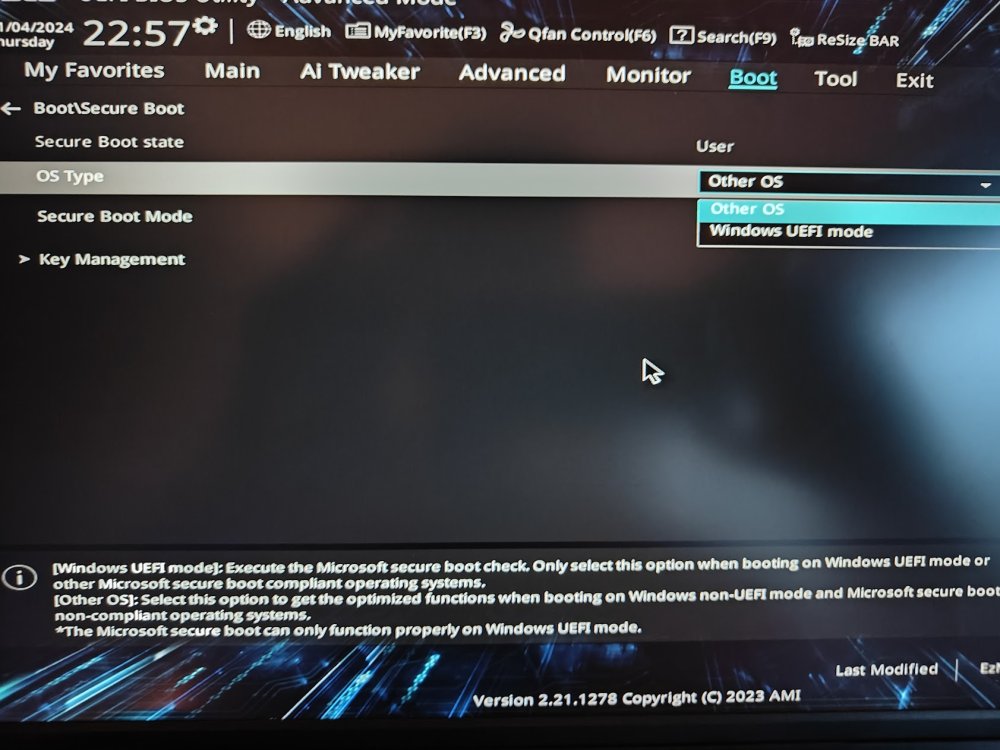
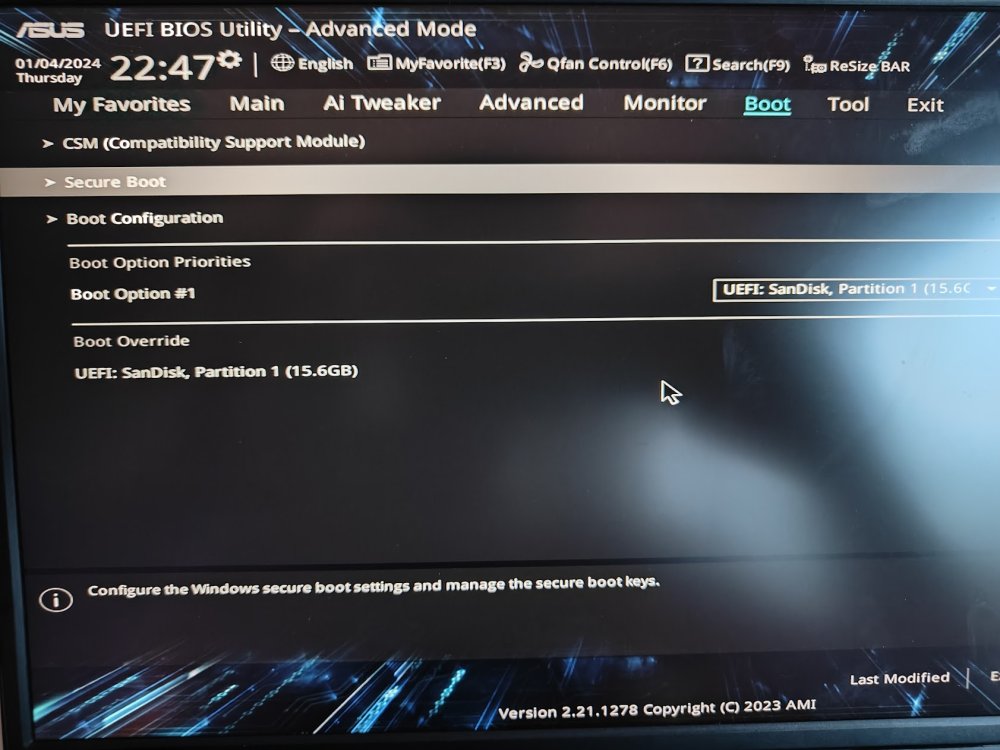
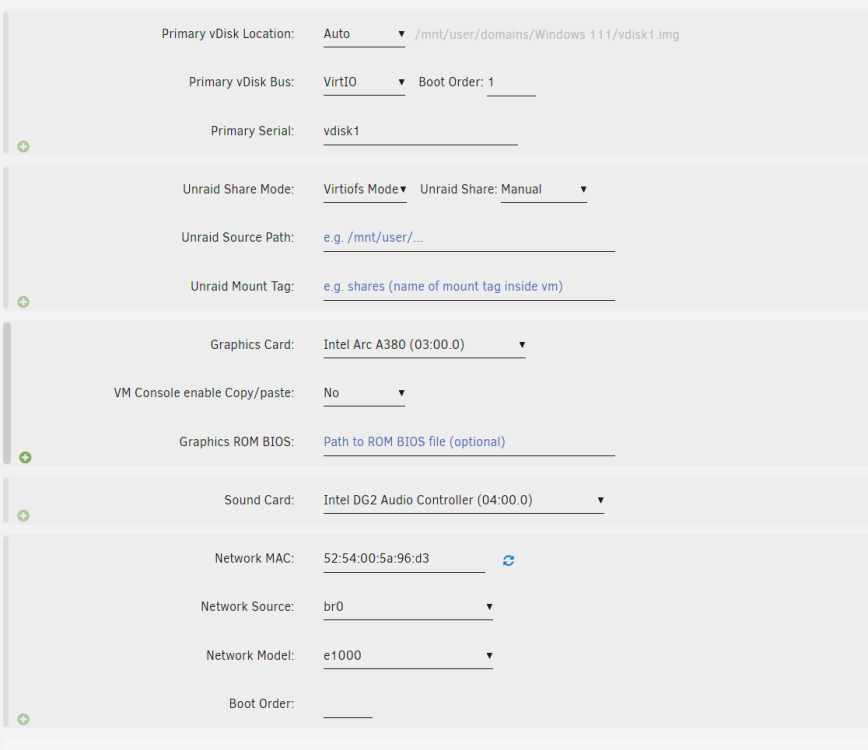
Hi ! Stuck with this although I followed steps provided earlier : Config : Intel Arc 380 Unraid 6.12.3 here, with @thor2002ro's 6.2 kernel Machine: Q35-7.1 BIOS : OVMF-TPM Followed the following steps : - Host BIOS Enable ReBAR support - Host BIOS Enable 4G Decoding - Enable & Boot Custom Kernel syslinux configuration (near beginning of this thread) apparently not needed anymore - VM must have the top line of XML from <domain type='kvm'> to: <domain type='kvm' xmlns:qemu='http://libvirt.org/schemas/domain/qemu/1.0'> - VM must have added the following (after the </device> line, before the </domain> line): <qemu:commandline> <qemu:arg value='-fw_cfg'/> <qemu:arg value='opt/ovmf/X-PciMmio64Mb,string=65536'/> </qemu:commandline> Only steps I'm unsure are the following : - Boot Unraid in UEFI Mode - VM must use UEFI BIOS Pretty sure it's a yes, but how can I be sure of it ? Attached some screenshots of config+ BIOS config + VM XML here : https://pastebin.com/6Re8fs6Z Any clue ? Thanks for your help!
-
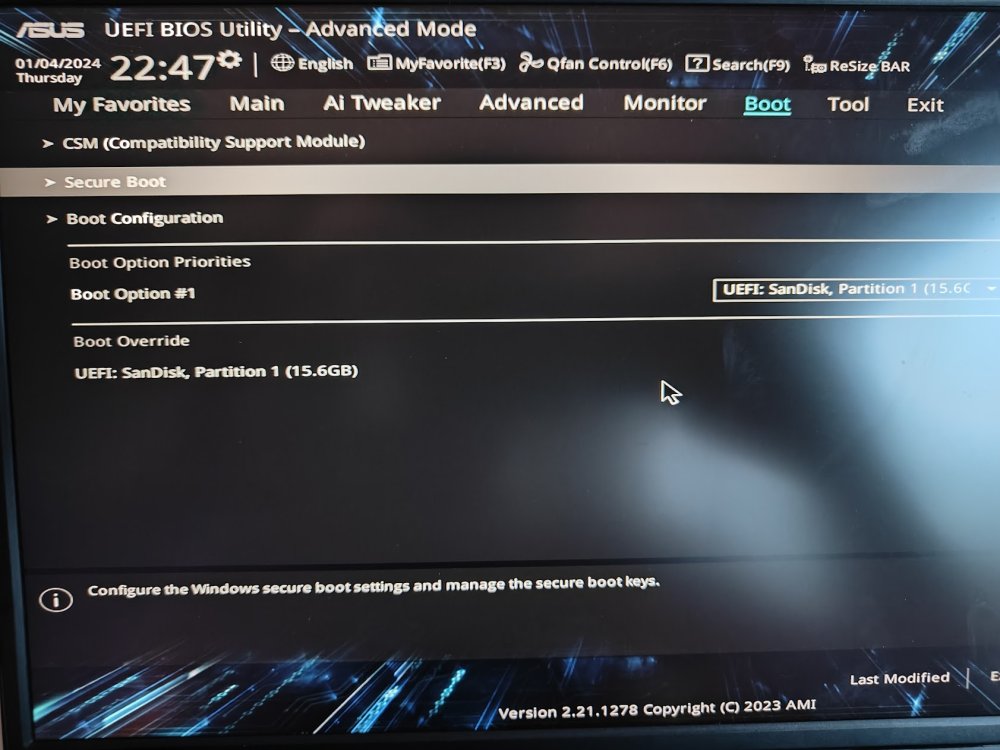
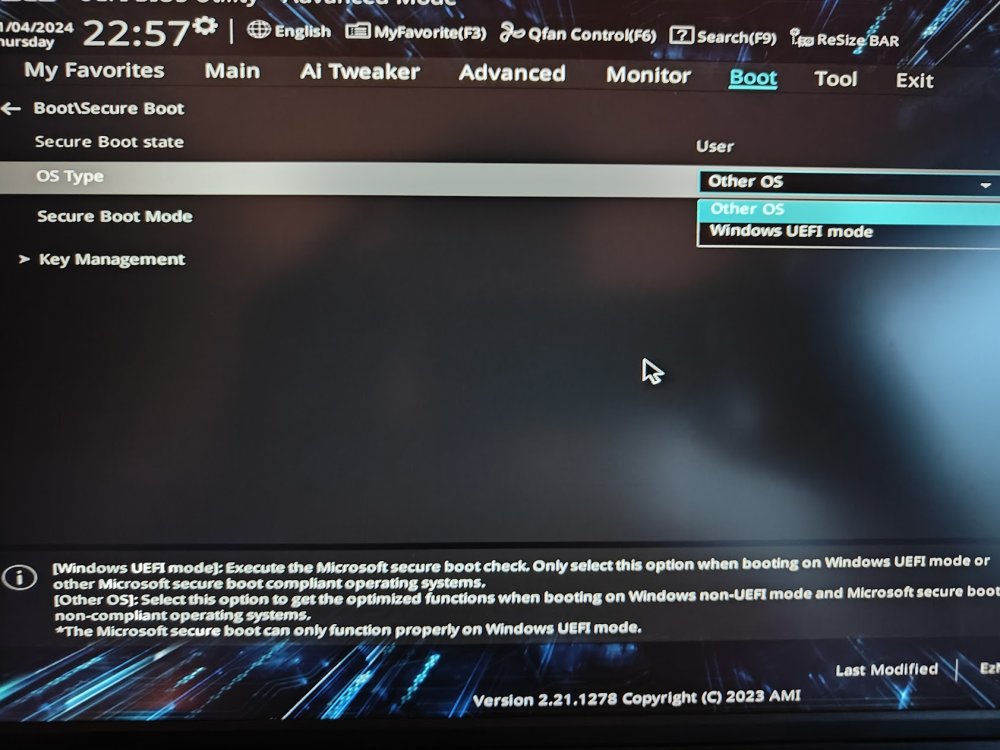
I can't find the setting in the BIOS, it's very confusing. As you can see, it sees that it's a UEFI boot disk, but in another part of the BIOS in OS Type "Other OS" is selected. I can change for "Windows UEFI mode" but then I get a screen with static. Is it ok to leave "Other OS" or must it be "Windows UEFI Mode"?
-
Hi everyone, Just been struggling with Win VM's on unRAID 6.12.4 I have been struggling with one of the requirements : "Boot Unraid in UEFI Mode". All docs I read seems outdated, as I am supposed to remove "-" from "EFI-". That seems to be the case on my disk drive, but how can I ensure that unRAID was booted in UEFI mode ? Thanks for your help, Alex


