Skip to content
View in the app

A better way to browse. Learn more.

Unraid

A full-screen app on your home screen with push notifications, badges and more.

To install this app on iOS and iPadOS
  1. Tap the Share icon in Safari
  2. Scroll the menu and tap Add to Home Screen.
  3. Tap Add in the top-right corner.
To install this app on Android
  1. Tap the 3-dot menu (⋮) in the top-right corner of the browser.
  2. Tap Add to Home screen or Install app.
  3. Confirm by tapping Install.

hzhuhao

Members
  • Joined

  • Last visited

  1. 之前改了下稳定运行了十几个小时,后来这两天又出现过失联,麻烦再帮我看一下哦 syslog-127.0.0.1 (9).log
  2. 非常感谢 我目前运行的两个一个是jellyfin 一个是nps 内网穿透的 我现在试试关闭nps看看还会不会持续创建和配置虚拟网络
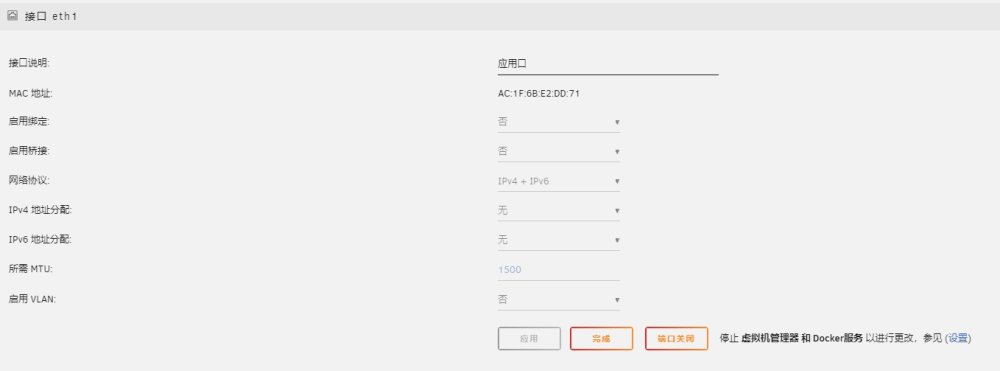
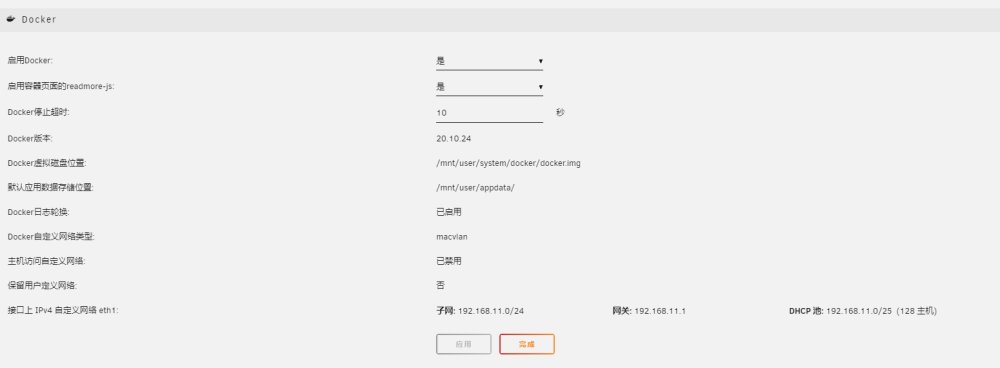
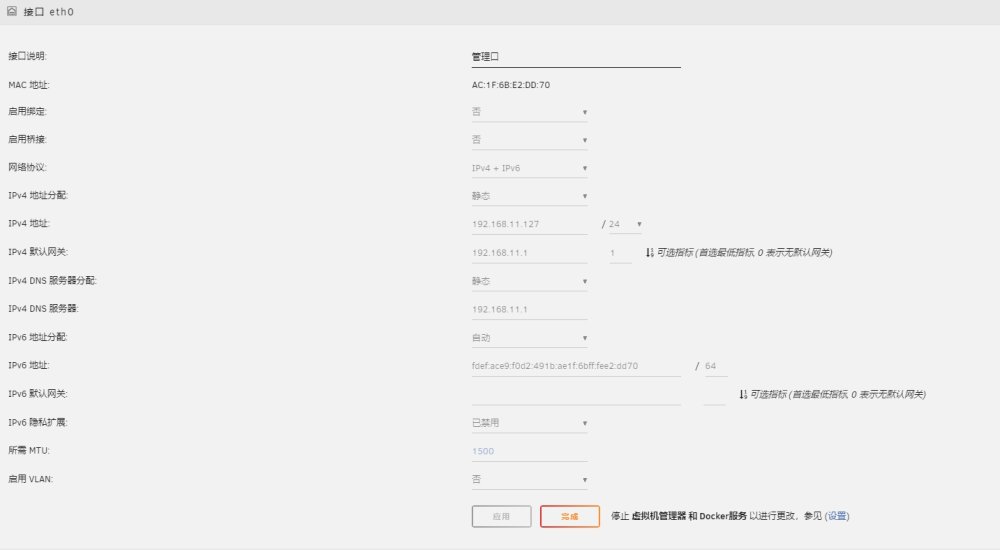
  3. 可以看看你的网口是怎么设置的吗,我现在经常掉线,看看是不是设置的问题
  4. 这是最近一次的断连系统日志,麻烦帮我看一下哦 今年入正的pro版本,我都要被整崩溃了 谢谢啦 syslog-127.0.0.1.log tower-diagnostics-20240130-2046.zip
  5. 按照论坛里面的方法试了个遍,都没办法解决失联的问题,经常用着用着就访问不了 麻烦大神帮我瞅瞅 tower-syslog-20240126-0257.zip tower-diagnostics-20240126-1055.zip

Account

Navigation

Search

Search

Configure browser push notifications

Chrome (Android)
  1. Tap the lock icon next to the address bar.
  2. Tap Permissions → Notifications.
  3. Adjust your preference.
Chrome (Desktop)
  1. Click the padlock icon in the address bar.
  2. Select Site settings.
  3. Find Notifications and adjust your preference.