





Sharkie
Members
-
Joined
-
Last visited
Everything posted by Sharkie
-
Thanks i have reset the stats and will be monitoring. I have re-created the image this morning, and followed these steps provided to re-create the image and then installed the dockers from previous apps but i am still having issues with the one tdarr docker.
-
Alright so is there anything else we can check, seems tdarr is still not working when trying to open the docker. The corruption errors are still present Anything that should be done below?


-
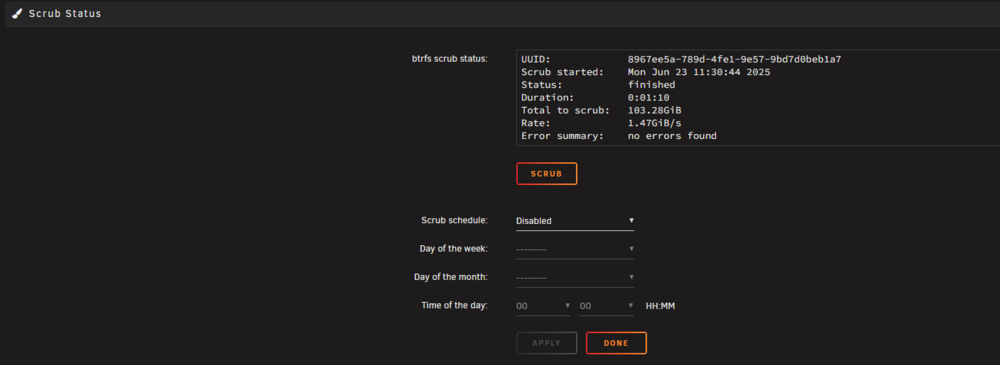
steps have been followed: Settings - Docker, stop the service Delete the docker.img (option to do it on the same page) Re-enable the service Apps, Previous Apps. Check off whatever you had installed before, then hit Install "X" Applications It'll all be setup identically to as it was previously before you have time to even make a copy Scrub also completed, please see below:
-
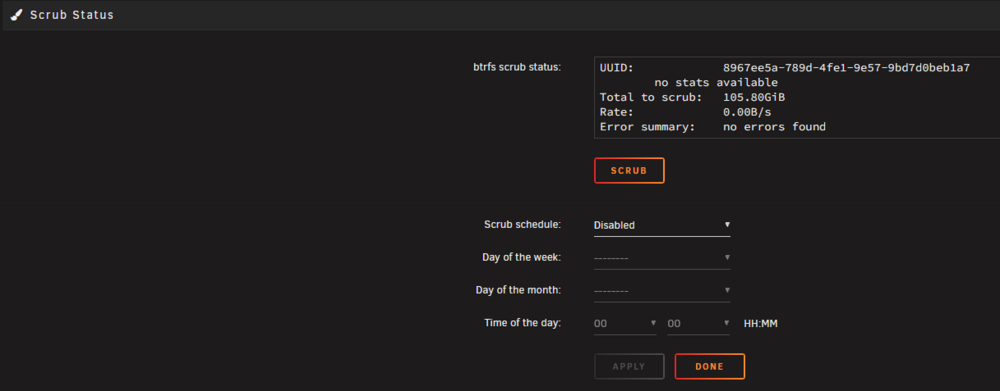
Thanks, do you mind advising on the steps with regards to the scrub? I have never done it before and just want to understand the steps and process, like what does it exactly do? I see the scrub option below:
-
Seems it was another faulty RAM module, I put another 1 in and memtest is now successful. With regards to the dockers still being unresponsive, should i follow the below instructions or what do you advise? i did the below after the last RAM replacement as i has the same issue. Settings - Docker, stop the service Delete the docker.img (option to do it on the same page) Re-enable the service Apps, Previous Apps. Check off whatever you had installed before, then hit Install "X" Applications It'll all be setup identically to as it was previously before you have time to even make a copy
-
Thanks Jorge, I had a faulty module not to long ago, replaced it and ran the memtest again and all was fine. Ill run the memtest again and feedback with the results.
-
Hi there, I noticed my Plex and Tdarr dockers have become unresponsive and i have to reboot the physical Unraid machine to get them working again. I noticed there are corrupted errors on the Cache drive where all the app-data resides: (NVME drive) I'm not sure if the NVME is failing or if there is something else that can be done to resolve it? Or if it should be replaced? I have also attached my diagnostics. Your assistance will be much appreciated sharkie-media-diagnostics-20250619-1110.zip

-
HI I ran the memtest and seems one of the modules are faulty as it showed many errors, i replaced the memory and ran a test with the new ram and all was successful. I proceeded with the steps and all is working now as expected. Thank you for the assistance.
-
Thanks let me run the memtest and see the results, then will run with the next step and advise on the outcome.
-
I did try that but had the same result
-
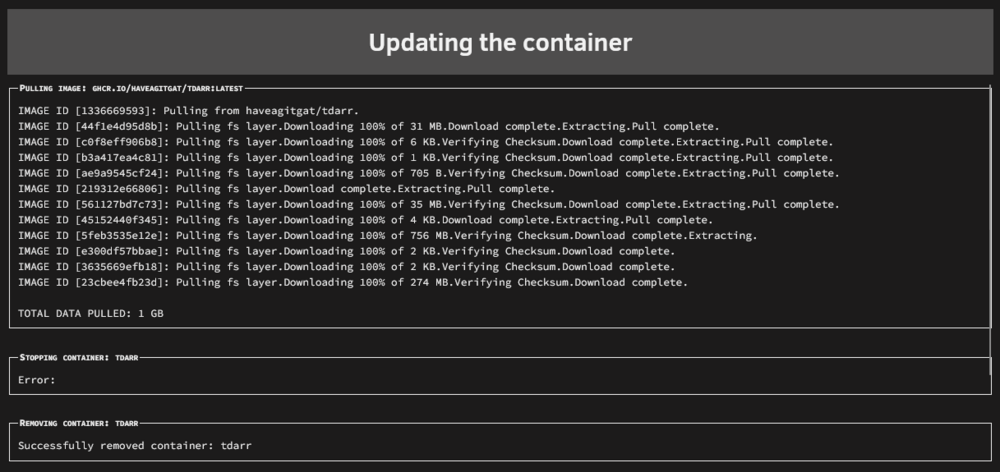
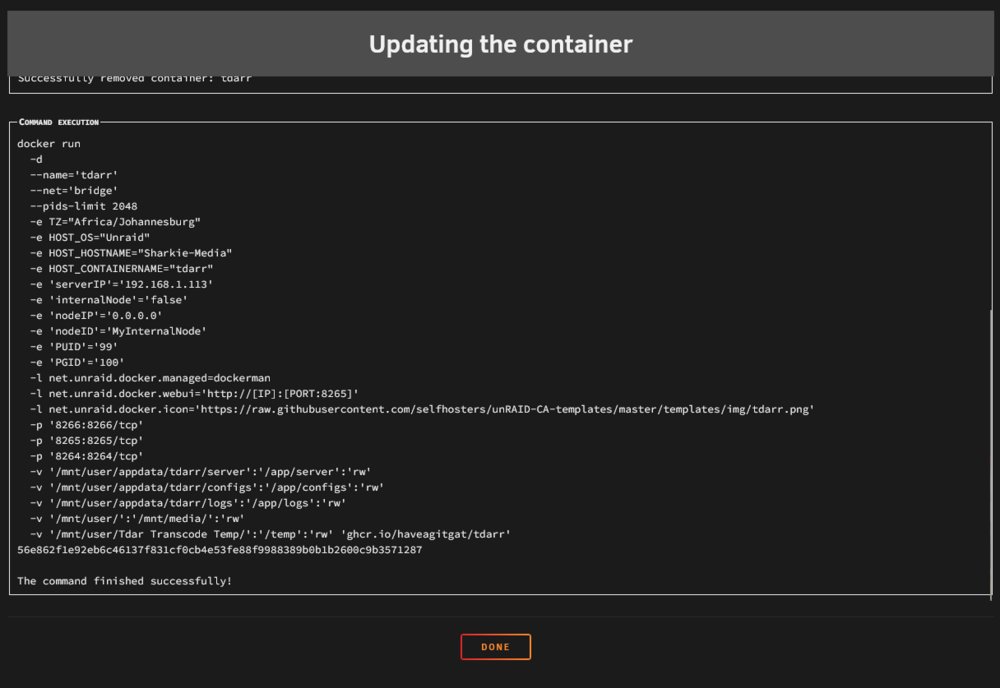
HI, I am unable to update my tdar dockers, when i run the update it shows error when stopping the docker as per the below: After i click done it still shows there is an update required, now the 2 dockers have different versions and are not able to work till they are fully updated. I have attached my diagnostics, help will be much appropriated. Thank you. sharkie-media-diagnostics-20250319-1355.zip
-
Hi When i run tdar docker it freezes the entire unraid OS, Plex docker goes into a stopped state and no other docker can be rebooted or settings amended until i reboot the physical machine, also not able to reboot or shutdown from the gui, have to power the server down manually by holding in the power button. Attached diagnostics sharkie-media-diagnostics-20241005-0013.zip
-
I changed the below setting and the share is accessible now: Security Settings > Local Policies > Security Options In the right pane of Security Options, look for Microsoft network client: Digitally sign communications (always) which might be set to Enabled and this is the cause for this issue. Double click on security setting and on the configuration sheet, set it to Disabled, which is also the default setting. Click Apply, followed by OK.
-
I have tried the below option but does not seem to be working: Directions: Press the Windows key + R shortcut to open the Run command window. Type in gpedit.msc and press OK. Select Computer Configuration -> Administrative Templates -> Network -> Lanman Workstation and double click Enable insecure guest logons and set it to Enabled. Now attempt to access \\tower
-
So this seems to be the error im receiving: You can't access this shared folder because your organization's security policies block unauthenticated guest access.
-
How would i access the shares from my phone? i did trying accessing other shares over the network (Another server running windows) and i am able to connect successfully.
-
Yes the shares are exported publicly, i did try logging in with user with no password and still no luck,
-
HI There After reinstalling windows 11 and trying to access the UNC path for the unraid server it asks for a username and password, I have tried the root username and password but it does not accept it, I am able to access the unraid GUI with the same root username and password. So i just wanted to confirm which username and password i should use to access the UNV path of my server \\servername Regards, Sharkie
-
After running the non-correcting one now the errors have disappeared. Thank you for the assistance.
-
Thank you for the guidance. Busy running one now, will revert once completed.
-
Thanks for the response. No not yet, the 1st was the scheduled non correcting one then i ran the correcting one afterwards which still showed the errors: Should i run another correcting parity check again or non correcting one?
-
Hi I noticed there are errors on parity after the last scheduled parity check (Non correcting and runs monthly) I do not see any errors on the drives so i tried running a correcting parity check which completed this morning but the errors are still there. The only error i had but this was before i had errors on my parity check was Disk 5 UDMA CRC error count which i changed the cable out and acknowledged the error and it has not changed since, its still on a raw value of 4 and still healthy. Is there something else that i can try to get rid of the errors on parity? I have attached my diagnostics. Thanks sharkie-media-diagnostics-20240820-1442.zip


