





flighttoarras
Members
-
Joined
-
Last visited
-
If I could mark all responses as solved I would! Thank you so much! Got it all sorted!
-
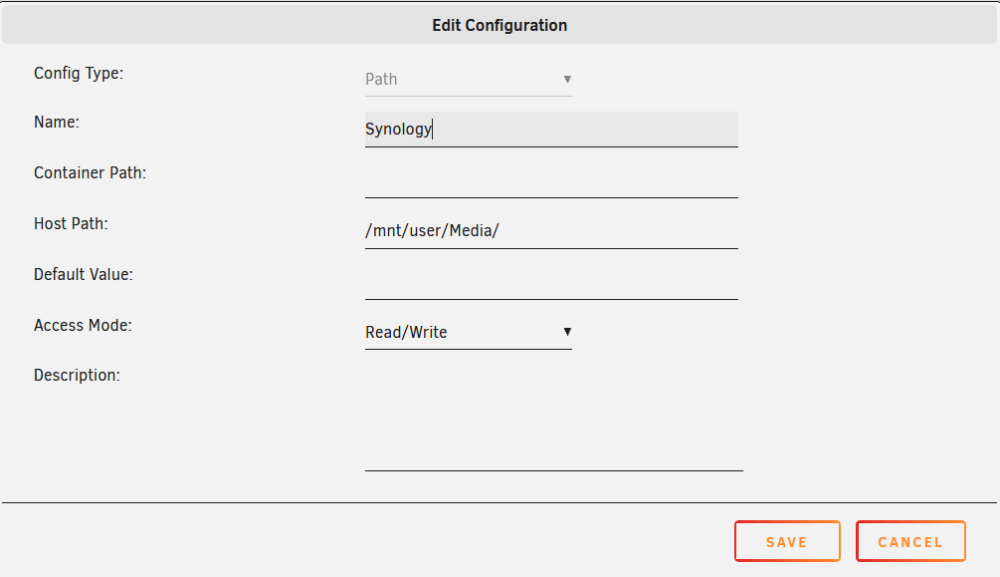
Filebrowser does not seem to see my mounted Synology NAS... - I think I need to squeeze this synology info into this filebrowser config....

-
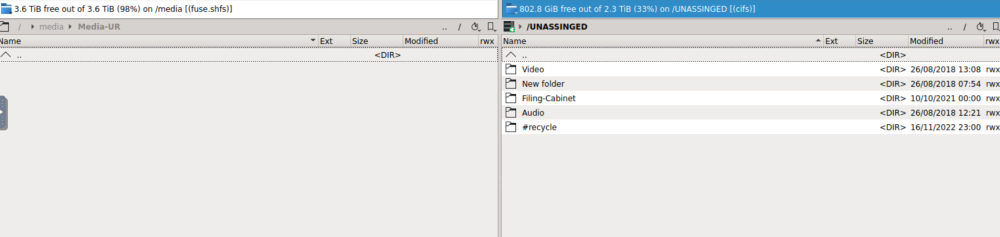
Sweet. I got UD to mount my Synology NAS media folder - Now I just need to figure out how to copy the data...
-
Unassigned Devices? Hold my coffee, IM GOING IN!
-
Thanks to the AMAZING people on this forum I've got my unRaid box up and running. I want to move about 2 TB of data from my synology NAS to my unRaid box. I've got both set up properly for network sharing and I could just open up both folders in windows explore and drag & drop, but that seems like it makes the data go through my windows machine necessarily. Is there a way to grab the data directly from the Synology NAS from within unRaid? Alternatively, even if it takes longer is it just better to do it the drag & drop through windows method? Thank you!
-
That worked! I went to 192.168.1.123 and got in just fine. I can take it form here! THANK YOU SO MUCH!
-
I also tried 6.12.3 and a different USB port with the same results.
-
My bios is set to UEFI+Legacy and i left the installer to UEFI
-
Im using the latest stable build 6.12.4 and every time I try and launch the GUI mode from a USB boot so I can install I get a hang up about 30 seconds in: https://photos.app.goo.gl/T4DpSGEfPQ9fBMf57 I have tried waiting a good 10- 15 minutes but the command line cursor just blinks. I can't type in any commands but it does respond to ctrl-alt-del and reboots. I have a network cable plugged into the build. ANY HELP WOULD BE GREATLY APPRECIATED! THANK YOU! - Specs - MSI 550 B-Pro Ryzen 5500 PNY NVIDIA GeForce GT 710



