





scy01d
Members
-
Joined
-
Last visited
-
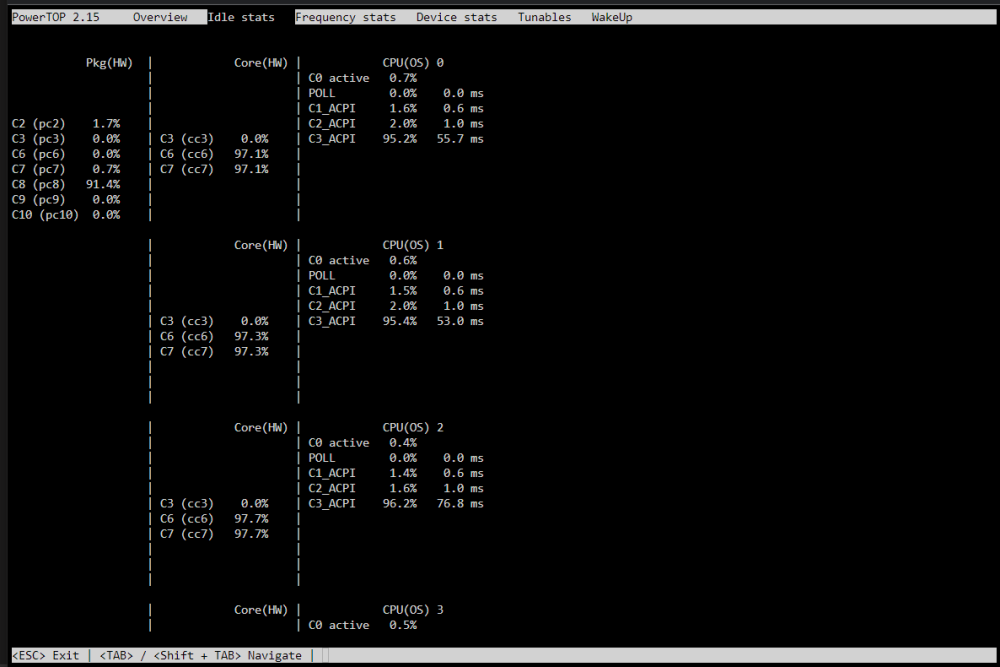
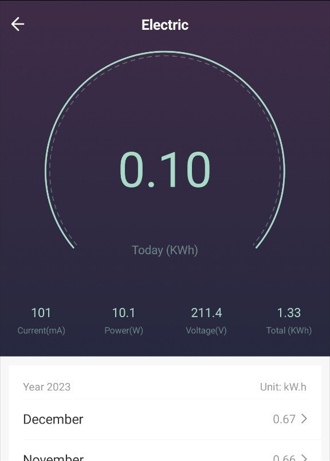
@jit-010101 Got it working! Disabling turbo boost actually did the trick! ~10w in idle (no disks attached): I tried just for the sake of it Ubuntu LTS. Powertop only shows up to C3 there, but idle power consumption is ~8 watts (7.5-8.5 watts). Don't know what kind of trickery Ubuntu does to achieve this.
-
I tried flashing @jit-010101's bios but I still can't get to C8. All core states are in C6/C7 but overall pkg state is stuck at C3. I verified that ASPM is enabled on all devices via "lspci -vvv". I also tried adding "pcie_aspm=force" and "pcie_aspm.policy=powersave" in /etc/default/grub but to no avail. Currently using a pico psu, and I'm locked at 12.5-13w in idle with nothing attached to the board except an nvme drive. Running "powertop --auto-tune" to force optimize everything (although it's not a good idea for this board) doesn't help either.
-
@jit-010101 This is great news! Could you please share the modded bios?

