





Glada
Members
-
Joined
-
Last visited
Everything posted by Glada
-
The data pool mirrored is for the other drive (sdg) and the flash pool did the same. So it seems like everything is good now, Thank you so much for everything I really appreciate your help. Here is the diagnostic just to confirm. tower-diagnostics-20261009-0222.zip
-
Here's the most recent diagnostic. Regarding the flash pool, yeah, I should have also said that even though it does create the mirror for the other drive in the flash pool, it doesn't mount or show the data pool when I put the second drive into slot 2. Also, when I put the second drive into slot 2, is there supposed to be a GUI indicator to show if it is creating the mirror for the data pool? tower-diagnostics-20261008-1930.zip
-
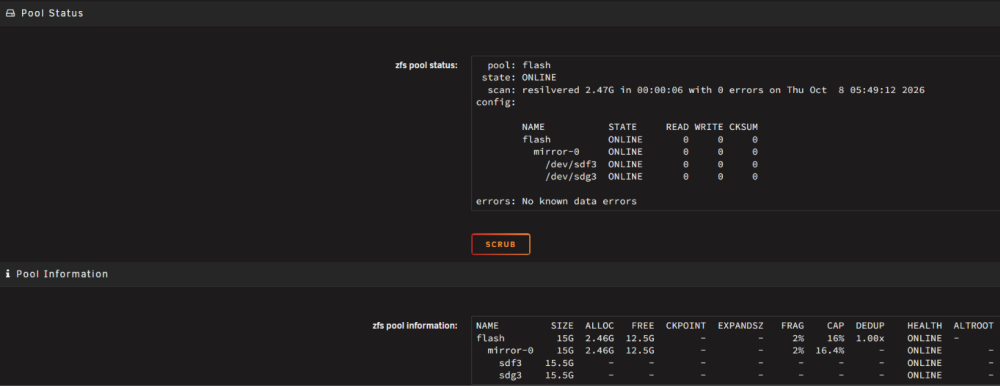
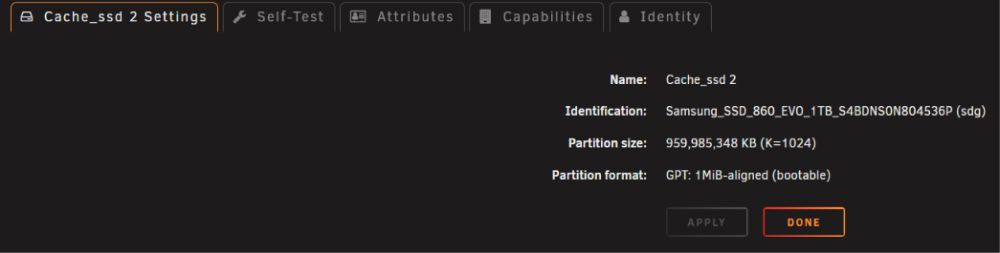
Sorry for the late reply. Thank you for looking into this. I tried again this time in safe mode as you suggested. I'm not sure what I should have been looking for, but I took some screenshots of the drives after doing it again in safe mode, in case they are of any use. I probably should have taken the diagnostic, but I wasn't sure if you needed it. For the U-Manager plugin, I did uninstall the U-Manager Companion plugin prior to doing the instructions because I thought that might have something to do with it, as I had a problem with it before.
-
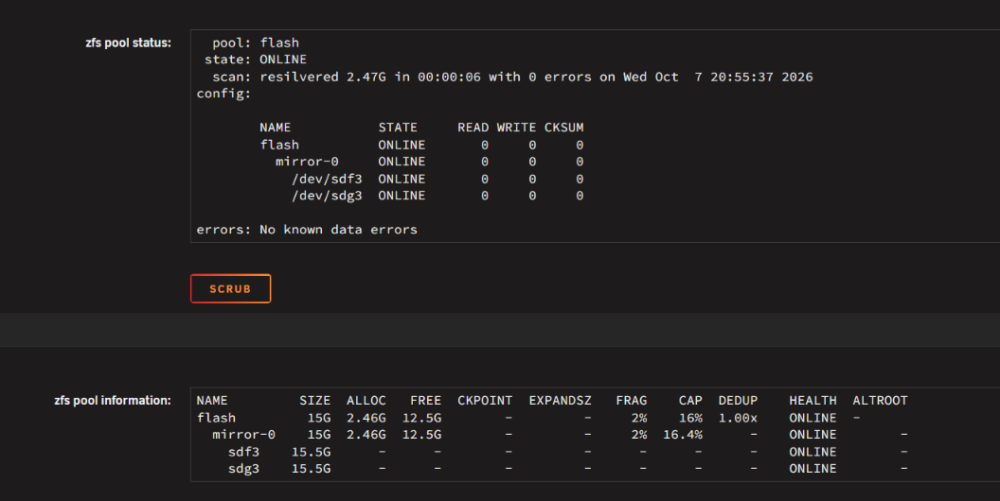
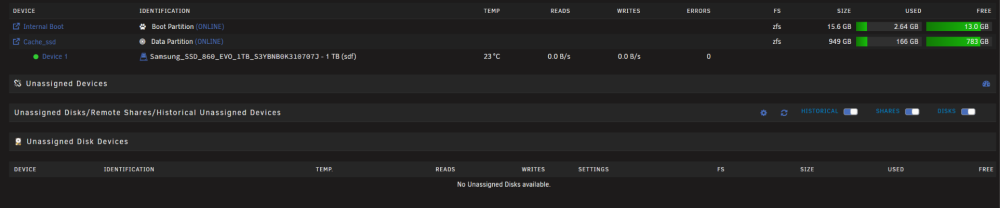
Yeah, I'm not sure what command I ran when I was troubleshooting, sorry. I don't think I did a manual zpool attach, but I'm not sure. I followed your steps, but it still hangs, I believe. I rebooted to set the pool back to 1, but when I rebooted again, it was already on one slot, and now the other drive (Samsung_SSD_860_EVO_1TB_S4BDNS0N804536P) is not showing under Unassigned Devices. I've also included screenshots from after the reboot if that helps. tower-diagnostics-20261007-2107.zip
-
Unraid version: 7.3.2. UEFI boot. Hardware: two identical Samsung 860 EVO 1TB SSDs (sdf and sdh). Array of 5 data disks and one other pool (cache_hdd). What I'm trying to do: mirrored internal boot pool, with the remaining capacity as a mirrored ZFS data pool (cache_ssd). Current state: Internal boot works on sdf. After assigning sdh, the boot pool flash shows as a healthy mirror (mirror-0 with sdf3 and sdh3, resilvered 2.46G with 0 errors). The data pool cache_ssd (ZFS, about 154G used) is still a single device (sdf4). sdh4 exists at 915.5G but has no filesystem or label. What I did: stopped the array, set cache_ssd slots from 1 to 2, assigned sdh to the second slot, and started the array. What happens: the array never finishes starting and stays on "Starting". The pool is never imported, and zpool status cache_ssd says "no such pool". No zfs/zpool/sgdisk processes are running. The syslog stops at this line: emhttpd: import 31 pool device: (sdf) Samsung_SSD_860_EVO_1TB_S3YBNB0K310707J emhttpd: import 32 pool device: (sdh) Samsung_SSD_860_EVO_1TB_S4BDNS0N804536P emhttpd: BUG: invalid target: sdhWith the pool set back to 1 slot, the array starts normally and cache_ssd imports as a single drive (confirmed in the log). Disclosure: I used Claude for this, as I was just banging my head for a long time trying to figure this out because I thought I must have missed a step or something. Because, if I'm not incorrect, I can add a second drive to an existing ZFS Boot + data pool drive to mirror, correct? Also, I tried again by disconnecting and reconnecting the SATA SSD and formatting the drive to see if that changed things; nope, looked at the logs, same thing. Thank you for the help in advance. tower-diagnostics-20261007-0050.zip
-
Thanks for the Help.
-
Hi, I just purchase a Plus key licence (Order Number: xxxxxxx). And I've entered the wrong email address. Am I able to get the registration key sent to my correct email address. Thank you In Advance


