





gobigred
Members
-
Joined
-
Last visited
Everything posted by gobigred
-
Update: Intel quickly sent a warranty replacement CPU. I swapped it out in my server and everything is running smoothly now. Quite the process, would not have guessed it was the CPU that failed. Happy to be back up and running, thank you for everyone's help!
-
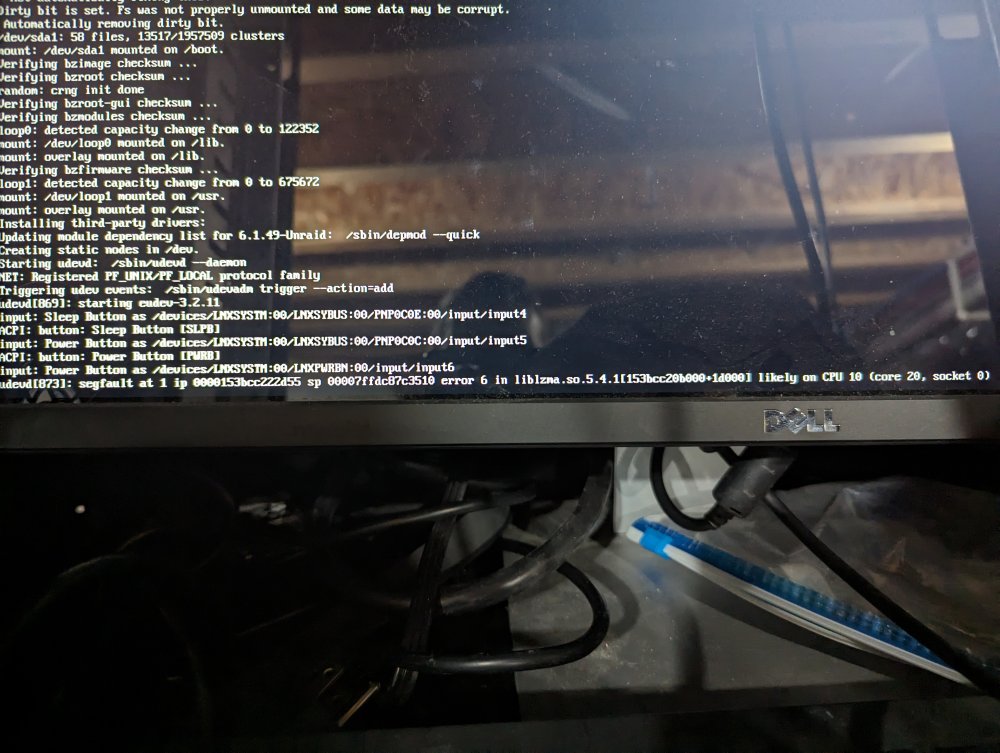
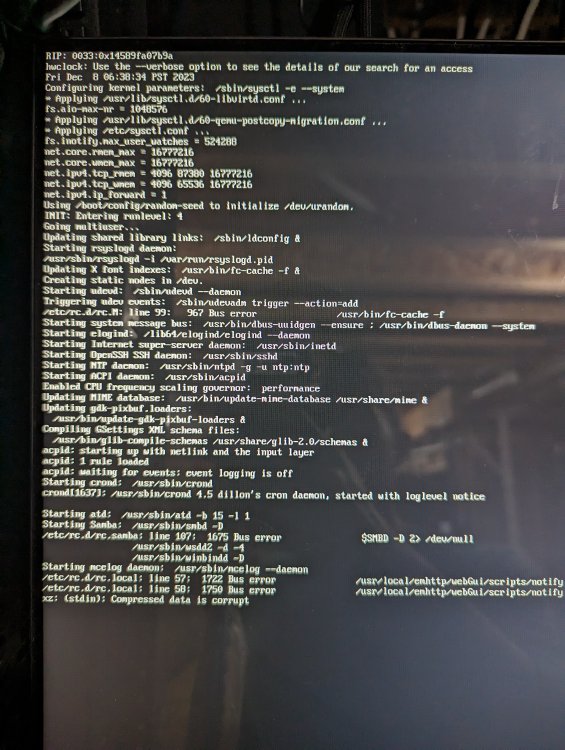
Update: Replaced RAM and PSU -- still can't startup UnRAID. I attached a screenshot of the startup, this looks like a CPU issue to my untrained eye. Can anyone confirm? On the hardware side: Tried multiple flash drives Unplugged all hard drives Replaced MOBO Replaced RAM Replaced PSU I think the only thing left is the CPU?
-
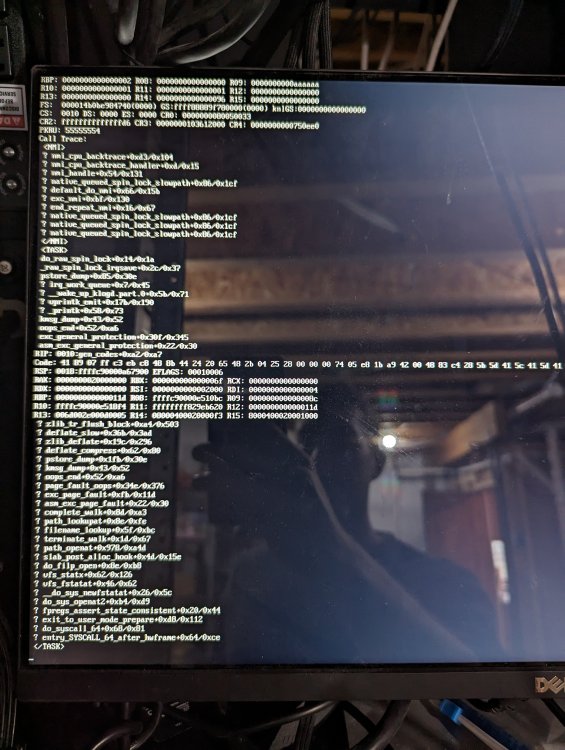
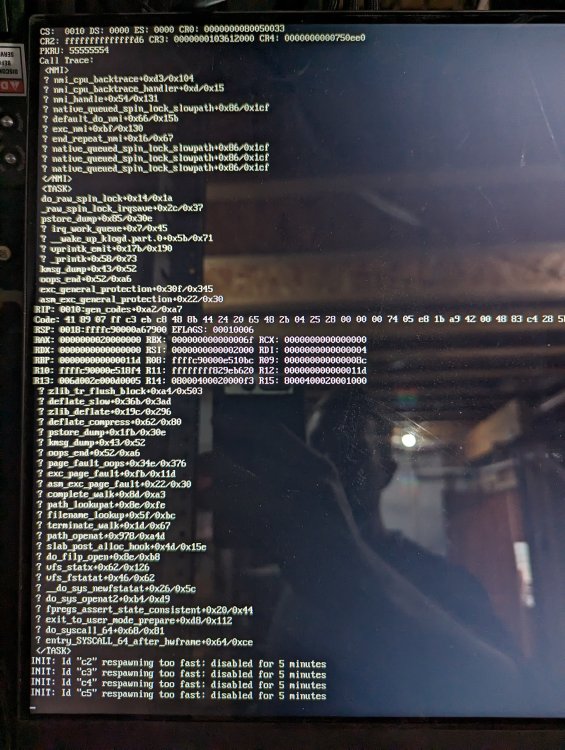
Updated the BIOS. No change. Here is where the boot seems to get stuck. I ordered new RAM and PSU. I doubt both RAM sticks are bad, but I don't know what else to try at this point.
-
@itimpi Thanks for the suggestion. It is trying to boot in UEFI, but the folder does not have the dash. I should also add that I was able to get UnRAID to load with the same USB on my old server, so I don't think it's a USB issue.
-
Update here -- struggling. My server started to just boot loop, no bios, no screen activity. It would just start booting, beep once then shut down and restart. I assumed it was the motherboard. 1. Replaced the motherboard with a new one. 2. Replaced the flash drive with a new one with stock/trial UnRAID 3. Booted up, ran Memtest and it passed. 4. Tried to boot into UnRAID but it takes over 5 mins then freezes, seems to be a lot of errors (SQUASHFS errors...idk). 5. Unplugged all drives, tried to boot stock UnRAID. Same issue. 6. Cycled memory sticks around to eliminate them as the cause, same issue. I don't know how to proceed. Maybe a PSU issue? Maybe a CPU issue? Server is less than a year old. Probably correlated, but when I did get into the BIOS before the reset loop issues, the CPU temp was over 100C. Boot loop issues started after that. However, CPU runs fine with the new mobo. Edit: CPU is 13600K, which supposedly has heat issues with my former motherboard (AsRock Z690 Steel Legend) At a loss here, do I just scrape everything and start over with another new build?
-
I'll try a different port, ordered a new flash drive just in case. I've only been using this one for a couple weeks.
-
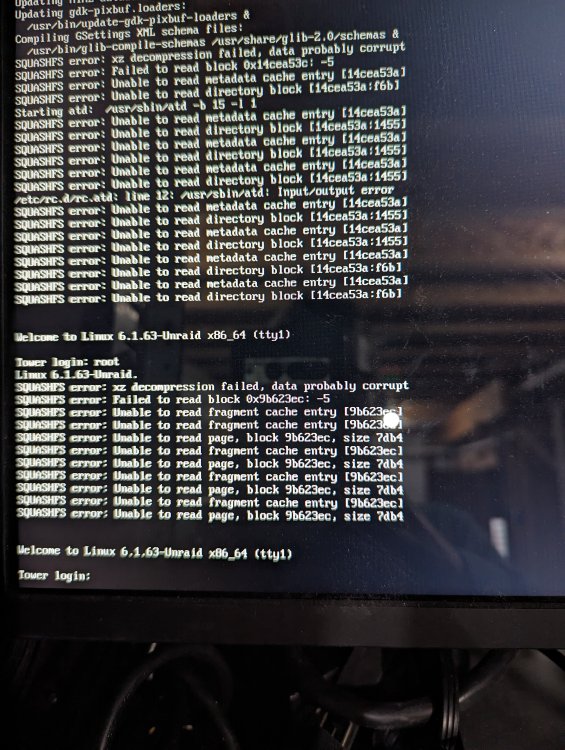
@yyc321 I'll try a clean 6.12.5 install on a USB and see if I can get it started. A few more updates: Loaded the USB on an old server of mine, eliminating flash drive issues Tested each RAM stick individually, same issues continued Loaded a clean install of 6.12.5 on a flash drive, tried to boot and got to the login but then had the following error: SQUASHFS error: xz decompression failed, data probably corrupt SQUASHFS error: Failed to read block 0x9b623ec: -5 SQUASHFS error: Unable to read fragment cash entry (9b623ec)
-
@JorgeB I just tried booting with a different flash drive with stock Unraid and ran into the same issue. Could this be an issue with my cache drive? I pulled it and tried accessing it from a Windows computer. My computer recognizes it, but I'm not seeing the drive contents anywhere.
-
Server ran for 24 hours without issue, but the server crashed overnight (did not take down the entire network this time, though). I also can't get UnRAID to boot anymore. I'm starting to think I have a hardware issue. I updated my motherboard bios, still can't boot UnRAID.
-
Thanks for sharing, updated. Fingers crossed.
-
Update: I ran the server in Safe Mode (no plugins or Dockers) for 24 hours. However, it just froze up and caused my network to crash again. I would think that eliminates the issue originating with a plugin or Docker. I ran a memtest and it passed. I'm now going to try: Deleted the network config file from the USB Changing the assigned IP address in the router
-
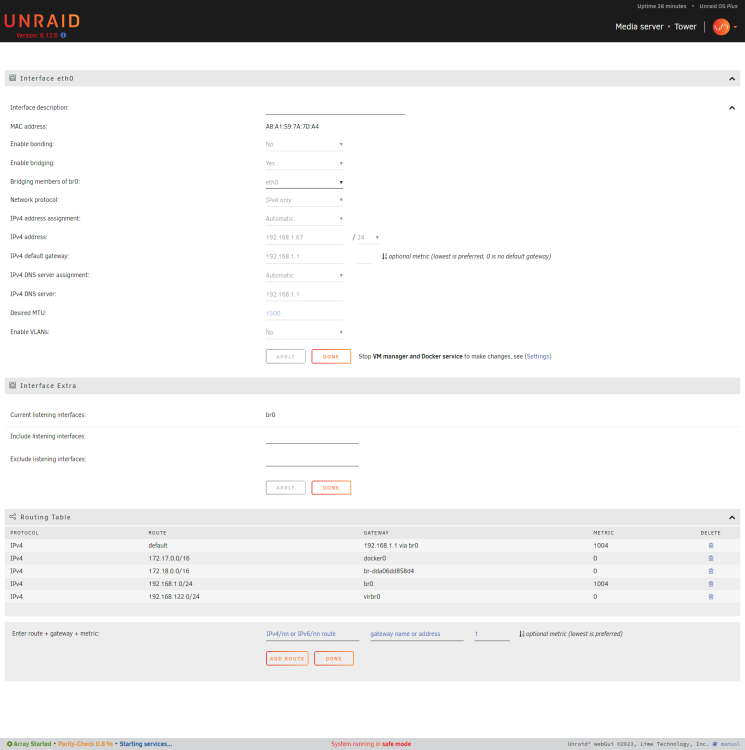
Pardon my noobiness. The flash drive on my server failed a couple weeks ago. I did not have a backup, so I had to start over from scratch. Everything was running fine for a couple weeks, but I'm having a weird issue now. After starting my array, my entire network will go down. Sometimes it happens immediately, sometimes it happens after 6-8 hours. As soon as I disconnect the Ethernet cable, the network is restored immediately. The server also becomes unresponsive, I am unable to access the GUI directly. Here is what I have tried: 1. Starting in safe mode, no plugins or Docker. I do not have network issues in safe mode, but I haven't run it for an extended period of time. 2. Disabled auto-start on Dockers, slowly started Dockers to see if one of the Dockers was causing issues. I did this yesterday -- started a Docker, waited 2 hours, started another Docker. Everything seemed to run fine, but then everything crashed again last night. 3. Swapped the Ethernet cable for a different cable 4. Tried a different port on the switch My network setup: ISP - Starlink Router - Unifi UDM SE I attached diagnostics and my UnRAID network settings. tower-diagnostics-20231206-0749.zip
-
Pardon my noobiness. The flash drive on my server failed a couple weeks ago. I did not have a backup, so I had to start over from scratch. Everything was running fine for a couple weeks, but I'm having a weird issue now. After starting my array, my entire network will go down. Sometimes it happens immediately, sometimes it happens after 6-8 hours. As soon as I disconnect the Ethernet cable, the network is restored immediately. The server also becomes unresponsive, I am unable to access the GUI directly. Here is what I have tried: 1. Starting in safe mode, no plugins or Docker. I do not have network issues in safe mode, but I haven't run it for an extended period of time. 2. Disabled auto-start on Dockers, slowly started Dockers to see if one of the Dockers was causing issues. I did this yesterday -- started a Docker, waited 2 hours, started another Docker. Everything seemed to run fine, but then everything crashed again last night. 3. Swapped the Ethernet cable for a different cable 4. Tried a different port on the switch My network setup: ISP - Starlink Router - Unifi UDM SE



