PeaInAPod
Members
-
Joined
-
Last visited
Everything posted by PeaInAPod
-
Yeah we'll revisit this once my friend ends up with better hardware. Again I appreciate all of your help!
-
Well the rebuild finished without issue and everything appears functional. Logs are attached not because I suspect anything is wrong but I figured might as well attach diagnostics at this point just to be thorough. I really appreciate your help and explanations. I definitely left with a deeper understanding of UNRAID. Fingers crossed that Santa finds my buddy something else to use so we can dump this USB enclosure. I will say that we got 100Mb/s sustained writes so at least we have that going for us. gertgen-server-diagnostics-20231215-1052.zip
-
Thank you for that detailed breakdown of how UNRAID handles disk disconnects and the rebuild options it clarified a lot of things. I agree that rebuilding parity only was probably safe given what we know but not 100% guarenteed safe so since I'm fairly confident the disk is healthy I went with a full rebuild on the existing disk. That is running now with an estimated completion of 18 hours for the 6Tb of data it has to rebuild so I'll see what happens then. Assuming that all goes well I'll report back once that finishes just to provide some closure on this Again thanks so much for the help. I know enough to troubleshoot my own UNRAID system but with this goofy setup and being that I can't be there in person to troubleshoot things I didn't want to make an assumption and make my friends issue worse
-
We could feasibly replace everything if needed and there are backups present. I've been using UNRAID for some time but never encountered this sort out of issue. Based on what you're seeing in the diagnostics what do you think happened and what is your suggestion on us resolving this?
-
The array was stopped, brought online normally, and I've posted those diagnostics. gertgen-server-diagnostics-20231213-1628.zip
-
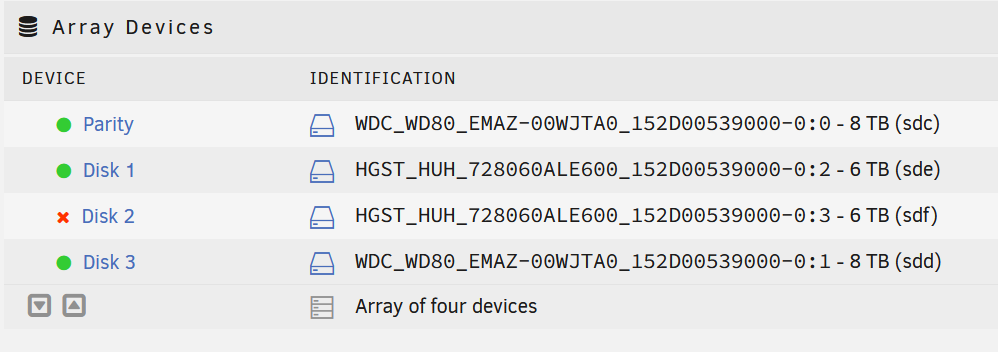
I started the array in Maintenance mode, ran the diagnostic tool, and have that file attached. I've also attached a photo of what i see in the "Main" area. gertgen-server-diagnostics-20231213-1613.zip
-
Trust me the USB enclosure is being used by necessity not choice. I'm actively looking for a cheap desktop that he can migrate to. That being said the 4 drives were mounted in this enclosure and had 15+ Tb of data copied onto them and remaining online and functional for days afterwards. We powered everything down and reseated all of the drives. So again I understand, and agree, with the "USB is bad" sentiment but for the moment that's what my friend has available. I'm just wondering if I should rebuild over the existing drive or mail him an 8Tb drive and do a rebuild.
-
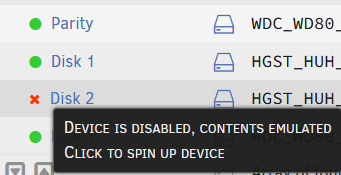
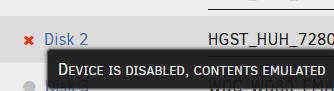
Hoping someone can set me straight. I helped someone get setup with UNRAID and their setup is a mini-PC a single internal SSD as a cache drive and then an external 4 drive USB 3 enclosure. The enclosure doesn't do any sort of RAID nonsense and does present each disk as a single volume but we did find that it does not pass all of the drive information across because on my UNRAID setup the drives display as "Manufacturer_Model#_SerialNumber" but on my friends setup the devices show up as "Manufacturer_Model#" making discerning one drive from the others difficult since we have 2 sets of identical drives (2x6Tb Hitachi and 2x8Tb Western Digital). All of that info aside we had setup unRAID and all was working with 3 data drives (2x6tb & 1x8Tb), a single 8Tb parity drive, and a SSD cache drive. We had migrated all of the data onto the XFS array and a parity sync completed but then a few days later we noticed all of the dockers had stopped running and when I logged in remotely to lend a hand I saw errors about one of the 6Tb drives and have attached screenshots of that. I imagine this is a disk failure and that installing a new 6 or 8Tb drive and doing a parity rebuild is what we need to do but I am not 100% sure. I looked through the forums and some people say "if the drive is okay rebuild on top of it" but I don't know how to confirm if that drive is healthy and I do not have physical access to it. At the time of posting this I did run the Diagnostics tool and have attached those. The system is running UNRAID 6.12.4 but it is a trial version expiring in 7 days so hoping to figure this out by then gertgen-server-diagnostics-20231213-1419.zip