





Smithy
Members
-
Joined
-
Last visited
Everything posted by Smithy
-
Thanks for taking the time to reply @JorgeB and @Frank1940. I read your reply this morning and decided to swap out the 32gb RAM from my desktop and switch it foe the 32gb RAM from my unraid machine. I've already made sure several times the RAM in the Unraid machine was seated correctly but swapping them out has fixed it and everything is working perfectly again now. I'm now running memtest on the desktop with the RAM which came from the Unraid machine, it's been running 4 or 5 hours now and still no errors and my desktop functions normally with that RAM too. So in summary I've no idea why it wasn't functioning correctly because those RAM sticks still seem to be fine in the other machine but for now at least Unraid has been stable with Plex running for about 3hrs, far longer than the hour I've managed in the past 3 weeks. So hopefully it's resolved now. Thank you to you both for taking the time to drop in and help. It's much appreciated.
-
It's just my appdata config path which is /mnt/cache/appdata/Plex-Media-Server As I mentioned, Plex works perfectly and everything functions as it should. All media works without issue. Until 1-1.5hrs when the entire Unraid crashes and becomes unusable. I'm hoping someone can see something in the logs I posted which will explain why.
-
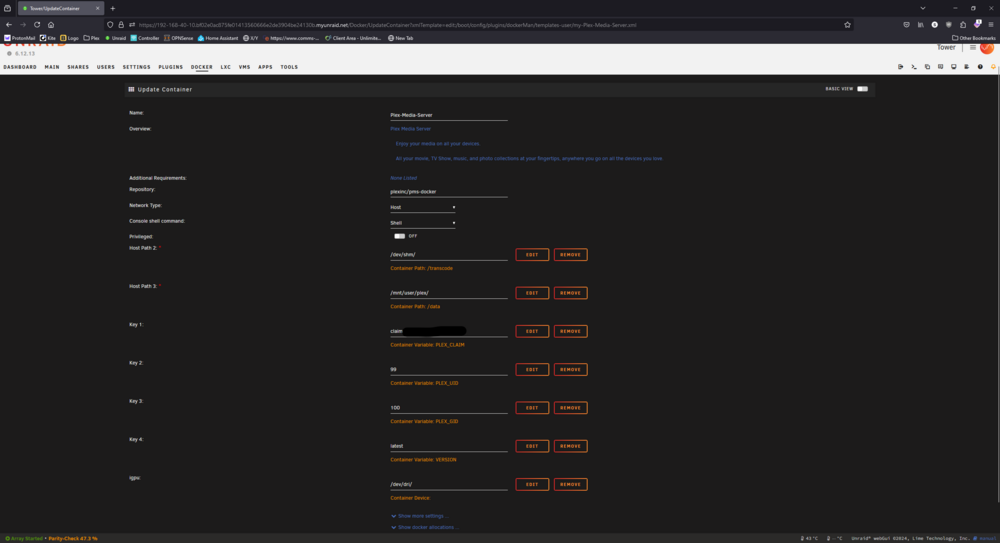
Thanks for your reply. Plex in this configuration has been working without issue for best part of 2 years. I can't understand how just changing some stuff between 2 different cases has caused such an issue. Anyway, I've attached a SS of the settings to see if there's anything of note there.
-
Hi all, hoping someone can assist me with understanding the root cause of these crashes. This has been going on for 2 weeks now and rendered my server basically useless at this point so its got me tearing out what little hair I have left. When I run just Unraid without Plex its fine, functions as it should and theres no issues. Once Plex starts everything looks fine until somewhere around the hour mark where its a total lockout of the UI, I can't access it in any way from any device until I hard restart the server. My server has been running absolutely flawlessly for over a year until I moved the components to a new case, this isn't my first time building PC's or servers so it was a straightforward swap over of components into a different case. Since then is when my issues began. I had a failed cache NVME which I replaced, then my HBA card I connected 3 drives to it instead of 2, it was always 2 before so I disconnected one of them thinking that was the issue....the issue still remains so I believe that was nothing to do with it in the end. I've tried deleting my docker.img and Plex multiple times. I'm really ready to just give up and use it as a NAS and run plex from a different machine. I looked through the logs and googled some things but I can't get a grip of the issue. Can anyone look at the logs and give me an idea of what the issue is? I will be eternally grateful, I'll do my best to give you any additional info you ask for. Thanks! tower-diagnostics-20241114-2203.zip syslog
