





GreatDane
Members
-
Joined
-
Last visited
-
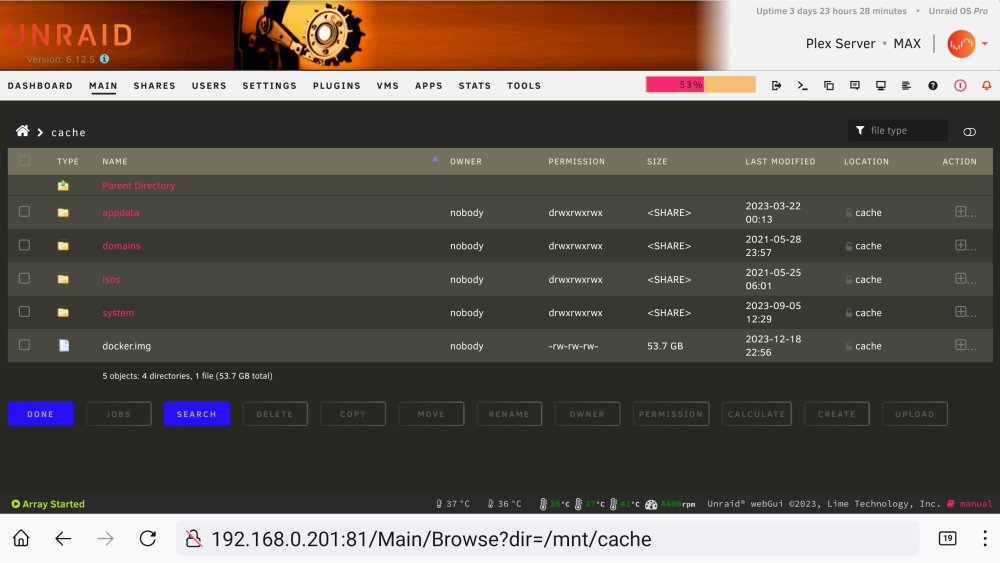
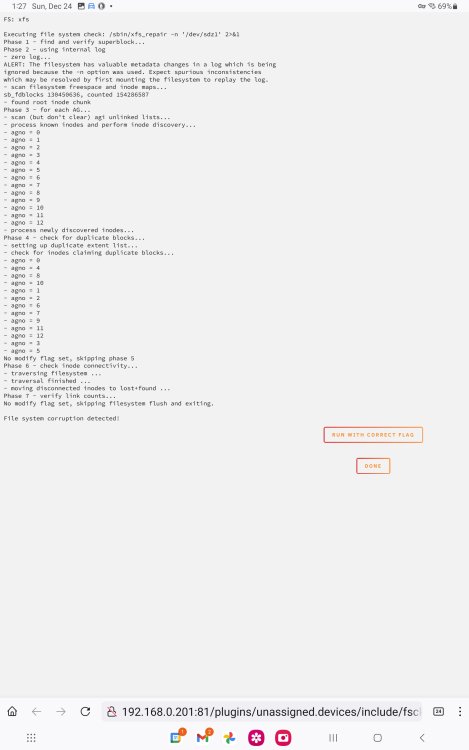
Okay. I did all that and none of my data that was on disc 20 has been restored from parity. And now my Docker container as well as all of my Dockers inside is gone!? I can see that it could be on the Cache Drive...? If I execute the Mover.. it was set to move appdata from the array to the cache... so I don't think that will work? If anything, it may very well overwrite my previous Docker container and appdata with the blank ones on the array? I'm thinking I should reinsert disc 20 that had data on it and mounted as a unassigned drive and try to copy its data back onto the array.. specifically back onto the replaced disc 20? And manually copy across the app data and Docker container from the cache to the main array? I would really like to get my Plex server back up and going for my family ASAP... and even if I restore the app data and docker images.. I will have to make sure that the media is restored to disc 20 before starting up Plex again as it and many of my other Docker containers will think that all of the media on this 20 has been purposefully deleted:-( I've also attached a pic of when I inserted the (defective) old disk20 and checked filesystem.... Should I run filesystem check "with correct flag"? Or just mount drive and transfer contents back onto the array? (And same with appdata from cache drive?) Any help you can get will be greatly appreciated! max-diagnostics-20231223-2136.zip
-
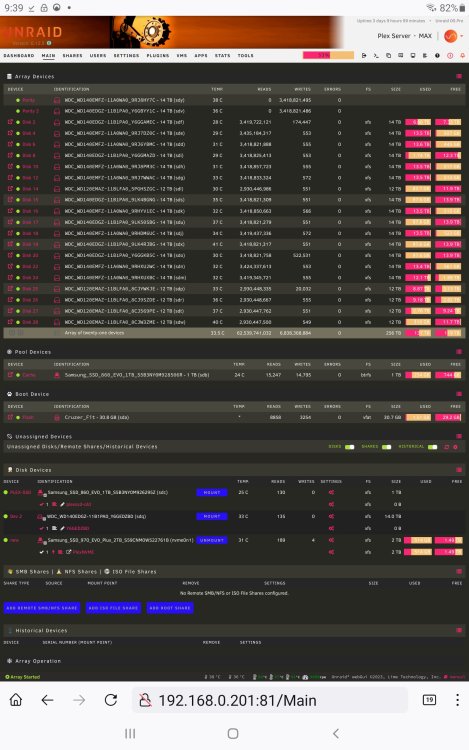
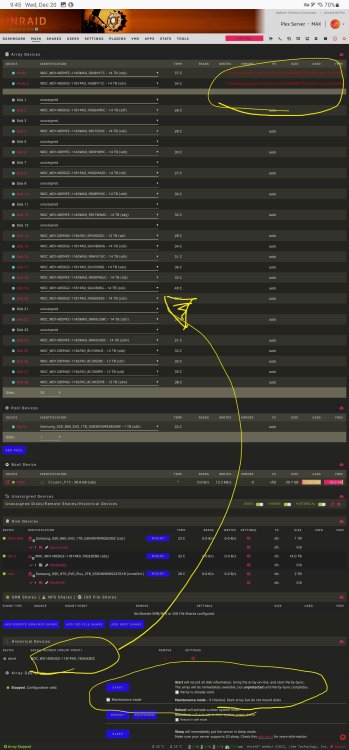
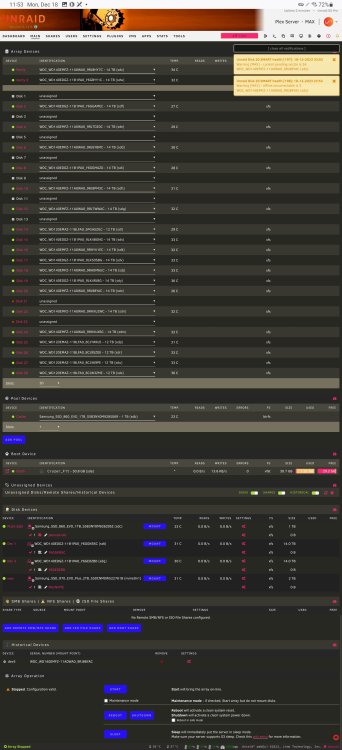
this is currently where I'm at...I just did a "new config" preserving allocations....and then chose the unassigned drive for the "Disk 20" slot.... and now I do not want to start the array...until I know more 🤕
-
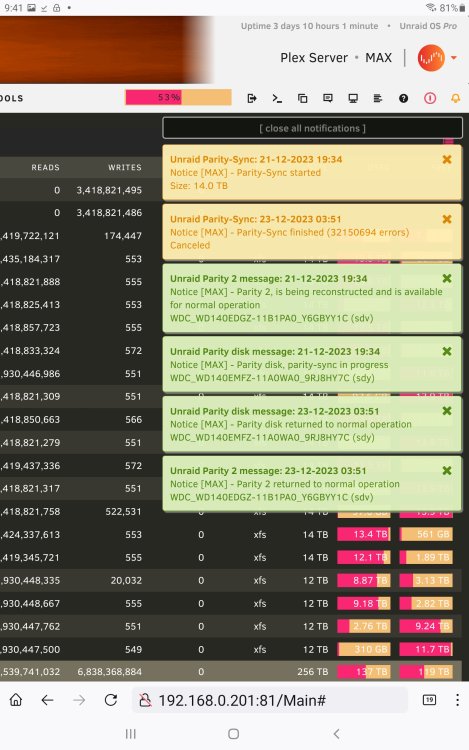
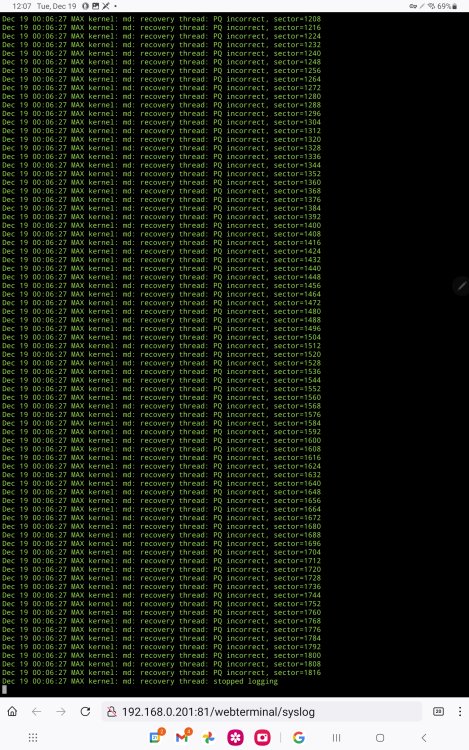
and this is a screenshot showing errors to disk 20... and the 2nd screenshot is what happened when I swapped the drives, SAVED THE NEW CONFIG, and then started the array after checking the checkbox "Parity is valid"......(I also chose to just "test" the parity, not correct array based on the parity drives....because I was sure it was going to mess things up?
-
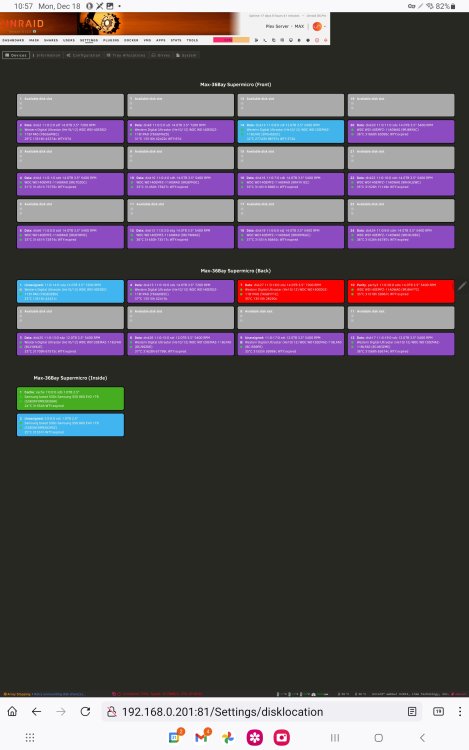
This is how the server bays look (mostly)
-
Also, the reason that I don't have the drive numbers sequentially is because I have them staggered in my server to allow for more airflow? And I decided to, initially, number the drives in the array to reflect the slots in the server, for the most part.
-
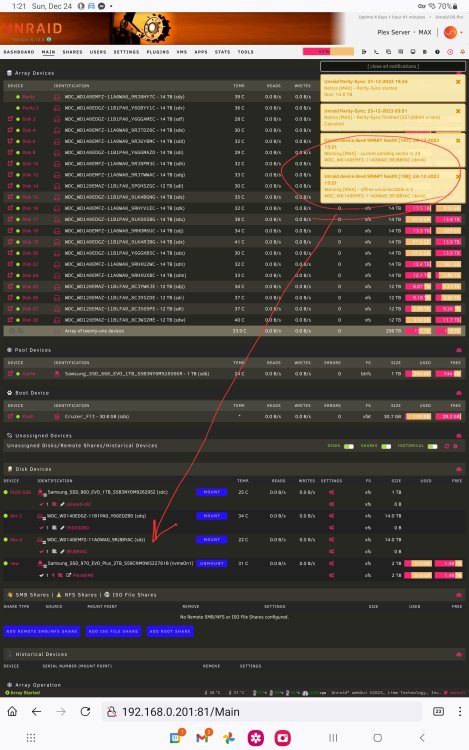
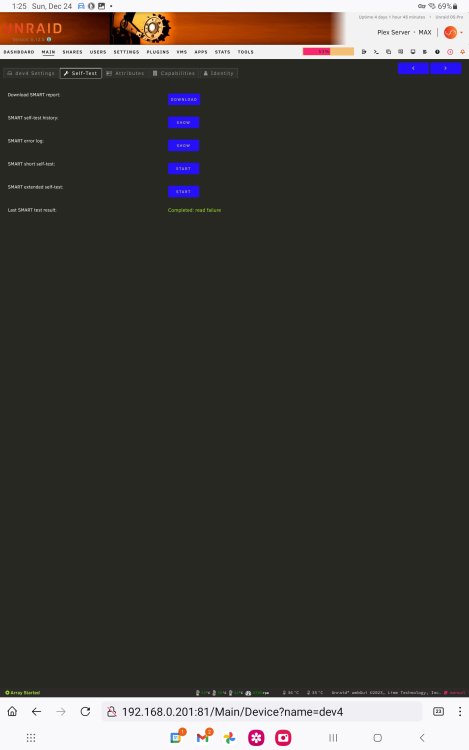
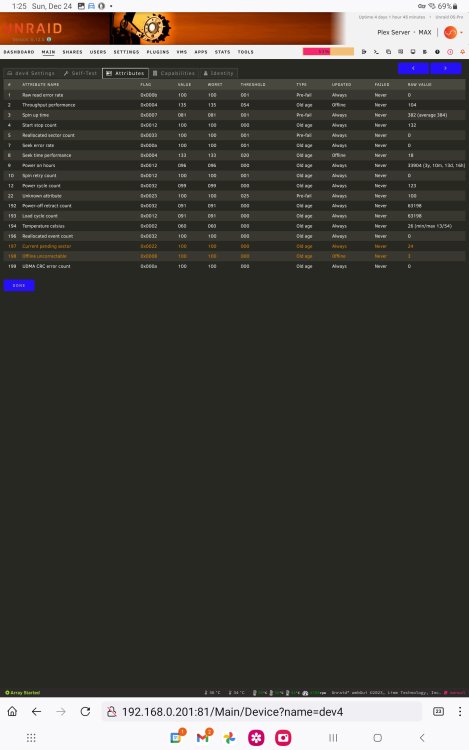
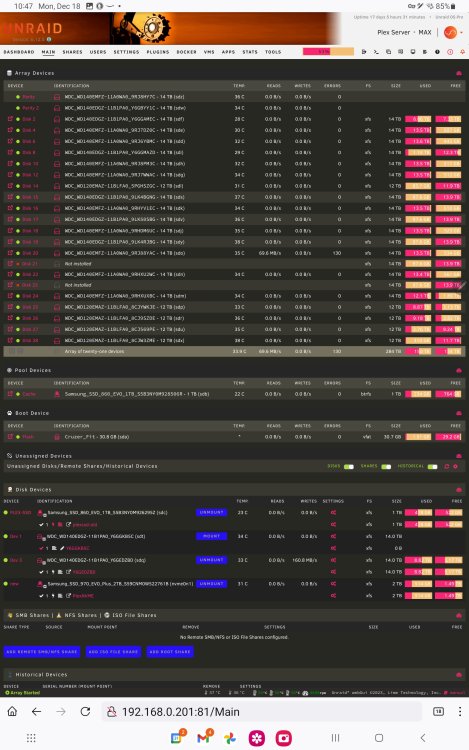
I agree in hindsight now that I should have only connected additional hard drives as I needed them.. but I found myself adding them as soon as I had finished the pre clearing of them.. Disk 20 I removed it from the array WDC_WD140EMFZ-11AOWAO_9RJ88YAC-14 TB (sdo) and it was 95% full of data I don't have a backup of the data on it...but its not totally inreadable (I think?) I 'started' copying the data/media from it to an unassigned drive "Dev 3 WDC_ WD1 40EDGZ-11B1PAO_Y6GEDZBD (sdq)", but stopped when I thought I could just replace it and rebuild it based on the parity drives (you will see in the included screenshot, that I was moving files to the unassigned drive.. that was after I started developing the read errors on disk 20) you will also see that I had the 2 missing drives (I stopped the array and reallocated those slots to "no drive" and then when I restarted the array they became unassigned drives.. but before I could save the new config, I started having errors with disc 20.. I tried the "SMART extended self-test:" of disk 20 and it failed because of a read error. Since that picture... I stopped copying the data from "WDC_WD140EMFZ-11A0WA0_9RJ88YAC-14TB (Sdo)" to "WDC_ WD1 40EDGZ-11B1PAO_Y6GEDZBD (sdq)" before it completed... and then stopped the array and removed disk 20 and replaced it with "WDC WD140EDGZ-11B1PAO Y6GGKB5C (sdt)" (empty drive but was part of the array before....either disk 21 or disk 23)
-
Sorry that I edited my original post to answer a few comments, as I was only allowed 1 post. Thanks for the approval now though! Here is my diagnostic files since booting up the server 1 hour ago.. without starting the array.. If I should execute any actions to improve the results in the diagnostic file please let me know! Thank you max-diagnostics-20231220-1200.zip
-
It was an option (checkbox) at the bottom of the "Main" page, when starting the array manually. I haven't restarted the array yet and the option is not there now...since rebooting 1hr ago.
-
I really hope that there is a good fix to my problem 😞 A while ago I recognized that I had added ALL of my hard drives to my unraid array without keeping any aside for future failure replacements. 🤦 After realizing this, I removed (stopped array and selected 'no device') but I did NOT set a 'New Config' and rebuild parity! (Assuming that's what would normally be done?) Since then, I've had a drive show multiple read errors (about 300+ I think?) and wanted to replace the drive with one of the drives that I recently 'removed' from the array. ***I'm not sure the best way of going about this since the drive that had to read errors is full of data that I need to copy off? Or rebuild from the two parity drives that I have? I scoured the forums and spent quite a while looking into my options before choosing to make this post. I didn't find anything regarding my specific situation of having drives removed from the array without saving a new config and rebuilding parity... then discovering a faulty Drive that needs to be rebuilt... ***Since then, I pulled the trigger on what might end up being a mistake.. I used the new config tool (and chose to save all allocations) to save the Drive allocations and solidify the two removed drives from the array.. I then set the drive with errors to 'No Device', powered down the server and swapped out the defective drive (with needed data on it) for one of the drives that was previously in the array but just removed (currently empty). When I rebooted the server, I did a test parity check (chose the option that the parity is valid) and it found MANY errors in parity... this caused me to really doubt what I was doing and now I'd like to reach out to The Experts here and see if there is a solution to this problem? I should also add that I partially copied over most of data from the defective Drive to an unassigned Drive using unraids built-in File Explorer, as Krusader did not recognize that there was enough space on the unassigned drive to copy across all the files, yet both drives are 14 TB and the unassigned drive was completely empty and the Data Drive was approximately 95% full? I hope I haven't really screwed up an easy recovery with what I've done so far 😞 ( I can upload Diagnostics if needed, but I am primarily looking for direction on the correct process to this seemingly unique situation, thank you) ** I have rebooted multiple times and am not sure if diagnostics will be informative? If you think so, please let me know if I should perform any actions before doing the Diagnostics to better reveal problems? Also, it seems I can only make one post a day? So I may not be able to reply to any posts until tomorrow?


