wiesoaned
Members
-
Joined
-
Last visited
-
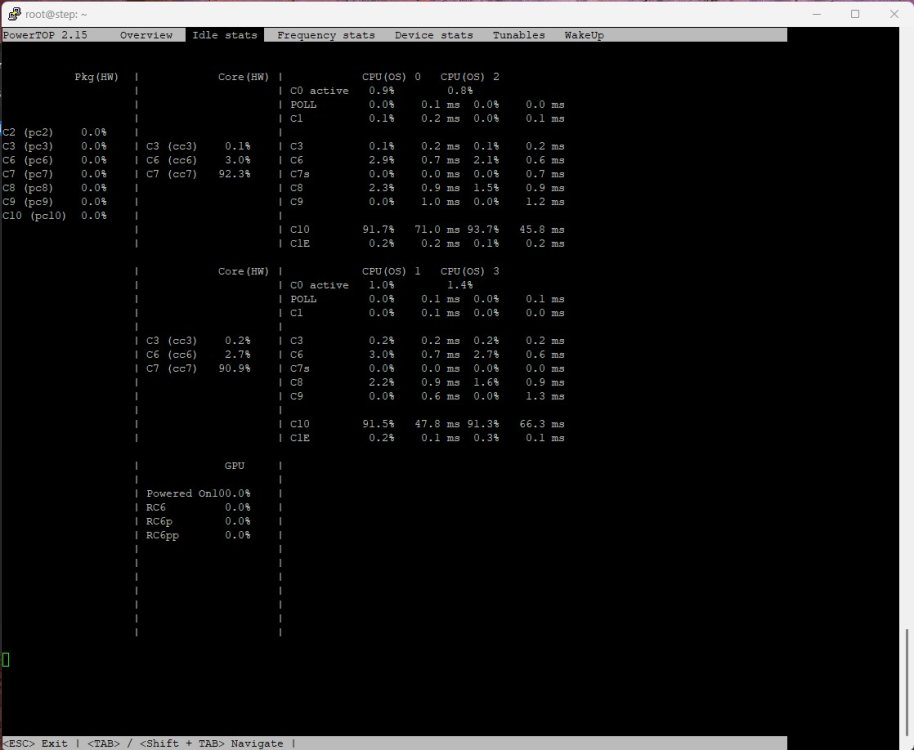
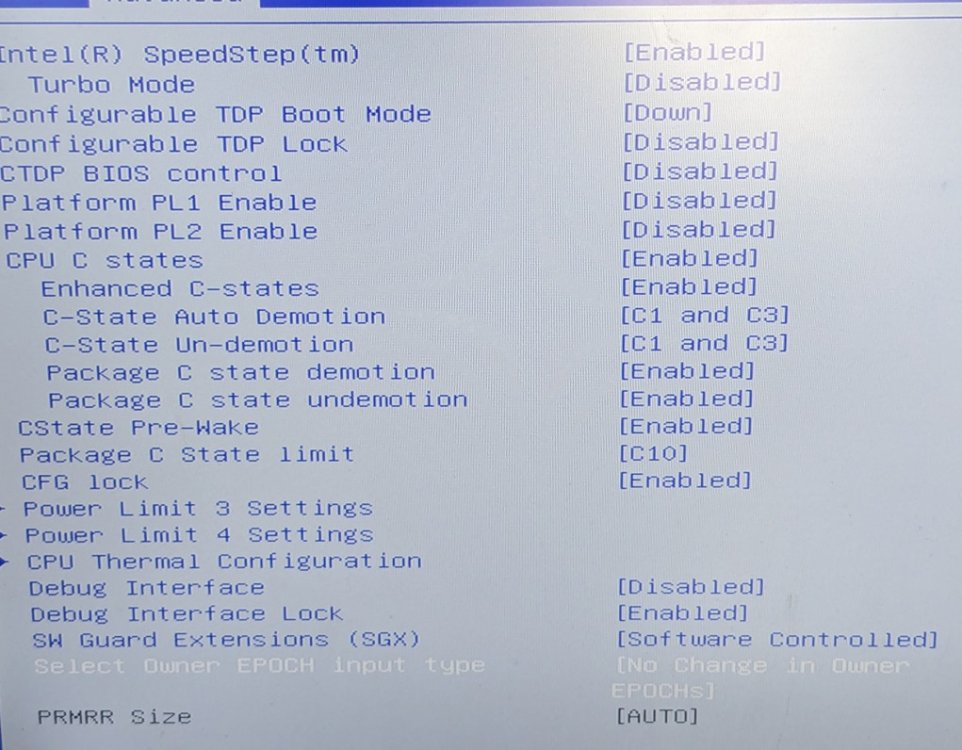
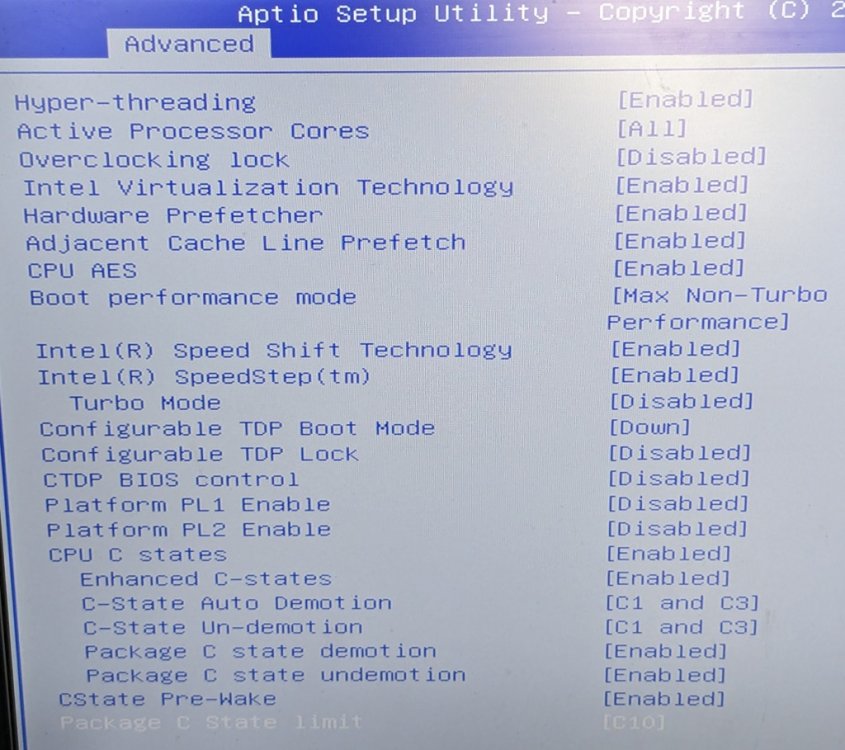
Hallo zusammen, bin ein UnRaid-Neuling mit einer etwas ungewöhnlichen Hardware. Nutze einen kleinen Industrie-PC, genauer den step Micro DS863 bzw. Giada I59U mit UnRaid 6.12.6 Trial Version. Dieser hat folgende Hardware verbaut: - i3-6100 - 12 GB RAM - Samsung SSD 860 evo M.2 1 TB - Samsung SSD mSATA 256GB - SanDisk X400 M.2 256GB über Adapter an SATA-Port Aktueller Stromverbauch 7-8W im Idle, nacktes UnRaid, nur das Array ist erstellt, keine VM, kein Docker. Ansich bereits ein toller Wert. Nachdem ich jedoch powertop inkl. autotune ausgeführt habe sehe ich bei den Packages überall 0%. Zudem stört mich, dass die GPU nicht schlafen geht. Intel-Treiber sind über Intel-GPU-TOP installiert. Die Tunables stehen alle auf good. Die CPU-Frequenz fällt auf 800MHz im Idle. Den Befehl lspci -vv | awk '/ASPM/{print $0}' RS= | grep --color -P '(^[a-z0-9:.]+|ASPM )' habe ich ausgeführt und mir wurden 2 Geräte angezeigt, bei denen disabled dabei stand. die PCI-e bridge und das WLAN-Modul. Dieses habe ich kurzerhand ausgebaut, den Befehl nochmal ausgeführt und es kommt kein Ergebnis mehr dabei raus. Daher nehme ich an, dass keine Geräte mehr den Status disabled haben. Ansonsten habe ich alle BIOS-Settings von oben bis unten durchgerockt. Mittels Tips and Tweaks habe ich den Governor auf Power Save gestellt. So wie ich das verstanden habe, ist dieser aber für den Idle unerheblich. Habe ich was übersehen? Danke schonmal für eure Hilfe!