





Meggl
Members
-
Joined
-
Last visited
-
@DataCollector @domrockt Danke für eure Hilfe. Ich werds im ersten Step mit dem Adapter probieren und schauen wie es sich verhält. Die heutigen Restarts (2x) haben übrigens sauber funktioniert... (ich habe nichts an den Settings geändert 😮) Melde mich, sobald er da ist
-
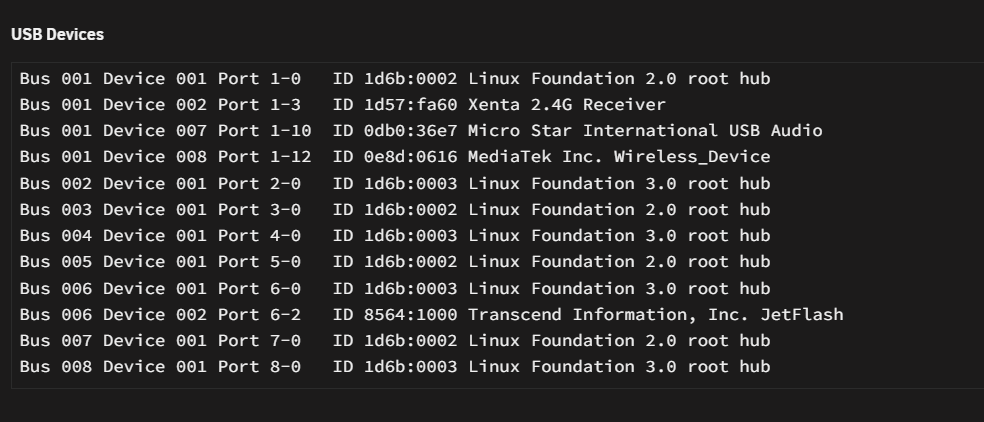
@domrockt Wie sieht so ein Adapter aus? Sowas in der Art?- Hey schonmal mega Danke für die Hilfe
-
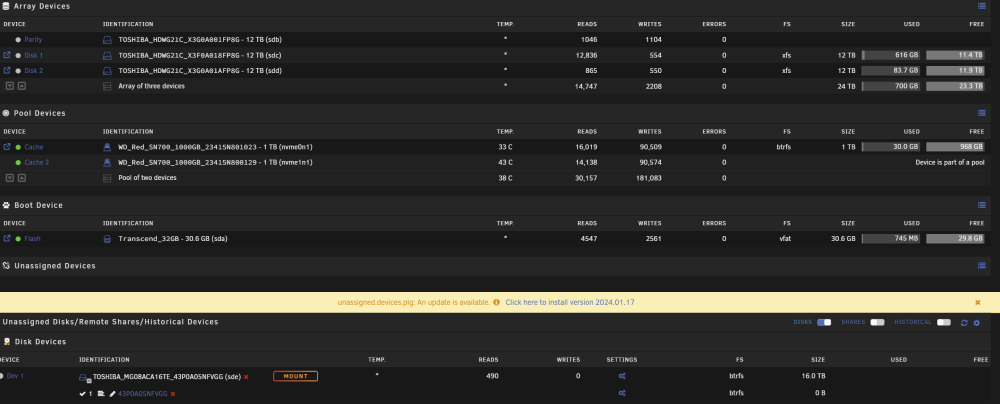
Ich verwende nur einen USB-Port für den Unraid-Stick. An allen anderen USB-Ports ist nichts angeschlossen. 2x SSD (Pool Cache) über NVME M.2 4x HDD über SATA (direkt am Board angesteckt) Mainboard: MPG B650I EDGE WIFI (MS-7D73) Network: eth0: 1000 Mbps, full duplex, mtu 1500 Kernel: Linux 6.1.64-Unraid x86_64 Processor: AMD Ryzen 5 7600X 6-Core @ 4700 MHz Socket Designation:AM5 Type:Central Family:Zen Memory: 64 GiB DDR5 (max. installable capacity 128 GiB) DIMMA1: Kingston KF556C40-32, 32 GiB DDR5 @ 4800 MT/s DIMMB1: Kingston KF556C40-32, 32 GiB DDR5 @ 4800 MT/s
-
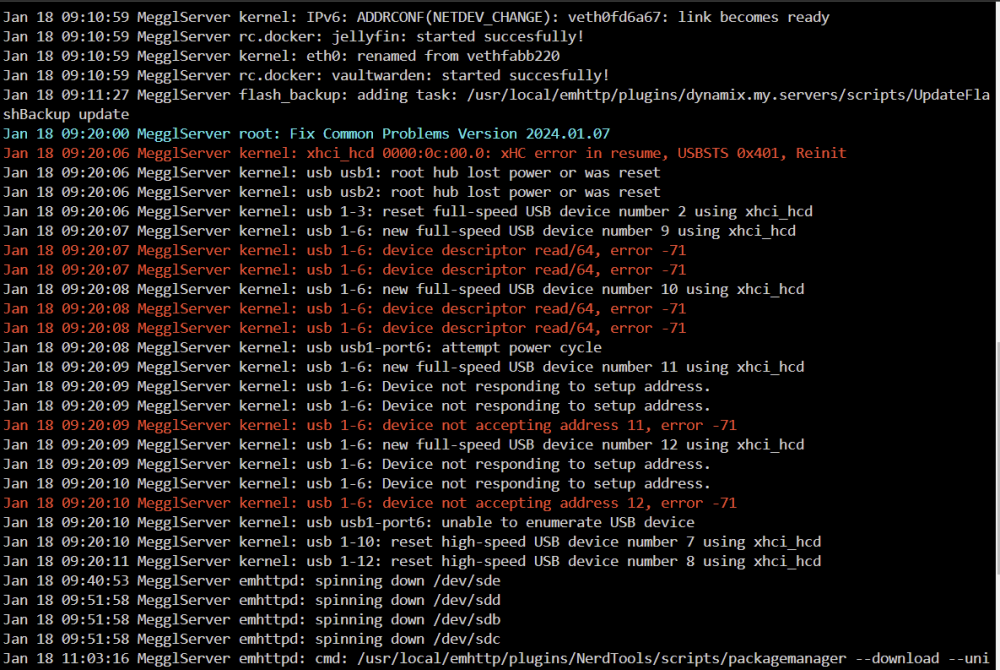
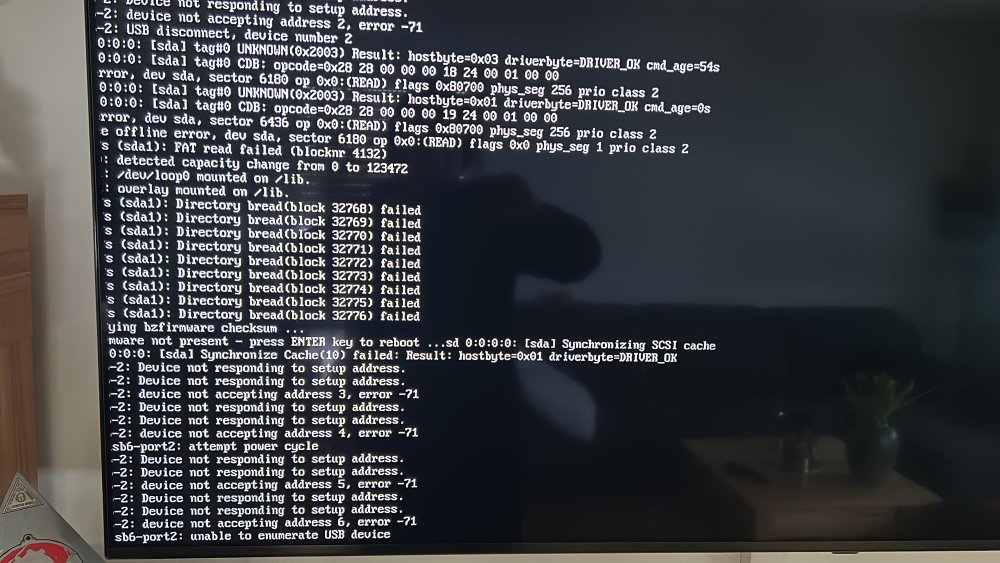
@domrockt Booten auf nem anderen Device muss ich testen, sobald meine Frau mit ihrer HO-Arbeit fertig ist 😛 10 Min nach dem Start von meinem Unraid treten folgende Fehlermeldungen auf: hängt das mit den anderen Themen zusammen?
-
@DataCollector - Gerade ausprobiert. Gleiches Fehlerbild
-
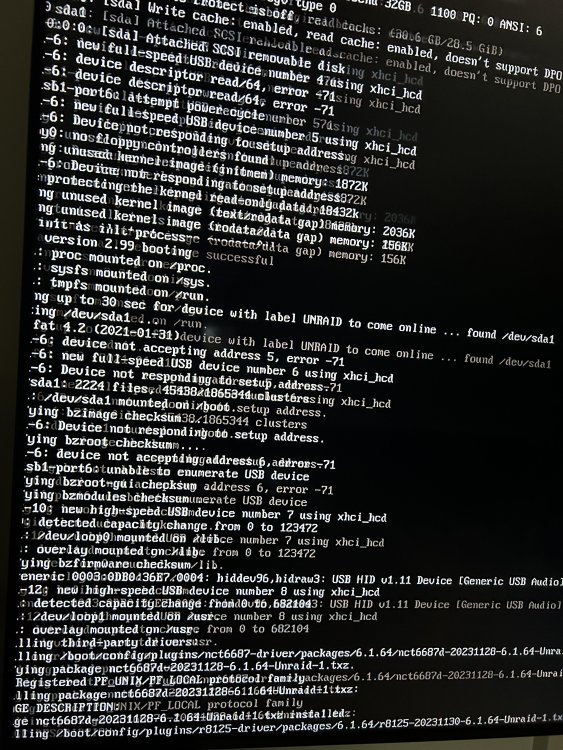
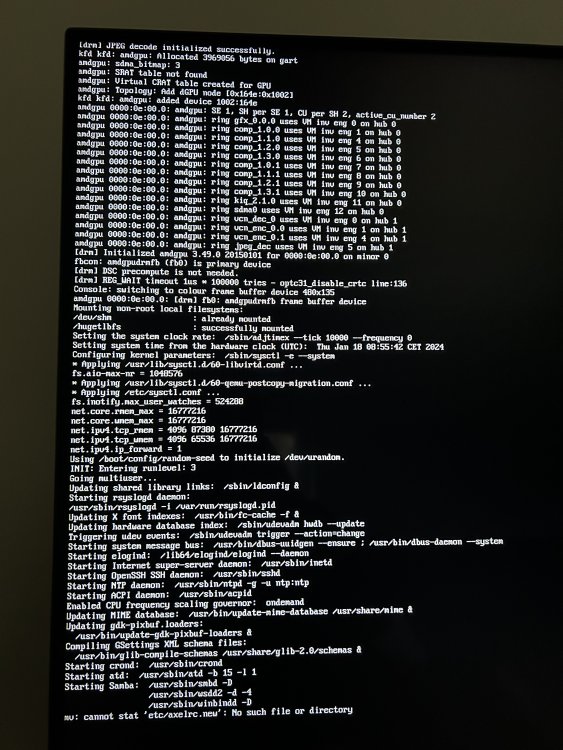
Ich habe gerade den Server heruntergefahren, die 6 genannten .bz files getauscht und ihn dann wieder gestartet.. Vorab: er ist hochgefahren 😮 Folgende Bilder (sorry für die Quali) konnte ich vom Bootvorgang machen: - es kommen weiterin Fehlermeldungen (Device not responding/accepting address, error -71) - mv: cannot stat "etc/axelrc.new": no such file or directory "
-
Habe Version 6.12.6 instslliert. Die Versionsnummer auf der Unraid-Startseite ist aber seit Tagen nicht mehr „bunt“ sondern grau - keine Ahnung was das bedeutet. Was machen die bz-files? Kann ich mir damit etwas kaputt machen, wenn ich diese Files mit meinen jetzigen ersetze?
-
Meine bisherigen Erkenntnisse: - Die Meldung im obigen Screenshot "unable to enumerate usb device" macht für mich keinen Sinn... Der Server ist gerade wieder mit genau diesem USB-Stick ganz normal hochgefahren... (ich verstehe es nicht 😞) -> Nach dem erfolgreichen hochfahren sehe ich keine Fehlermeldungen in den Logs. -> Alle Docker/Plugins funktionieren einwandfrei - Sobald ich einen Neustart ausführe, besteht eine sehr hohe Wahrscheinlichkeit, dass der Fehler aus dem Screenshot wieder auftaucht... -> Wenn ich über den SafeMode (without plugins) starte, ist die Wahrscheinlichkeit sehr gering (bisher nur 1x passiert) -Ein neuer USB-Stick (Verbatim 16GB USB3.1 Gen1) hatte direkt das gleiche Problem. -Ein alter USB-Stick (noname? 32 GB USB 3.0) hatte funktioniert... allerdings bekam ich keine Netzwerkverbindung zustande und es kam zu kuriosen anderen Problemen... (Meine USV kam vorhin an... ich habe sie dazwischen geklemmt und hoffe, dass ich den Server nie wieder ausschalten/rebooten muss, bis ich das Problem im Griff habe) Im Internet finde ich nur Lösungen wie "neuer USB-Stick" ... das scheint aber (für mich Leihen) nicht das eigentliche Problem zu sein, da es ja wie beschrieben grundsätzlich seit Wochen mit diesem USB Stick funktioniert hat und jetzt auch noch sporadisch geht...
-
Unter meinen Plugins wird mir leider nichts angezeigt, wenn ich den Stick ohne Plugins boote. Die Meldung "unable to enumerate usb device" ist sehr komisch, weil es ja prinzipiell (ohne plugins - und auch schon vorher mehrere Wochen) funktioniert hat. Ich bin mit meinem Latein am Ende 😞
-
Hallo zusammen, mein Unraid startet seit einem Stromausfall (USV war schon auf dem Postweg) nur noch im SafeMode ohne Plugins. Ich glaube, dass es in erster Linie nichts mit dem Stromausfall zu tun hat, sondern ein PlugIn dafür verantwortlich ist. Verhalten wenn ich den Server normal starte: Bootvorgang bricht ab und ich lande im BIOS. Jetzt will ich alle PlugIns deaktivieren und sukzessive wieder dazuschalten. Allerdings weiß ich nicht wie 😞 Oder gibt es eine bessere/andere Lösung hierfür? Für Hilfe bin ich dankbar. Gruß Meggl
-
Ah - vielen Dank. Diese Option habe ich tatsächlich übersehen. Jetzt habe ich zwei brauchbare Lösungen mit denen ich spielen kann 🙂
-
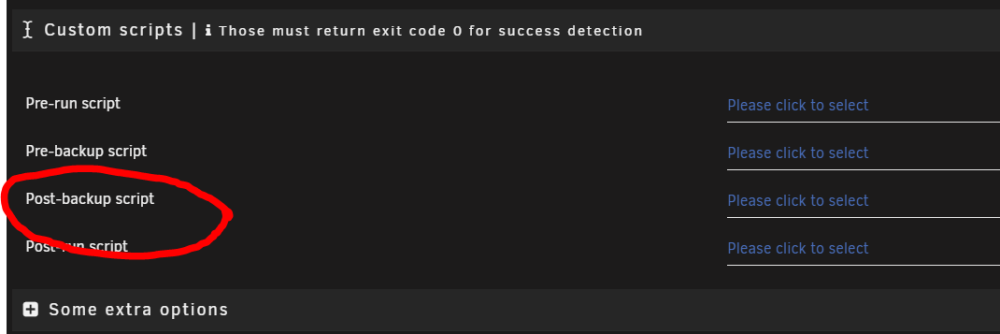
Das dachte ich mir schon.. nur stand in der Beschreibung folgendes: -> Als nicht Linuxmensch dachte ich, dass es sich hier um einen Share außerhalb appdata handelt. Danke für die Info 🙂 Teste ich definitiv aus. Kannst du mir einen Link schicken, wo ich es finden kann? Sehe viele Topics, aber keinen Link zum Skript 😮 Wo hast du das Skript dann reinkonfiguriert? Müsste ja theoretisch auch hier (in der Backup Appdata App) gehen, oder:

-
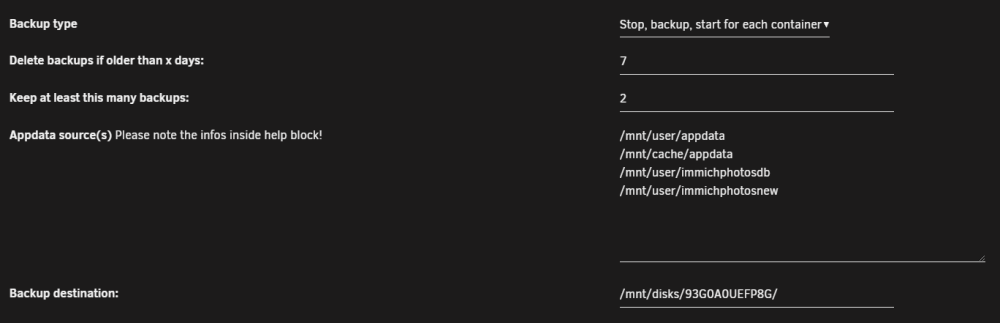
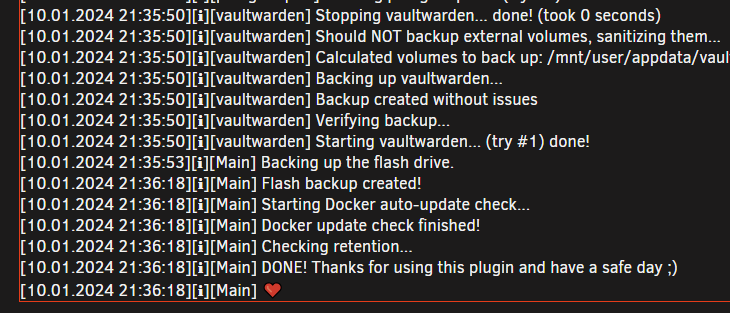
Hallo zusammen, ich habe ein "unassigned device" über das "unassigned devices plus"-Plugin gemountet und wollte über das Plugin "Backup/Restore appdata" 2 weitere Pfade auf die Platte sichern lassen. So sieht das ganze bei mir aus: Wenn ich das Backup laufen lasse, wird aber nur der Appdata-Bereich gesichert. Die beiden anderen Pfade fässt das Skript nicht an. Könnte mir jemand weiterhelfen und sagen woran das liegt? Danke für eure Hilfe 🙂
-
Danke für die Infos. Die Lösung, den Mover auf +/- 90 Tage zu setzen finde ich eigentlich ganz gut. -> ich habe Toshiba N300 mit 12TB. Die sind auch heliumversiegelt aber irgendwie trotzdem noch zu laut 😕 Gibt es eine Möglichkeit die Dateien aus dem Array (für einen Zeitraum X) zurück in den Cache zu laden? Das müsste ich zwar jedes Mal händisch tun, aber das wäre zumindest für meine vorhandenen Daten eine Umgehung des Problems. Ansonsten bleibt dann wohl nur Option 3 🤡
-
Hallo zusammen, vorweg: Als stiller Forum-Leser konnte ich bisher viel lernen und aufkommende Probleme durch eure Forumsarbeit lösen. Danke dafür. Jetzt habe eine spezifische Frage zu Jellyfin: Mein Server steht im Wohnzimmer (wo auch mein TV steht) und ich würde beim starten einer Serie/Film gerne, dass das komplette File in den SDD-Cache o. RAM ausgelagert wird, damit ich beim schauen nicht alle 5 Sekunden meine HDD´s hören muss. Wenn ich die HDD alle 30 Min für 10 Sekunden hören müsste, wäre ich auch zufrieden. Gibt es hier eine einfache Lösung? (Nein, ich will meinen Server nicht in einen anderen Raum stellen müssen ) Danke für die Hilfe und heute einen guten Rutsch ins Jahr 2024. MM



