




Skip to content
View in the app

A better way to browse. Learn more.

Unraid

A full-screen app on your home screen with push notifications, badges and more.

To install this app on iOS and iPadOS
  1. Tap the Share icon in Safari
  2. Scroll the menu and tap Add to Home Screen.
  3. Tap Add in the top-right corner.
To install this app on Android
  1. Tap the 3-dot menu (⋮) in the top-right corner of the browser.
  2. Tap Add to Home screen or Install app.
  3. Confirm by tapping Install.

Janitorpants

Members
  • Joined

  • Last visited

Everything posted by Janitorpants

  1. Yes, the new flash had the same issue. On a reboot the system failed to POST on a ram issue. Swapped ram with known working ram and all is well. Although I thought this ram was good, this is a silly lesson to learn. Don't assume hardware is working properly just because it was working at what time. Thankyou georgeb for your time.
  2. I got ever so slightly closer by moving the usb to a different port. And starting in safemode. Logged in though web GUI, then stopped responding.
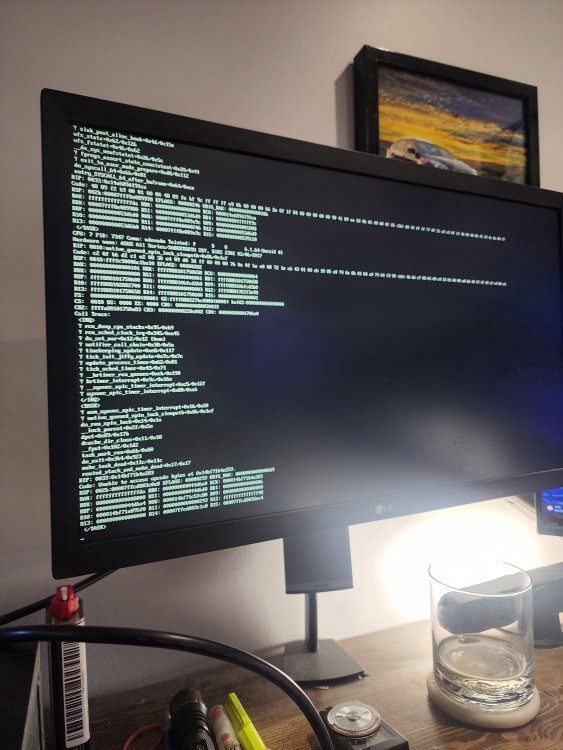
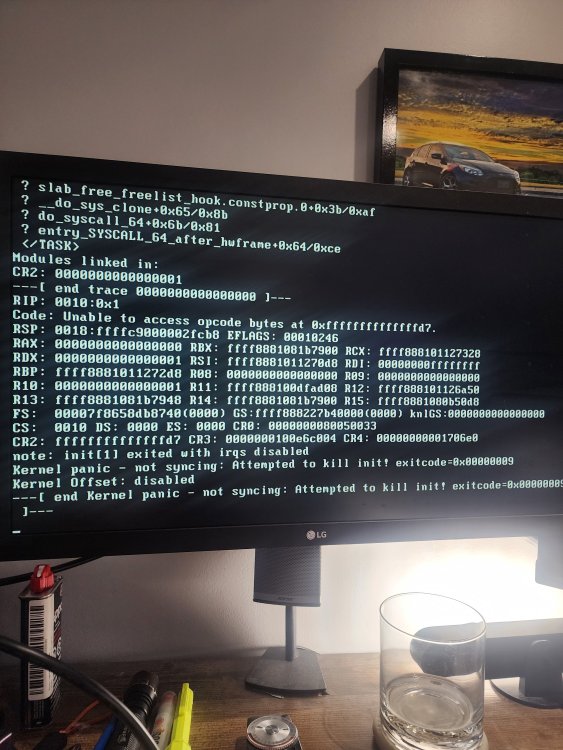
  3. Unraid won't boot after swapping from i7 3770 to 4770k, as well as swapping motherboard. Keep getting "end kernal panic - not syncing : attempted to kill init! Exit code 0x00000009 any help greatly appreciated

Account

Navigation

Search

Search

Configure browser push notifications

Chrome (Android)
  1. Tap the lock icon next to the address bar.
  2. Tap Permissions → Notifications.
  3. Adjust your preference.
Chrome (Desktop)
  1. Click the padlock icon in the address bar.
  2. Select Site settings.
  3. Find Notifications and adjust your preference.