





neomac3444
Members
-
Joined
-
Last visited
Everything posted by neomac3444
-
Thank you JorgeB! That worked and allowed me to update to 7.0.1!
-
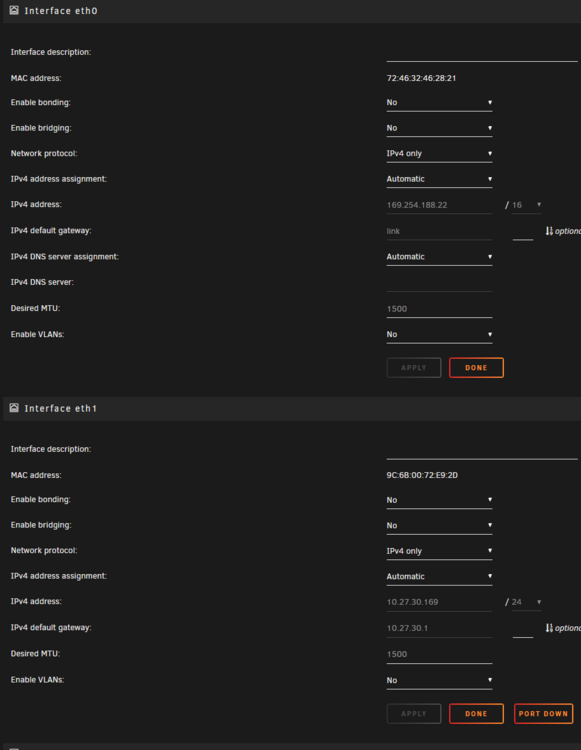
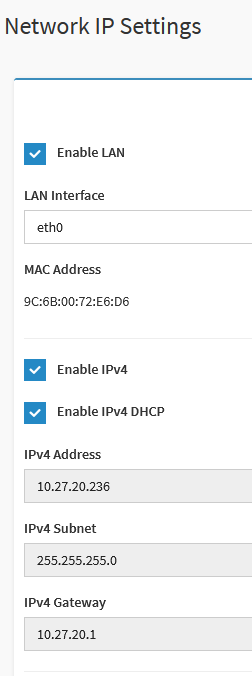
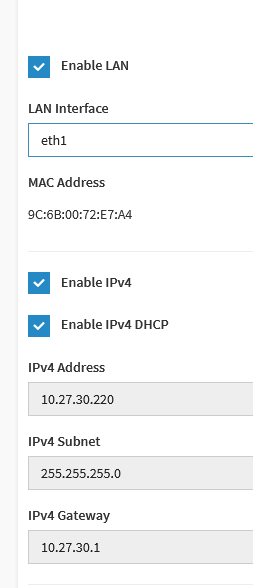
I am currently running 6.12.15 - do i need to upgrade to 7.0.1? or can i stay on 6 until i get this resolved? So that's what is odd, that is the IPMI port which does have an IP but, I feel like unraid shouldn't even be reading this port as it shouldn't be trying to communicate through it. Is there a way to disable the eth0 so it can ignore the port in Unraid? I dont want to disable it on the MB since i still want to be able to use the IPMI feature of the machine. The other thing that doesnt make sense is i can access the IPMI from both eth0 and eth1 using the respective IP's per the MB's "ip address". However, i can also access Unraid at the same time with eth1 and eth2 using the ip address per Unraid. When i change the eth0 ip address to a static address in unraid GUI i can no longer access unraid via web terminal from any IP and have to go back to the GUI on the machine.
-
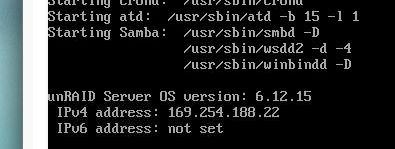
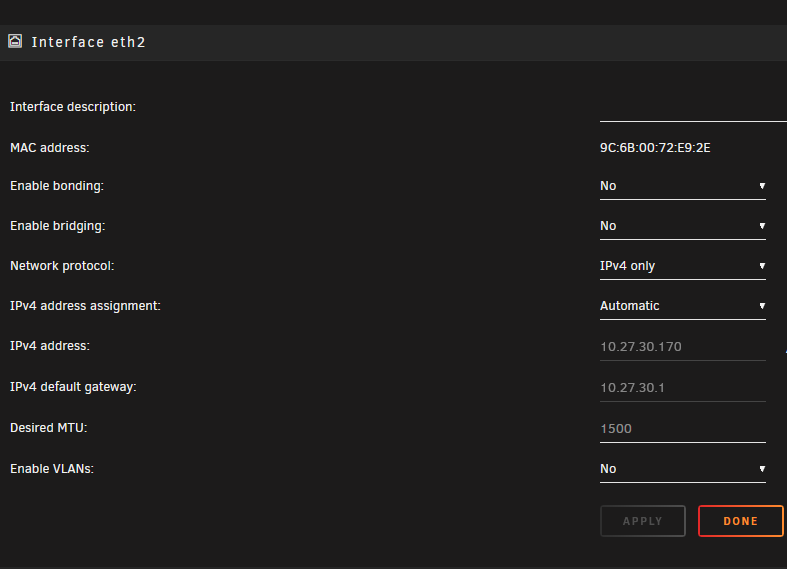
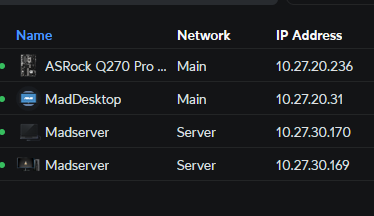
So a little back story, I was running consumer HW without issues and recently switched to some server grade HW. This includes an ASROCK ROMED8-2T MB with 3 ethernet ports 1 IPMI, and 2 10Gig Intel NIC's. However, for the life of me I cant figure out what is going on with my ethernet settings. For some odd reason when Unraid boots the ethernet ports are telling me all different things about the IP address. I can connect to the IPMI and Unraid, but Unraid can't connect to the internet for some reason. None of it is making any sense. Anyone have suggestions and yes setting statics freaks everything out? Connect to Addresses: IPMI - 10.27.20.236 or 10.27.30.220 Unraid - 10.27.30.169 or 10.27.30.170 Unraid Boot: 169.254.188.22 Unraid Web GUI: Eth0: 169.254.188.22 Eth1: 10.27.30.169 Eth2: 10.27.30.170 MB IPMI GUI: Eth0: 10.27.20.236 Eth1: 10.27.30.220 Eth2: doesnt show up Ubiquity Switch: Eth0: 10.27.20.236 Eth1: 10.27.30.169 Eth2: 10.27.30.170
-
For anyone that stumbles across this and is just as confused as I was. I finally found the issue. For some reason the only change I ended up having to make was moving my Unraid GUI ports off of 80 and 443 then everything worked magically. Now I am on an IPV4 IP address so not sure why I had to do this as it states in the support page that only IPV6 is required to change ports. If anyone has a reasoning for why. It would be great input to me for my own understanding! Cheers, Neo
-
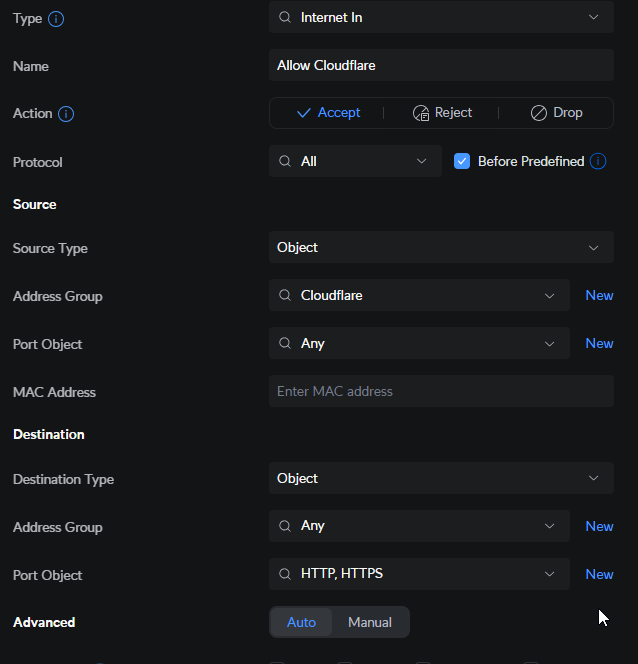
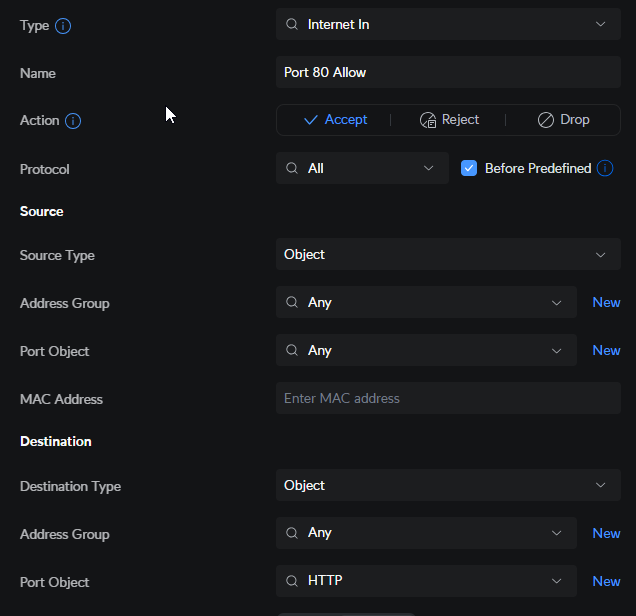
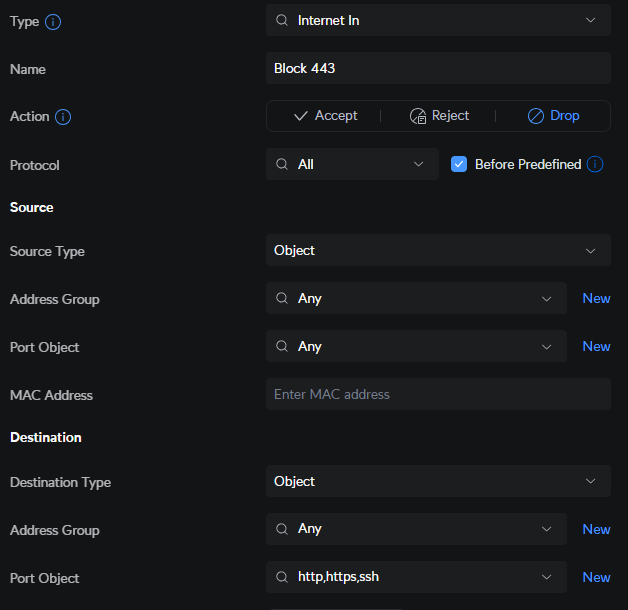
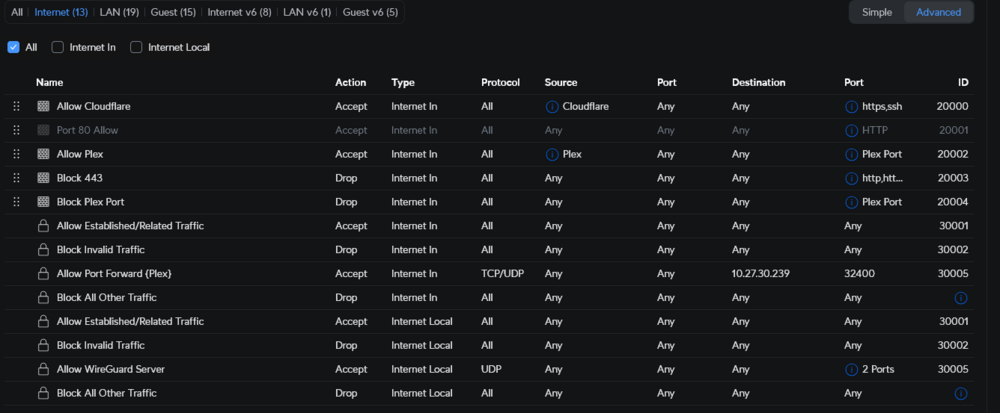
I hope this helps, here are the firewall rules for allow/block. As far as I understand it, in Unifi it runs top down, so you need Allow before the block to let the traffic move in the system. So it should be Allow 80 and 443 from cloudflare, then allow 80 from anyone, then block 80, 443 and 22 from everyone as long as it doesnt conflict with the first two rules. Now I have removed the 80 from this block before and still no luck.
-
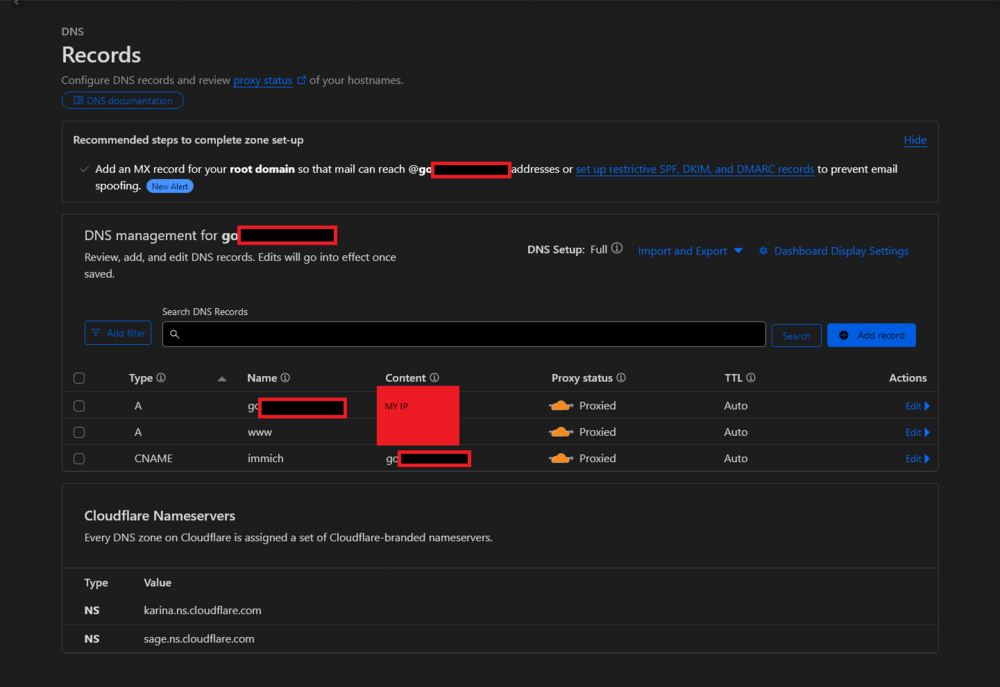
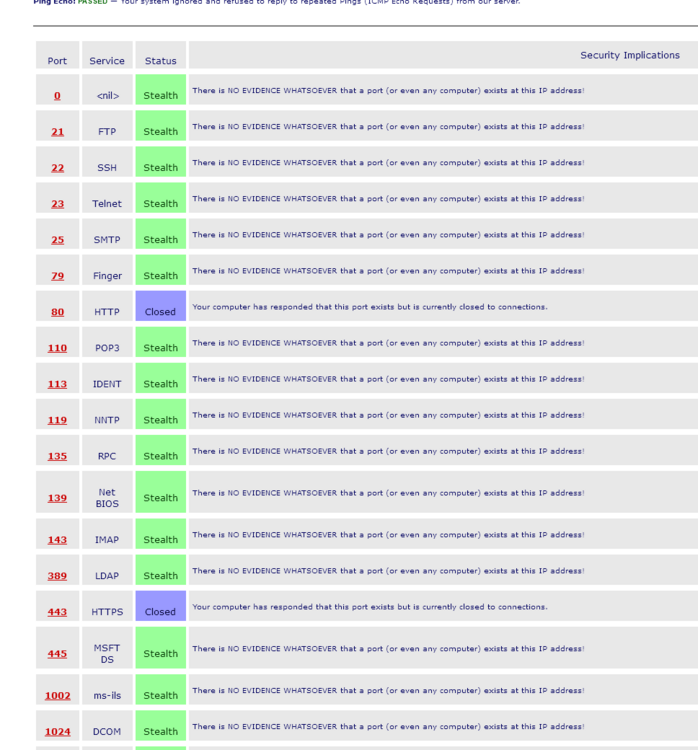
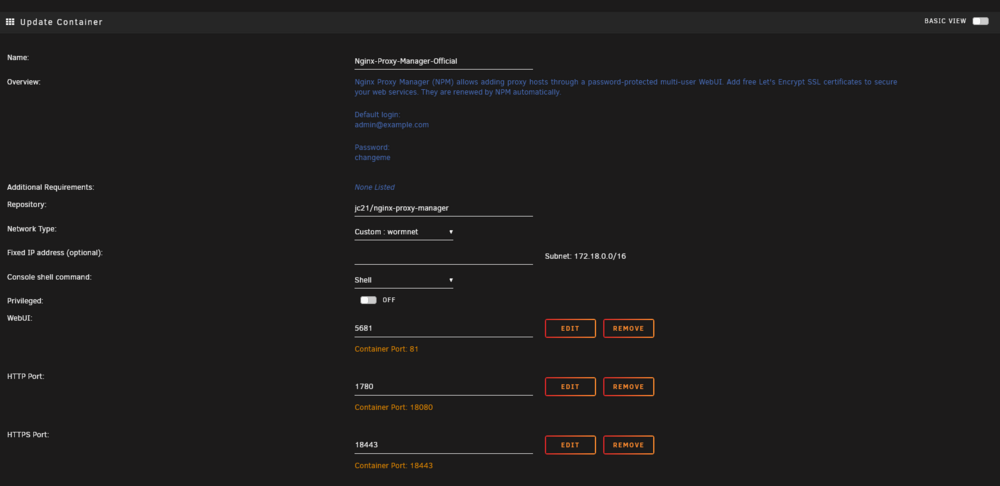
Hey fellow friends on the internet. I am struggling hard with some networking issues on my end with setting up NPM and Cloudflare and could use some much appreciated help. I have NPM installed and running, Cloudflare is active and looking at my IP address. However, for the life of me I can not get a LetsEncrypt Cert nor can i do the simple troubleshooting tasks outlined in here to verify that I have an open port 80. This includes using my mobile device to try to pull up my ip address and doing testing: http://unraid.yourdomain.com/.well-known/acme-challenge/ address while not on WIFI. Setup: Spectrum Internet - Residential /Dynamic DNS - Yes there information states it does not close port 80 or 443 off to the world. https://www.spectrum.net/support/internet/blocked-ports Ubiquity UDM-Pro Unraid 6.12.15 Currently I have port 80 open to the world (yes i know sketchy at best), and 443 open only to cloudflare based on their IP list Here. I am forwarding those ports to their respected port in Unraid which is what NPM is supposed to be listening to. I know port forwarding is working on Plex since i have that just being port forwarded not currently through NPM and it is working outside my house just fine. I will take any suggestions that you have for me to hopefully get this working. See pictures below of the networking interfaces: Cloudflare: - I do have a custom cert from cloudflare and saved on NPM. UDM-Pro Port Forward: Firewall Rules: Yes I realize that Port 80 Allow is off right now in the picture because I'm not leaving it on while testing. Shields Up Report: I would expect 80 to be open with 443 closed only to Cloudflare Unraid NPM Container: Thank you so much. -Neo

-
Thanks for the reply. Any thoughts on which is better? AMP or Pterodactyl?
-
Hey Guys, New to the forum and Unraid. Its been 10+ years since I have played with a server, last server was Ubuntu. I'm not new to servers but there are certainly more options on how to do things today. So I am setting up a server to do the following and am just seeking a little advice after reading many guides and posts for different examples of each. I have settled on Unraid 6.12 These are the services I intend to run: Plex SMB - Local Phone/Photo Backup - for entire family (includes those outside of my house) Game Servers w/ Friends - Ark, Minecraft, SmallLands, Satisfactory My first question is not sure what the better methods are for setting up communications to the open world. It used to be you just open a port on your router and direct traffic to that port and done. However, was reading many different sets of advice about setting up a reverse proxy with using a platform like Cloudflare and Nginx. Is that really the recommended method even though I will not be "Hosting" a website on my server? My second question is for game servers. Is it better to be running these in a VM and just let them be in their own VM for each server? Or is a docker like AMP or Pterodactyl a better way to go about setting up multiple servers? Thanks for the advice! Marc



