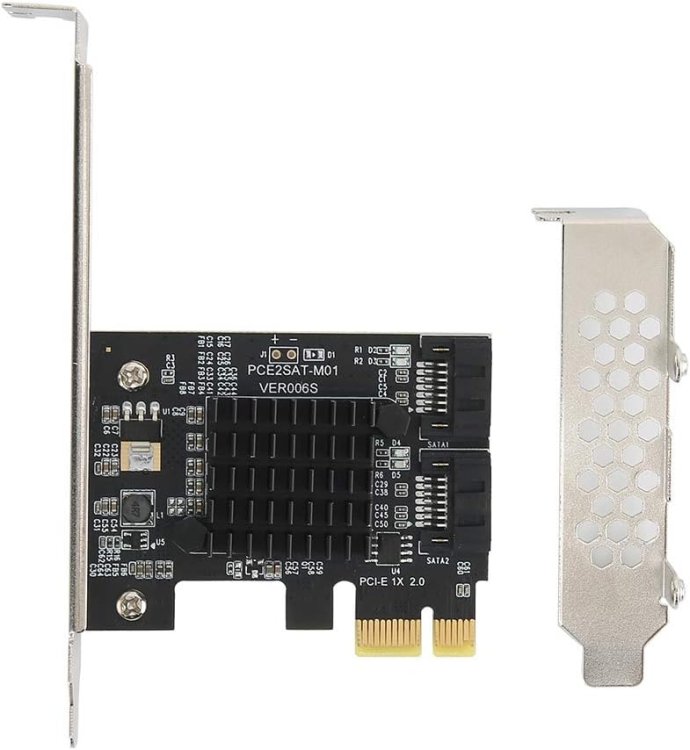
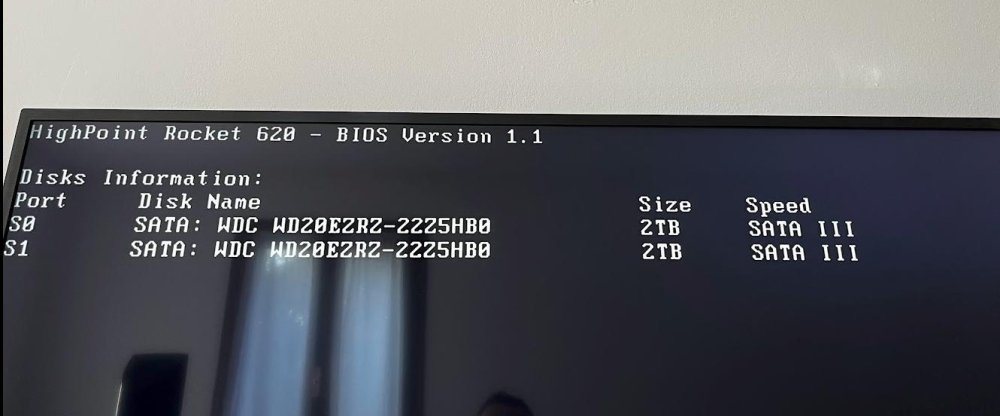
friimaind
Members
-
Joined
-
Last visited
-
I followed the guide, thank you very much, everything works perfectly!

-
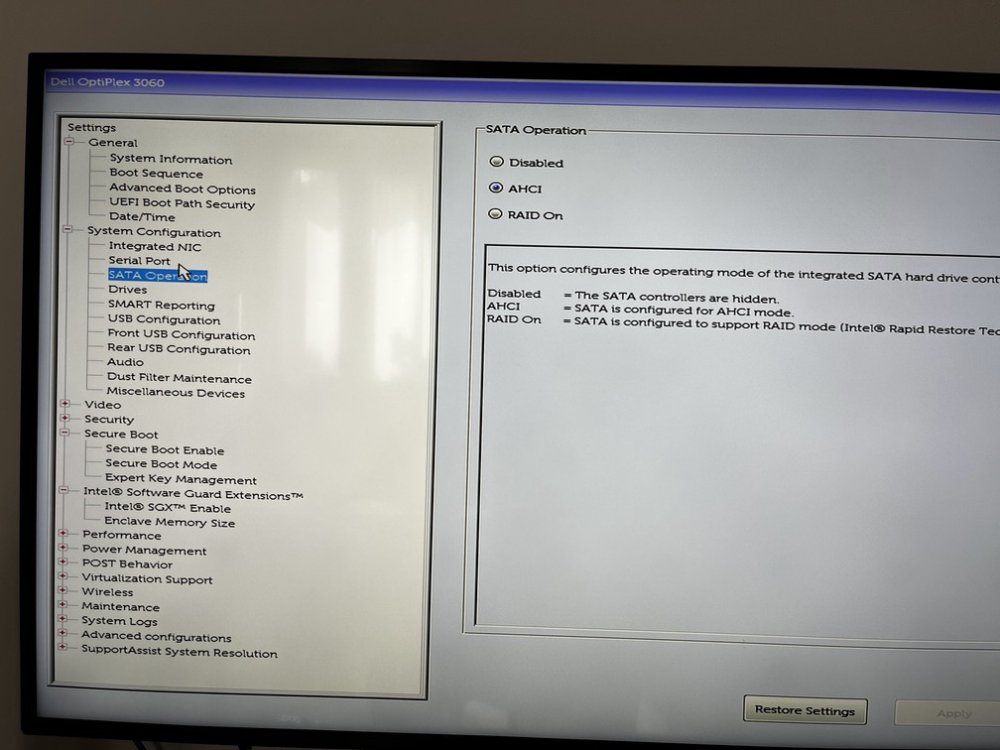
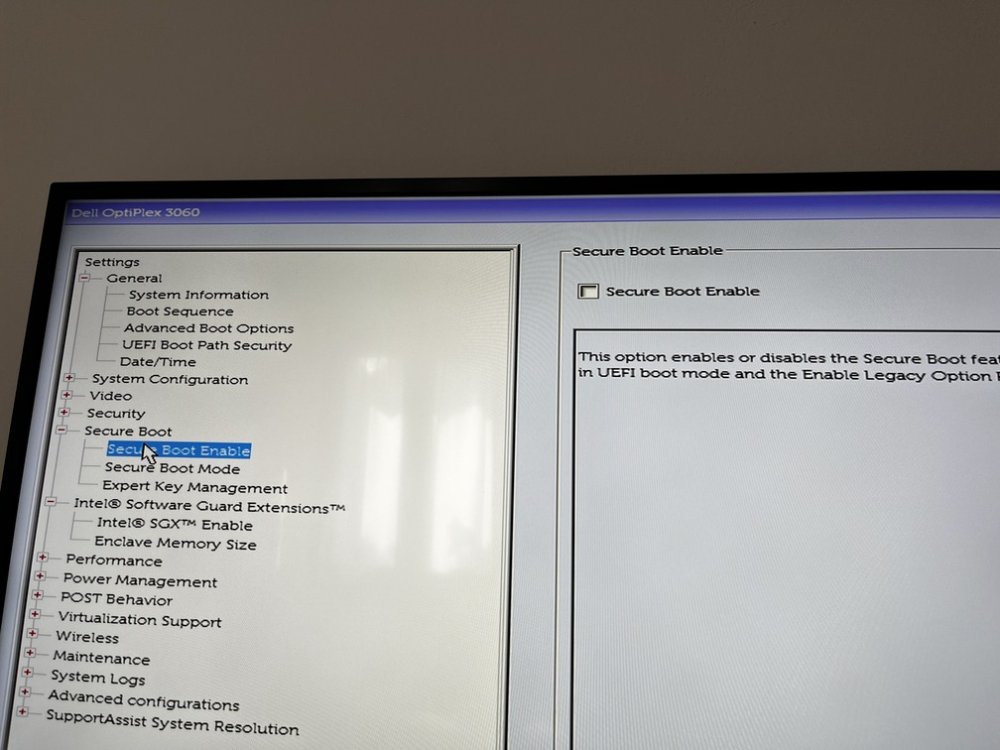
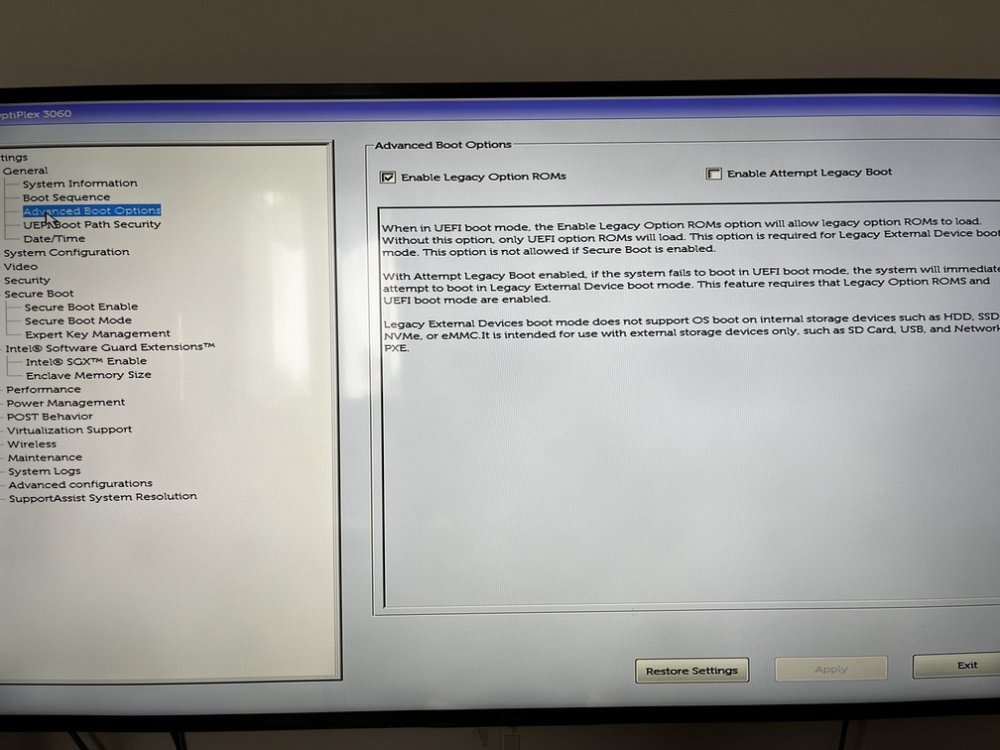
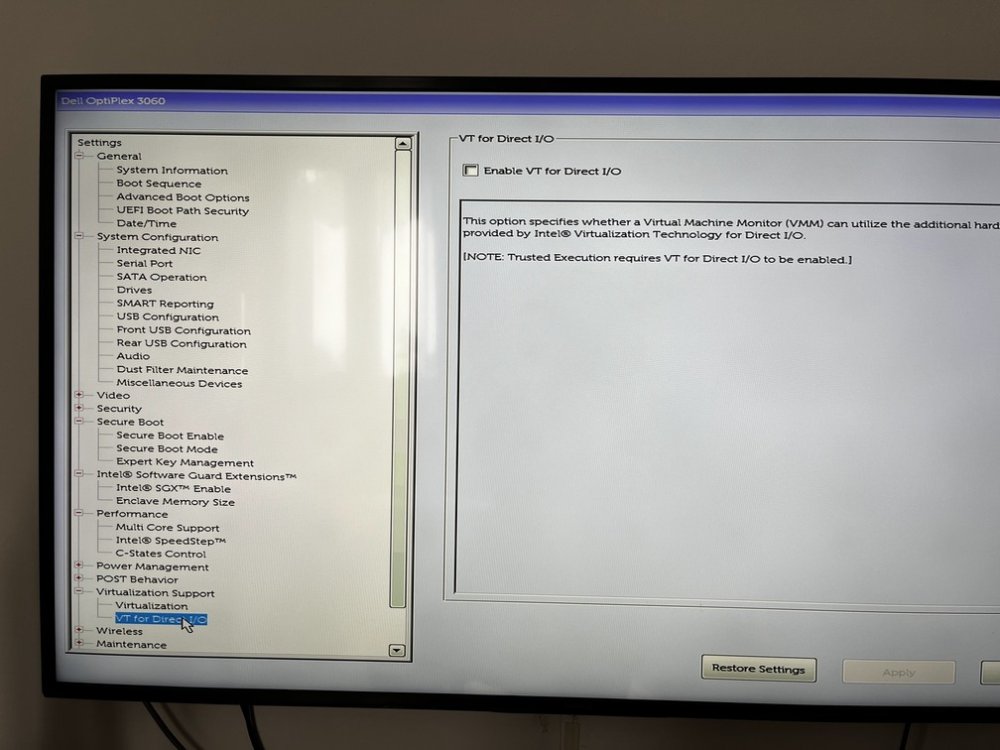
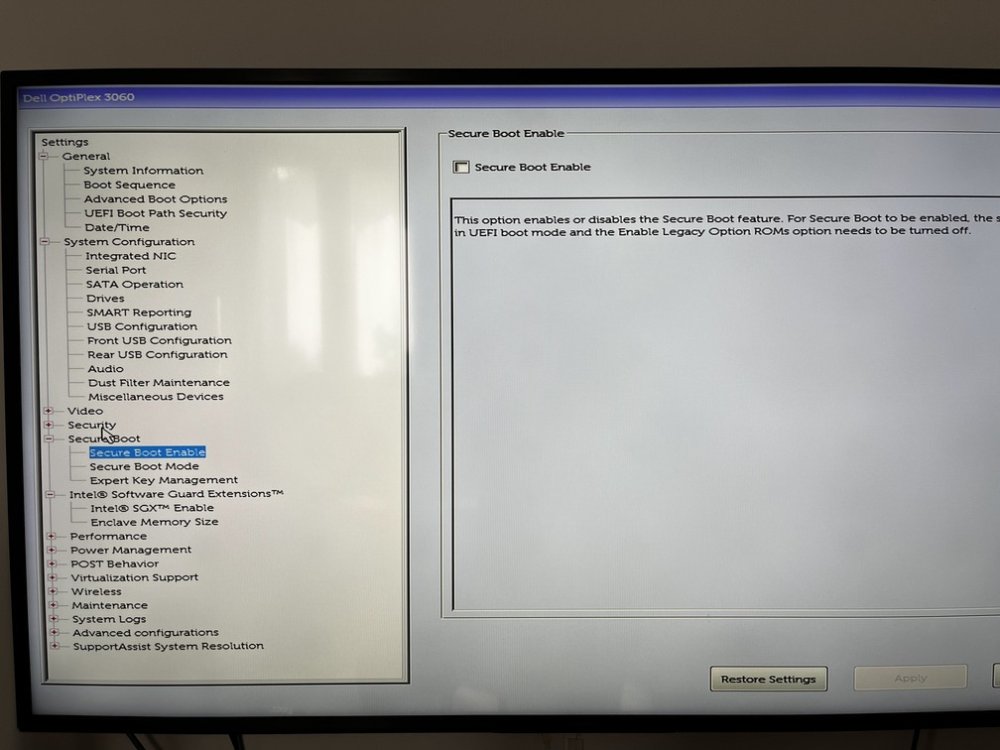
After several attempts I finally managed to get everything to work! I changed the PCI Express 1x SATA adapter but I honestly believe that the problem came from a series of incorrect settings in the bios. To anyone who had the same problem, I report below what I did on my Dell Optiplex 3060 SFF: Updated the bios to the latest version (1.28.0 downloaded from Dell Website) BIOS: Boot Sequence > UEFI enabled BIOS: Boot Sequence > selected my Unraid USB Flash Drive BIOS: System Configuration > SATA Operation > AHCI BIOS: Secure Boot Enable > unflag to disable it BIOS: Virtualization Support > Virtualization > flag to enable IVT (I use this for my VMs) BIOS: Virtualization Support > VT for Direct I/O > unflag to disable it THIS IS IMPORTANT - from my tests this was what blocked booting with the sata expansion card I attach a series of photos of my BIOS for your convenience, I hope it can be useful. Thanks again everyone for the support
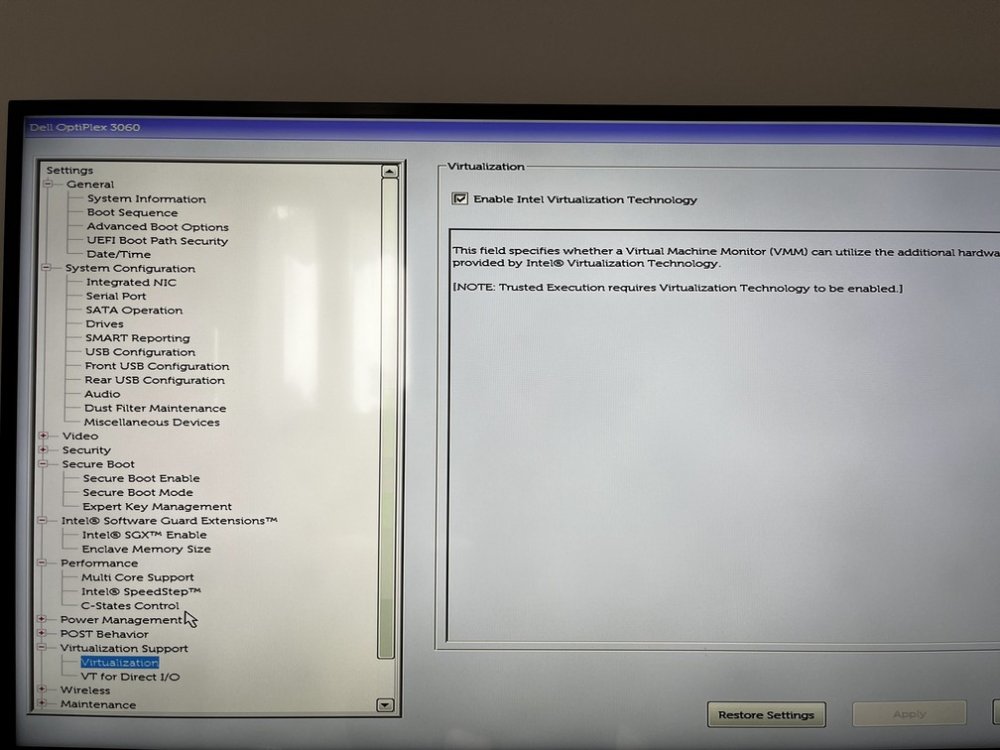
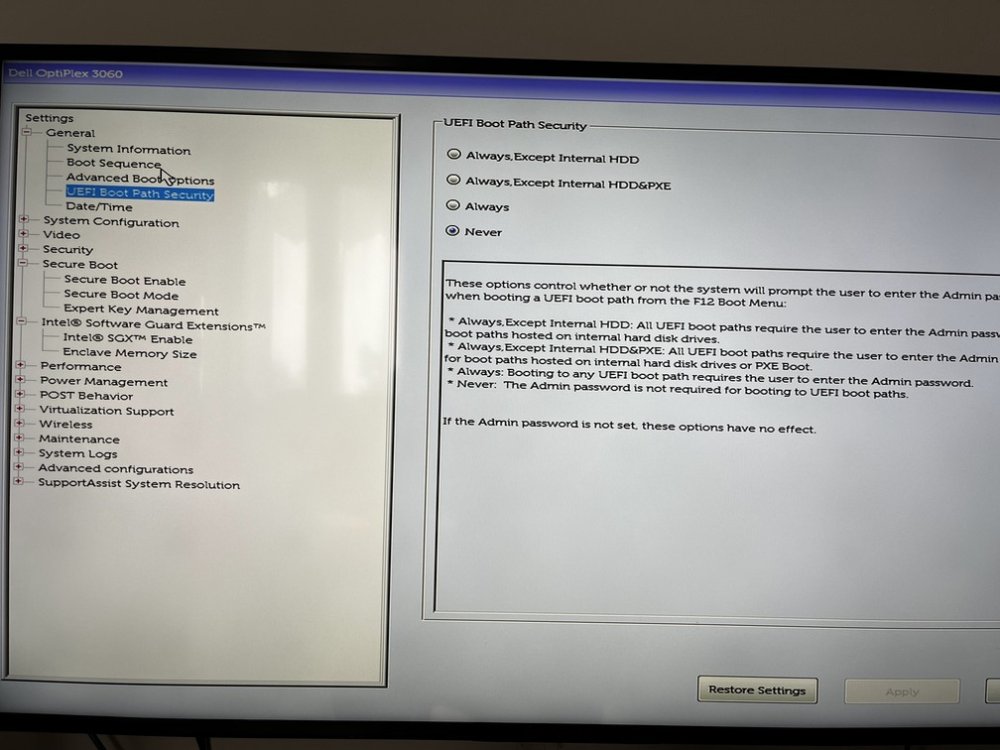
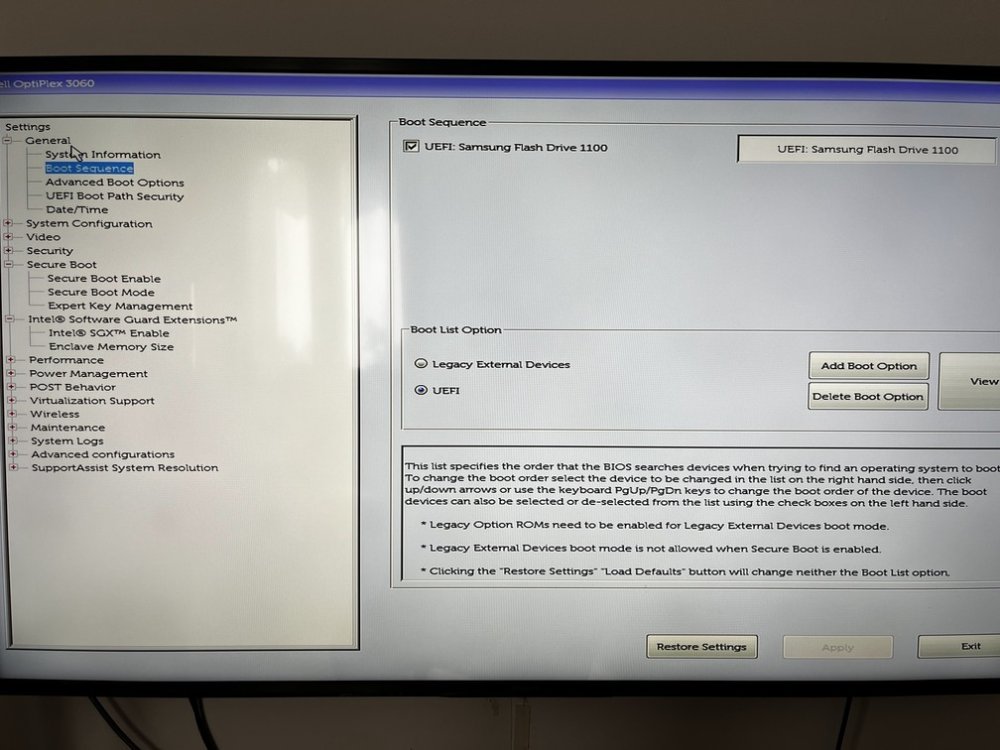
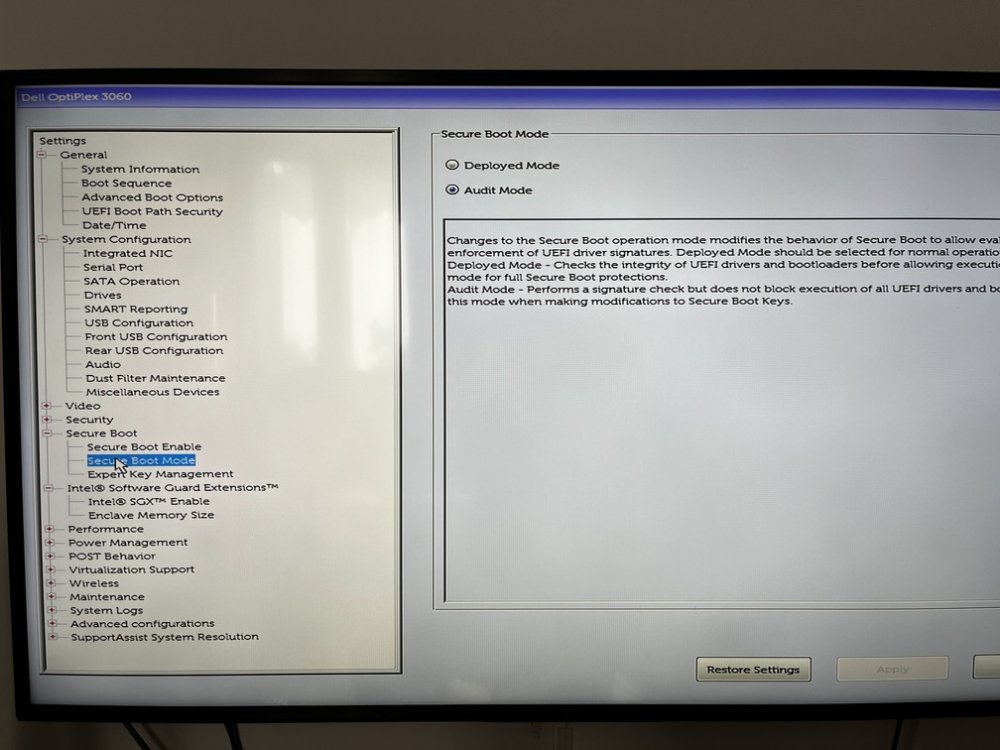
-
Thank you all for the replies! Unfortunately a little while ago Unraid disconnected the two disks attached to the expansion card. I'm afraid I need to replace this board, it doesn't seem to be working properly. Here are the recent logs of the two disks: DISK 1 Mar 12 19:37:07 tomato kernel: ata6.00: failed command: READ FPDMA QUEUED Mar 12 19:37:07 tomato kernel: ata6.00: cmd 60/18:b0:28:9b:e7/00:00:74:00:00/40 tag 22 ncq dma 12288 in Mar 12 19:37:07 tomato kernel: ata6.00: status: { DRDY } Mar 12 19:37:07 tomato kernel: ata6: hard resetting link Mar 12 19:37:12 tomato kernel: ata6: link is slow to respond, please be patient (ready=0) Mar 12 19:37:17 tomato kernel: ata6: softreset failed (device not ready) Mar 12 19:37:17 tomato kernel: ata6: hard resetting link Mar 12 19:37:27 tomato kernel: ata6: softreset failed (1st FIS failed) Mar 12 19:37:27 tomato kernel: ata6: hard resetting link Mar 12 19:38:02 tomato kernel: ata6: softreset failed (1st FIS failed) Mar 12 19:38:02 tomato kernel: ata6: limiting SATA link speed to 3.0 Gbps Mar 12 19:38:02 tomato kernel: ata6: hard resetting link Mar 12 19:38:07 tomato kernel: ata6: softreset failed (1st FIS failed) Mar 12 19:38:07 tomato kernel: ata6: reset failed, giving up Mar 12 19:38:07 tomato kernel: ata6.00: disable device Mar 12 19:38:07 tomato kernel: ata6: EH complete Mar 12 19:38:07 tomato kernel: sd 6:0:0:0: [sdd] tag#2 UNKNOWN(0x2003) Result: hostbyte=0x04 driverbyte=DRIVER_OK cmd_age=90s Mar 12 19:38:07 tomato kernel: sd 6:0:0:0: [sdd] tag#2 CDB: opcode=0x28 28 00 74 e7 9b 28 00 00 18 00 Mar 12 19:38:07 tomato kernel: I/O error, dev sdd, sector 1961335592 op 0x0:(READ) flags 0x0 phys_seg 3 prio class 2 Mar 12 19:38:07 tomato kernel: sd 6:0:0:0: [sdd] tag#3 UNKNOWN(0x2003) Result: hostbyte=0x04 driverbyte=DRIVER_OK cmd_age=90s Mar 12 19:38:07 tomato kernel: sd 6:0:0:0: [sdd] tag#3 CDB: opcode=0x28 28 00 74 e7 9a b8 00 00 70 00 Mar 12 19:38:07 tomato kernel: I/O error, dev sdd, sector 1961335480 op 0x0:(READ) flags 0x0 phys_seg 14 prio class 2 Mar 12 19:38:07 tomato kernel: sd 6:0:0:0: [sdd] tag#4 UNKNOWN(0x2003) Result: hostbyte=0x04 driverbyte=DRIVER_OK cmd_age=90s Mar 12 19:38:07 tomato kernel: sd 6:0:0:0: [sdd] tag#4 CDB: opcode=0x28 28 00 74 e7 9a 98 00 00 10 00 Mar 12 19:38:07 tomato kernel: I/O error, dev sdd, sector 1961335448 op 0x0:(READ) flags 0x0 phys_seg 2 prio class 2 Mar 12 19:38:07 tomato kernel: sd 6:0:0:0: [sdd] tag#5 UNKNOWN(0x2003) Result: hostbyte=0x04 driverbyte=DRIVER_OK cmd_age=90s Mar 12 19:38:07 tomato kernel: sd 6:0:0:0: [sdd] tag#5 CDB: opcode=0x28 28 00 74 e7 9a 80 00 00 08 00 Mar 12 19:38:07 tomato kernel: I/O error, dev sdd, sector 1961335424 op 0x0:(READ) flags 0x0 phys_seg 1 prio class 2 Mar 12 19:38:07 tomato kernel: sd 6:0:0:0: [sdd] tag#6 UNKNOWN(0x2003) Result: hostbyte=0x04 driverbyte=DRIVER_OK cmd_age=90s Mar 12 19:38:07 tomato kernel: sd 6:0:0:0: [sdd] tag#6 CDB: opcode=0x28 28 00 74 e7 9b 40 00 00 40 00 Mar 12 19:38:07 tomato kernel: I/O error, dev sdd, sector 1961335616 op 0x0:(READ) flags 0x0 phys_seg 8 prio class 2 Mar 12 19:38:07 tomato kernel: sdd: detected capacity change from 3907029168 to 0 Mar 12 19:38:07 tomato kernel: sd 6:0:0:0: [sdd] tag#0 access beyond end of device DISK2 Mar 12 19:39:48 tomato kernel: ata7: softreset failed (1st FIS failed) Mar 12 19:39:58 tomato kernel: ata7: softreset failed (1st FIS failed) Mar 12 19:40:33 tomato kernel: ata7: softreset failed (1st FIS failed) Mar 12 19:40:33 tomato kernel: ata7: limiting SATA link speed to 3.0 Gbps Mar 12 19:40:38 tomato kernel: ata7: softreset failed (1st FIS failed) Mar 12 19:40:38 tomato kernel: ata7: reset failed, giving up Mar 12 19:40:38 tomato kernel: ata7.00: disable device Mar 12 19:40:38 tomato kernel: sde: detected capacity change from 3907029168 to 0
-
friimaind changed their profile photo
-
Thank you for the reply. Do you mean if there are other boot entries besides the Unraid USB stick? If so, there is only the USB stick inside the boot devices. I hope I understood correctly. I tried enabling UEFI mode but, after reboot, the system stops at a screen with the large Dell logo and two white writings at the top left "port probe successfully" PS: If I need to enter the BIOS I need to detach the SATA drives from the expansion card because otherwise it still remains stuck on the screen of "Disk information"...
-
I'm using Unraid without problem on my Dell OptiPlex 3060 (Small Form Factor) which, unfortunately, had only 2 SATA on the motherboard. So I've purchased an expansion PCI-E 1x with 2 additional SATA3 ports, this one: Bewinner1 pce2sat-m01 (photo attached) If there is no hard disk connected to the expansion card, booting works correctly as before. The problems starts when I connect even just one hard disk to this card: I see the Dell logo on boot and after that it blocks on the "Disk information" of Highpoint rocket 620 Bios (I have attached a photo) I set the following settings in the bios: Legacy boot (no UEFI) Only the USB Disk is on the bootable disk Sata AHCI Disabled every secure boot, fastbook etc... I found an alternative but I'm not proud of it: I disconnect the SATA cables from the expansion card I turn on the PC I press F12 to enter the boot selection I attach the SATA cables to the expansion card I select the unraid USB stick After that all works fine, Unraid sees and uses disks without any problems. Please help