





SpaceX_Dude
Members
-
Joined
-
Last visited
Everything posted by SpaceX_Dude
-
I dont understand. I have now transferred several large files. 10-30 gb files. To and from cache. To cache.. 85-95 MB/s, from cache.. 103-105 MB/s. To array.. 85-95 MB/s. From array 106 MB/s steady. In the beginning, after several transfers, my m.2 disk (cache) got to hot, and unraid stalled. Had to restarte unraid. So of course now, when i got help, i have acceptable speed. I have ordered cooler to my m.2 disc. I will come back to you when i have bad speed again. Thank you for now. 🙂
-
like this? Unraid server is on the right..
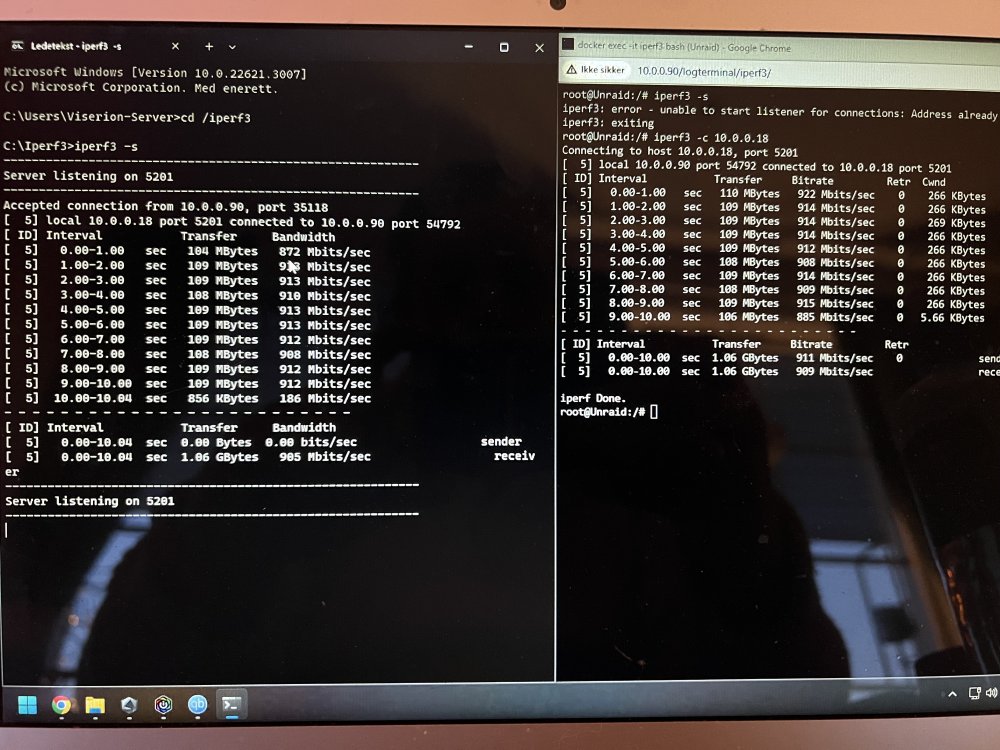
-
Sorry, i misunderstood. I transferred a large file from unraid to pc. I used SMB.. i think. 107-110 MB/s. I havent done iperf.. not sure what that is, but i will try to figure it out. 🙂
-
I have done that.. stable on 108-110 MB/s. But other way, 30-50 MB/s. 🙂
-
Hey guys, I am new at unraid, and very noob. I have searched arround in forum and googled it, but im not getting any smarter. I am sending large files between my pc and unraid server. i have enabled turbo write, and save on cache and the tranfer to array later at night. But still get 30-50 MB/s when i tranfere files. i use SMB. it may peak up to 100 MB/s, but usually it stay at 40-50 MB/s. I am not sure what to to. i have tried to just save stright to array, but it will not get any better. At the beginning, when i configured cashe for 2 weeks ago, i stored straight to array. Then i got slow speed, as i have now. Then i change it to save on cache, and move to array later, i got 100/110 MB/s. But that was just in the beginning. Now i get as i said, 30-50 MB/s. Please help. 🙂 unraid-diagnostics-20240114-1500.zip

