ShitTheBed
Members
-
Joined
-
Last visited
-
Hi All, I have this new error: "Macvlan and Bridging foundMacvlan and bridging has been found. This might cause issues with stability on your server. More Information" The fix is to change "from macvlan to ipvlan". This has a drawback: "reduced functionality with advanced network management tools (Ubiquity)" I go to do the second fix: "Settings > Network Settings > eth0 > Enable Bonding = Yes or No, either work with this solution Settings > Network Settings > eth0 > Enable Bridging = No (this will automatically enable macvlan) Settings > Docker > Host access to custom networks = Enabled" But the "Host access to custom networks" warns me to make sure i know what im doing when enabling. I am hesitant to do this as I have a reverse proxy that opens up some containers to the internet, and I dont want to let those containers access the host and possible allow attackers in. My questions is, is allowing "Host access to custom networks" a security issue in my case? Should I be worried? Should I just do method A and have reduced functionality? Thank you! Version: 6.12.6
-
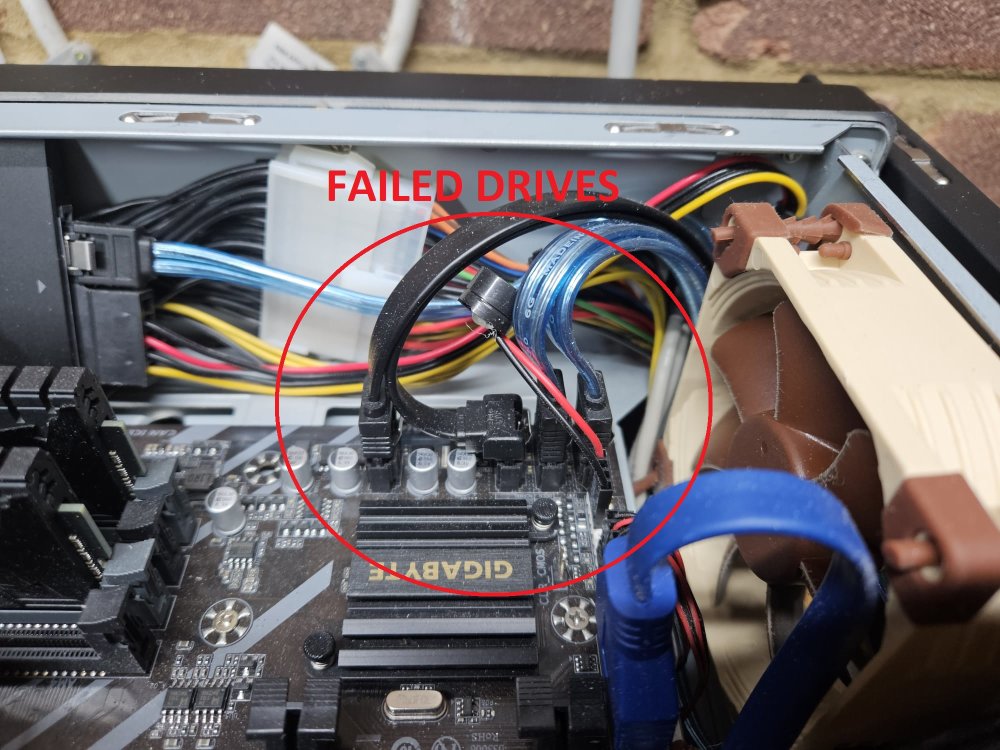
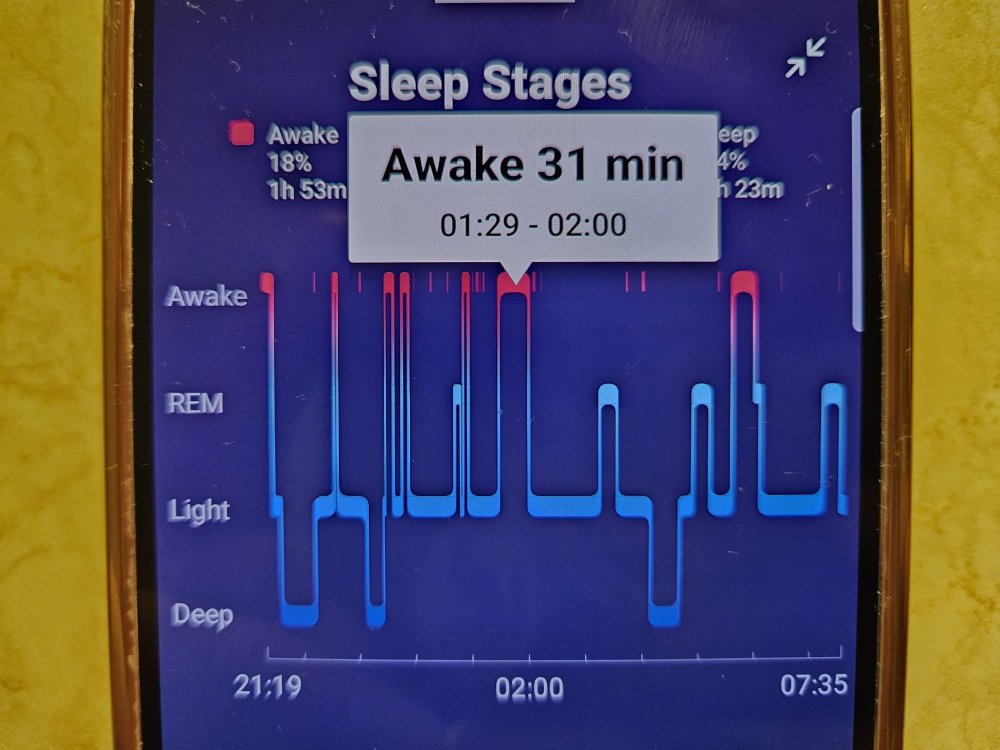
UPDATE: I zerod in on which physical drives were disabled. As JorgeB highlighted, the log shows 4 going down. I've bolded them in the list below: ata1 => sdb 1TB SSD ata2 => sdc 1TB SSD ata5 => sdd HDD (parity 2) ata6 => sde HDD (parity) ata9 => sdf HDD ata10 => sdg HDD ata11 => sdh HDD ata12 => sdi HDD ata13 => sdj HDD ata14 => sdk HDD The top two SSD's form a 1tb mirrored cache. The bottom 8 HDD form an array using two of these backplanes: https://www.u-nas.com/xcart/cart.php?target=product&product_id=17703 I thought for sure the 4 effected drives were going to be 4 HDD's on one backplane. It wasn't! It was both SSD's (not on a backplane - they go directly into mobo) that form the cache and both parity drives (on one backplane). Now I will pop of case cover and check if drives share a PCIE card, or plug right into mobo, or both... Another twist - the four failed drives all plug directly into mobo! The other 6 HDD's plug into the PCIE card: I'm now thinking power issues. PSU or unstable power coming into PSU. I tell my wife about the issue, and how it happened at 1:31 am. She thinks she went into garage (where NAS is) at that time for midnight weatabix (pregnant). She checks fitbit, the watch that tracks sleep, and confirms she did indeed! We had an electrician in a week ago who installed lots of automatic lights in garage... I'm now thinking the new light set up isnt playing nice with the NAS. I will leave them always on for now, so no power spikes. I will look into how it is wired, and if I can get hardware to monitor power supply to NAS. I will do another update if I can confirm lights causing power spikes. Thanks for the leads guys!
-
Aha i see! I am going to fully back up data first. Will see if i can source a new controller, it might be tricky as its part of the (expensive!) case. Im guessing a brown out aswell as a psu issue could cause this?
-
Very insightful. I see. The case im using is UNAS-810a. It comes with a built in controller. From the pic it looks like two x4 controllers: i will find out if the 4 ones with issues were on same controller. i take it that the two non parity disks were fine after the 'issue', but parity cant tolerate the interuption?
-
Hi Itimpi, Thank you for your prompt response! I have the diagnostics, I collected them before restart. Find them attached. Can you guide me on where to look for clues? Thanks again vault-diagnostics-20240115-1723.zip
-
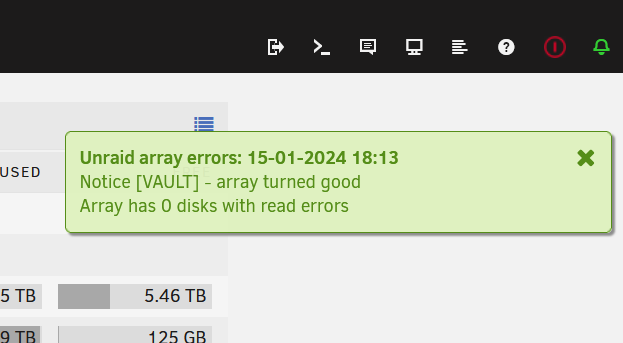
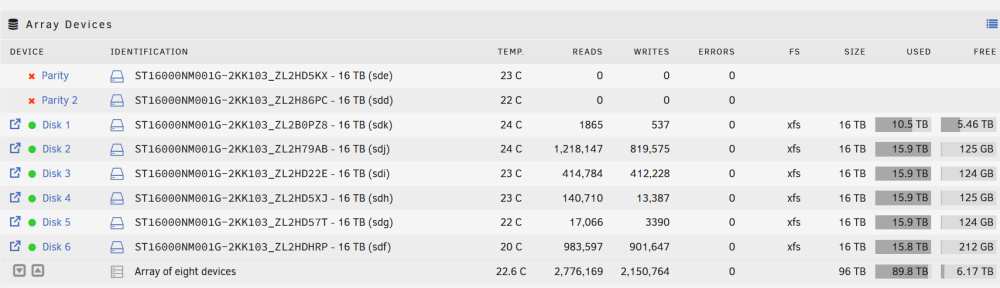
Hello Unraiders, I came home to both parity disks being disabled, with a whopping 2000+ errors on each parity disk. I checked the logs and they both failed very close in time to each other. There is a plugin that is mentioned in the logs too... https://pastebin.com/9pg56jC2 The beggining of the errors starts with: Jan 15 01:31:56 VAULT kernel: ata2.00: exception Emask 0x0 SAct 0x10000 SErr 0x0 action 0x6 frozen Jan 15 01:31:56 VAULT kernel: ata2.00: failed command: WRITE FPDMA QUEUED Jan 15 01:31:56 VAULT kernel: ata2.00: cmd 61/08:80:80:08:00/00:00:00:00:00/40 tag 16 ncq dma 4096 out Jan 15 01:31:56 VAULT kernel: res 40/00:01:00:00:00/00:00:00:00:00/00 Emask 0x4 (timeout) Jan 15 01:31:56 VAULT kernel: ata2.00: status: { DRDY } Jan 15 01:31:56 VAULT kernel: ata2: hard resetting link It is an 8 disk array, raid 6. I am worried for my NAS! I find it very strange that both parity disks fail together when the array has being going for 2 years. I restarted twice, and both disks remain disabled. This message popped up: Adnd the 2k errors on each parity disk were zeroed away: Unraid version is: Version 6.12.6 2023-12-01 I have left the machine off whilst I post here. Any help would be appreciated. - ShitTheBed