Skip to content
View in the app

A better way to browse. Learn more.

Unraid

A full-screen app on your home screen with push notifications, badges and more.

To install this app on iOS and iPadOS
  1. Tap the Share icon in Safari
  2. Scroll the menu and tap Add to Home Screen.
  3. Tap Add in the top-right corner.
To install this app on Android
  1. Tap the 3-dot menu (⋮) in the top-right corner of the browser.
  2. Tap Add to Home screen or Install app.
  3. Confirm by tapping Install.

Syzygy

Members
  • Joined

  • Last visited

Everything posted by Syzygy

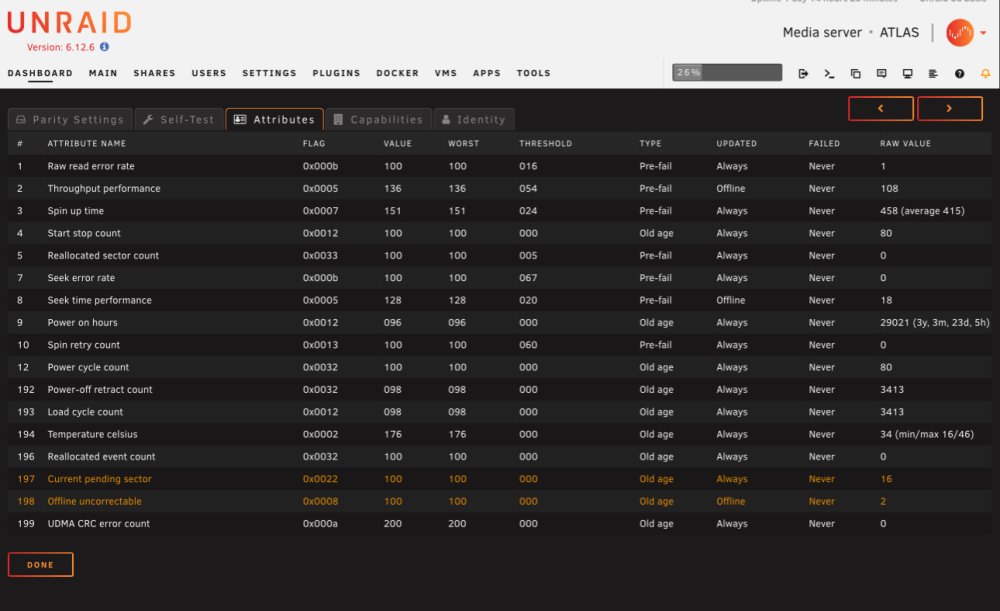
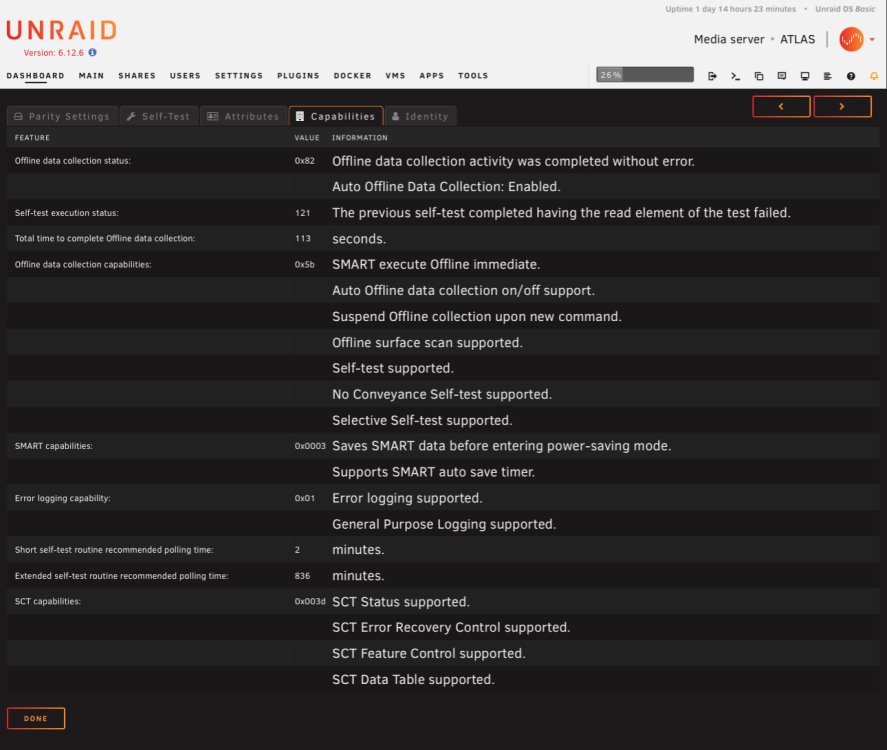
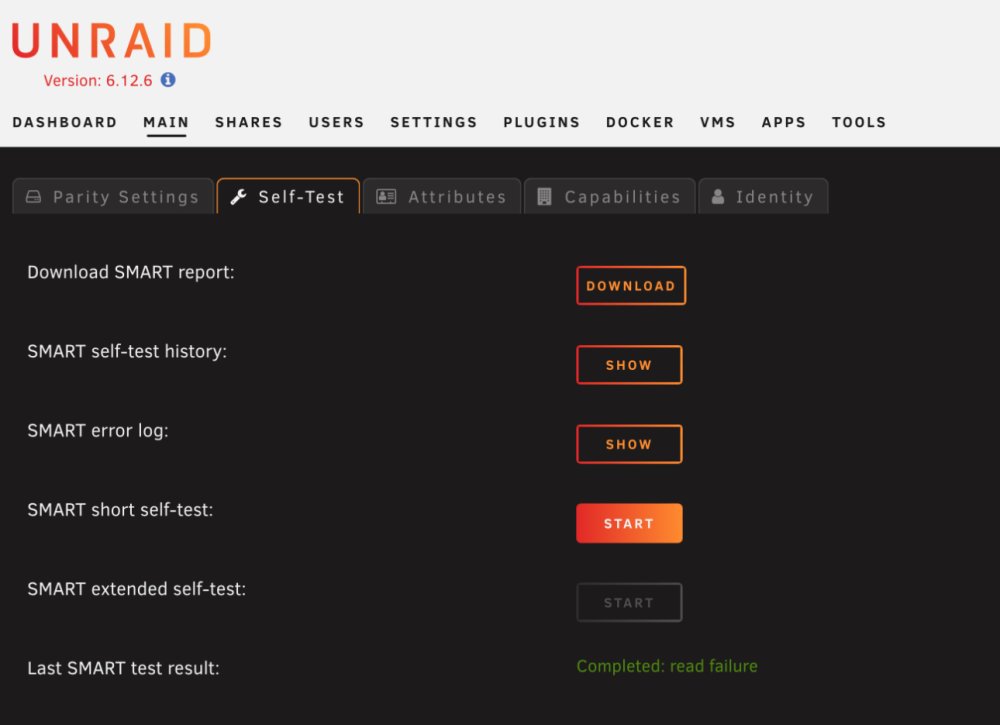
  1. This fixed the wrong drive issue thank you! Now that this is fixed, on the parity drive i’m noticing a “read failure” error when performing a SMART check. Could this be related to the original issue by chance or a separate issue entirely. (Apologies if the attached images are redundant)
  2. Attached the full diagnostic zip file atlas-diagnostics-20240117-0021.zip
  3. After rebooting the server, Disk 1 always shows missing drive after reboot even though it is the exact same drive and nothing has changed. I've tried rebooting a couple times and I've changed all the sata port cables on the motherboard. System Log Disk 1 Parity

Account

Navigation

Search

Search

Configure browser push notifications

Chrome (Android)
  1. Tap the lock icon next to the address bar.
  2. Tap Permissions → Notifications.
  3. Adjust your preference.
Chrome (Desktop)
  1. Click the padlock icon in the address bar.
  2. Select Site settings.
  3. Find Notifications and adjust your preference.