





Jasonmccullar
Members
-
Joined
-
Last visited
-
aha...left most icon.... sweet thats how that works. Yes I see it now. Thanks itimpi. Learned something new today.
-
nope that didn't work. Not a big deal I can use the terminal on the main tower if needed.
-
i did try boot device then clicked on file manager... that was the result (attached screenshot) I wonder if I have to add SMB permissions to see it listed? ill try it.
-
maybe I have to add/change SMB permissions on the USB stick 1st???
-
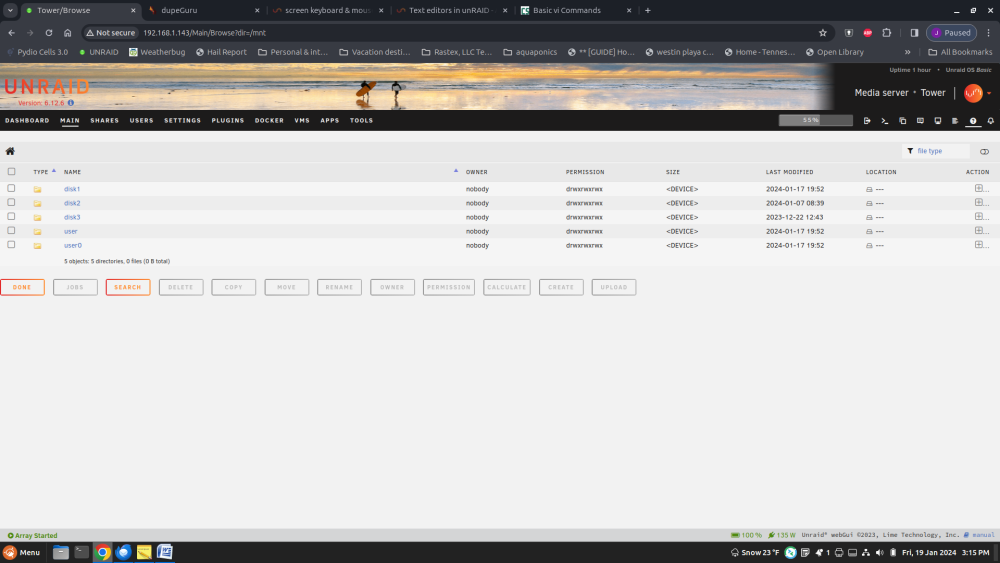
Update... The fix worked, as the screen no longer goes into sleep mode period. LOL. That's one way to curb stomp it. Any further thoughts on awaking a sleeping screen besides an "always on" option? If not, hey at least its fixed for the time being. Thanks again for the prompt help. Appreciated. Regarding Dynamix. The drives are there but not the USB stick. I attached a pic for simplicity. If there is a way to expose the root of the system to Dynamix, I would like to know how to do that. There are some tweaks I would like to research on the underlying OS in the future. Jason
-
I used Vi to add the line from the main terminal. Talk about old school archaic...LOL.. I had to google how to exit save....LOL " : then x " would have never guessed that one. Thanks for the Dynamix File Manager plugin comment itimpi. That is a good feature to add. However, I was not able to see the root and as such, not able to navigate to the /boot/config/go file. I assume it is simply because that data is on the USB stick and I do not know the command to get to that yet. so to update the thread... "setterm -blank 0" added to go file in /boot/config. System rebooted successfully. Now we will wait to see it solved. Thanks for all the help. Ill return in a while to let you know if it solved the issue. Jason
-
im also going to check out the GUI since i'm clowning around under the hood.
-
do you know what the text editor in unraid is? If there isnt one, would you suggest one to add? Thanks
-
ok so keyboard & mouse stay active. Cool. It must be the monitor. It is an old Dell 24in VGA. Keep jumping into power save mode, so I assume server isn't sending a wake-up to the monitor.
-
Hi, I have been running UNRAID for about 30 days now. GREAT product, should have done this years ago. I am down to working out little gremlins and I have one that is odd to me. on Unraid box, I have a monitor/keyboard/mouse plugged up. Upon booting or rebooting works great. after a time the monitor keyboard mouse go into "sleep" mode. Nothing I have tried thus far will wake it back up. ( typically wiggle mouse, hit a key on keyboard, etc...) Its not a huge problem, but it seems odd that I cannot go over to the server and use the command line directly without a reboot of the system. Anyone got thoughts on this? Thanks for your time. Jason
