techy91
Members
-
Joined
-
Last visited
-
So I waited a few days and the problem occured again. I have since tried to full reload of Docker (erased the Docker.img file) as I thought that might be causing part of the problem, but to no avail. I have attached the latest diagnostics. workstation-diagnostics-20240127-0946.zip
-
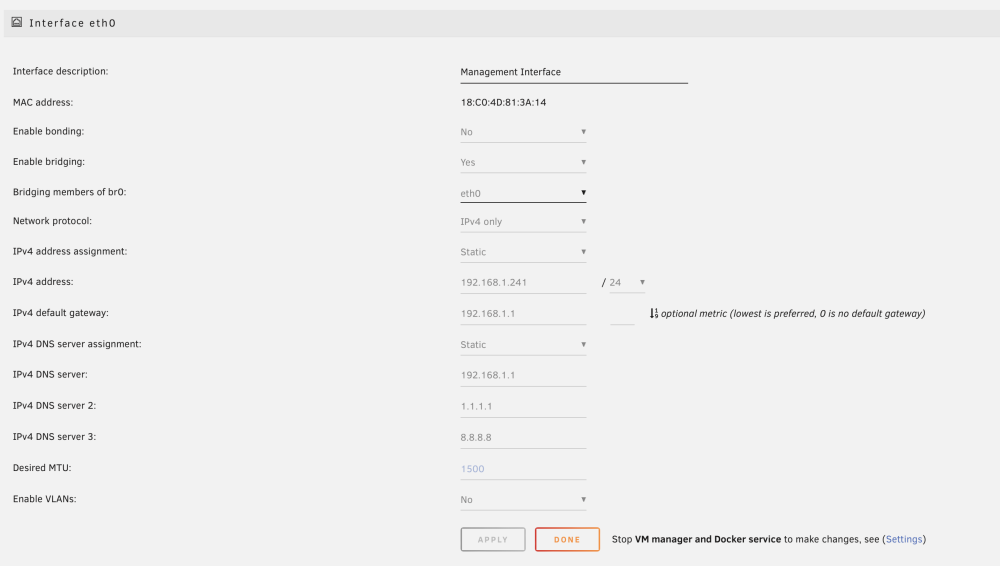
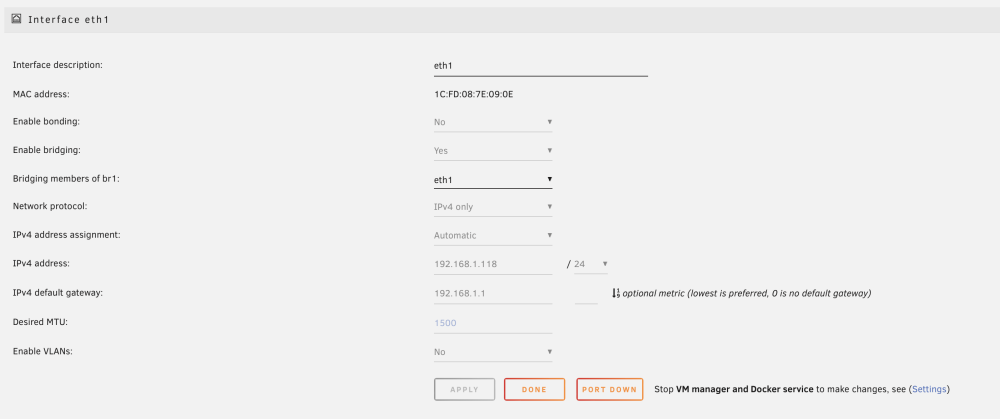
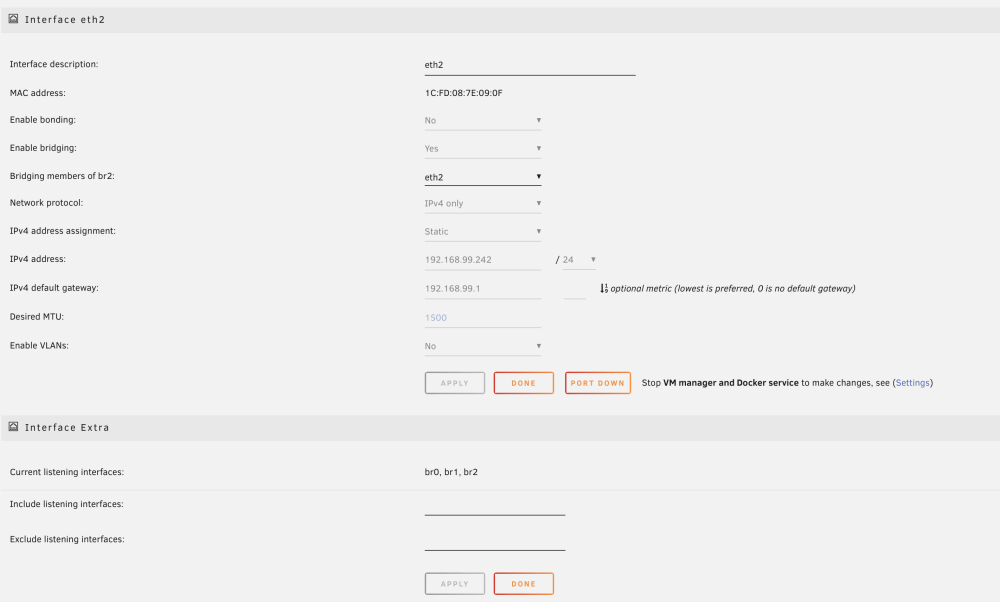
My pihole in this configuration is tied to BR2. Ahhh that was my mistake, I set two interfaces to the basem subnet without bonding them! Silly mistake. I will try this out and let you know if this fixes it.
-
Is anyone able to offer any help or advice? I'm being forced to force a power cycle on my server every few days now.
-
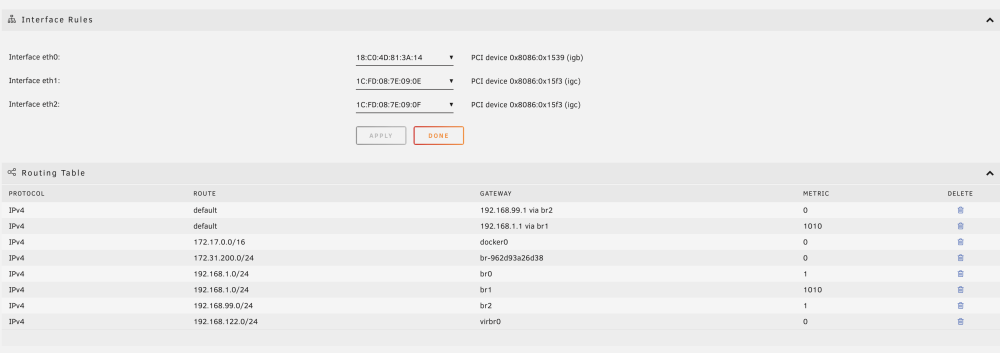
Sorry for the late reply. I tried this approch and now only have one default gateway setup. Unfortunately, the server ran for just around 3 days, then stopped responding again, thus trigger another forced power cycle.
-
Hi All, This is one of my first posts here, so I appologize in advance if I do not give enough detail. A few weeks ago I added an Intel I225-V dual NIC to my UNRAID server. Right around the same time i added Pihole to my server. Right after that I would notice that every 2-3 days I would lose all connectivity with my server and would need to force a restart. I have been trying to troubleshoot for a while now on both the Netwrok Settings and Pihole configuration and have thus come up short. Would someone be able to help me? I know it is something stupid simple that I am missing. Below are screenshots of my network configuration and atached are my logs. I will take any help I can get with this, and thanks in advance! workstation-diagnostics-20231119-2211.zip