Krogator74
Members
-
Joined
-
Last visited
Everything posted by Krogator74
-
I just checked again. I've been playing around in the Docker an Apps tabs for ~30 minutes without activity in FileActivity. Opened the Dashboard and immediately got activity. VM tile is still disabled. Same goes for the VM tab. Thanks for looking into it :)
-
That's 7.1.3. I just noticed, the disk spun down for almost an hour. I just had the FileActivity tab open in the background. It started spinning up again as soon as I opened another UI tab. So it seems it is indeed a problem with the GUI or dashboard.
-
That didn't work. I didn't use the VMs page and disabled the VM tile on the dashboard. Nevertheless I can see new "open" entries in the FileActivity plugin, even with timestamps I did not have the Unraid GUI loaded at.
-
Mostly not. But whenever I notice the HDD to be running I notice it through the dashboard or VM page, off course. I'll try disabling the VM page on the dashboard and report back if that helps.
-
Hey guys, I got a little problem I could not find any information for. I got a VM with a rather large virtual disk stored on one of my HDDs. The VM is powered off most of the time, however the physikal disk won't spin down. Having a look into the FileActivity plugin, I can see following every few minutes: ** domains ** Jun 14 12:29:14 OPEN => /mnt/disk2/domains/InternetInABox/vdisk1.img Jun 14 12:29:14 OPEN => /mnt/disk2/domains/InternetInABox/vdisk1.img Jun 14 12:29:14 OPEN => /mnt/disk2/domains/InternetInABox/vdisk1.img Jun 14 12:39:58 OPEN => /mnt/disk2/domains/InternetInABox/vdisk1.img Jun 14 12:39:58 OPEN => /mnt/disk2/domains/InternetInABox/vdisk1.img Jun 14 12:39:58 OPEN => /mnt/disk2/domains/InternetInABox/vdisk1.img Jun 14 12:39:58 OPEN => /mnt/disk2/domains/InternetInABox/vdisk1.img Jun 14 12:39:58 OPEN => /mnt/disk2/domains/InternetInABox/vdisk1.img Jun 14 12:39:58 OPEN => /mnt/disk2/domains/InternetInABox/vdisk1.img Jun 14 12:39:58 OPEN => /mnt/disk2/domains/InternetInABox/vdisk1.img Jun 14 12:40:02 OPEN => /mnt/disk2/domains/InternetInABox/vdisk1.img Jun 14 12:40:03 OPEN => /mnt/disk2/domains/InternetInABox/vdisk1.img Jun 14 12:40:03 OPEN => /mnt/disk2/domains/InternetInABox/vdisk1.img Jun 14 12:40:03 OPEN => /mnt/disk2/domains/InternetInABox/vdisk1.img Jun 14 12:40:43 OPEN => /mnt/disk2/domains/InternetInABox/vdisk1.img Jun 14 12:40:43 OPEN => /mnt/disk2/domains/InternetInABox/vdisk1.img Jun 14 12:40:43 OPEN => /mnt/disk2/domains/InternetInABox/vdisk1.img Jun 14 12:40:43 OPEN => /mnt/disk2/domains/InternetInABox/vdisk1.img Jun 14 12:40:43 OPEN => /mnt/disk2/domains/InternetInABox/vdisk1.img Jun 14 12:40:43 OPEN => /mnt/disk2/domains/InternetInABox/vdisk1.img Jun 14 12:40:43 OPEN => /mnt/disk2/domains/InternetInABox/vdisk1.imgIs this expected behavior or a bug? Any tips on how not to open the vdisk, when the VM is shut down? Thanks and have a great weekend :)
-
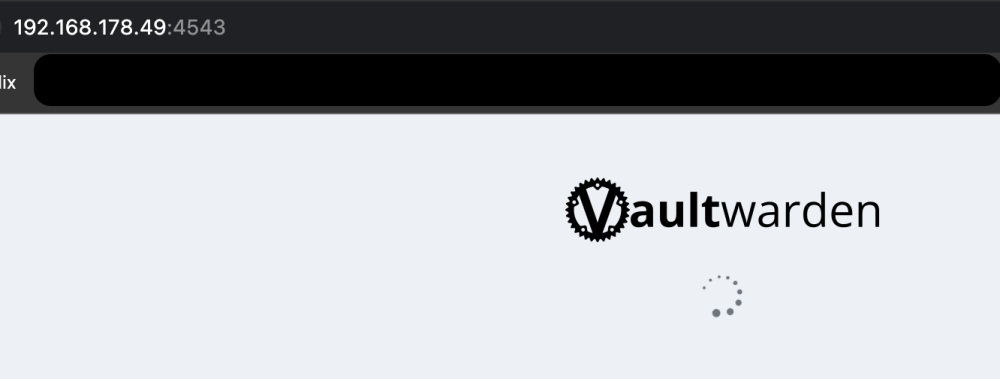
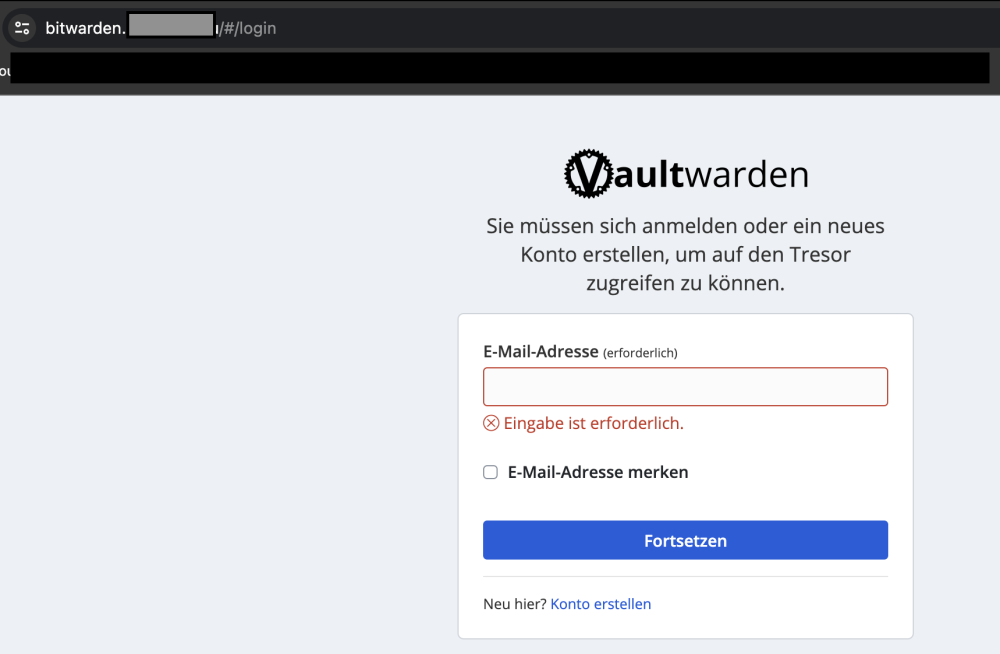
Hey people I need some help. After a rather catastrophic upgrade from Unraid 6.12.3 to 6.12.6 I got almost everything running again, but my Docker is still somehow broken. The problem: Docker and the containers are running just fine. However, some containers have broken WebUI. If I try to access these containers via IP and port, the WebUI starts and I get stuck in the loading animation of the container (see screenshots). If I try accessing the same container via FQDN (via Nginx Proxy Manager), I just works as intended. The affected containers are running in a custom network (10.10.10.0/24 , "proxy_net"). Other working containers are running in bridge or host mode. If I try to switch the affected containers to for example bridge mode, they won't work either. Things I already tried: - changing the MTU to 1500. Previously my network ran on 9000. Turning to 1500 introduced other problems, so I restored the MTU to 9000. - enabling and disabling bridge mode. Same issues. - enabling and disabling Docker setting "preserve custom user networks" - enabling and disabling Docker setting "Host access to custom networks" - installing Realtek drivers - changing Docker settings to ipvlan or macvlan - reverting Unraid to 6.12.3. Issues stayed, so I installed 6.12.6 again. Current settings: - Network settings: bridging is ENABLED - Network settings: MTU 9000 - Docker settings: Custom Network Type: MACVLAN - Docker settings: Host Access To Custom Networks: DISABLED - Docker settings: Preserve User Defined Networks: NO Other strange things: As of writing this topic, my Nginx Proxy Manager Container just started working again. I have no clue why it works, but I can access it again now. Also, I also had problems accessing for example my Vaultwarden container via Internet. This also works now. //edit: Just noticed, that the Nginx Proxy Manager WebUI is accessible via my Macbook via Wifi. On my PC connected via Ethernet it is still not working. Ethernet and Wifi Accesspoint are connected to the same switch. No VLAN, etc. I don't get it. I am absolutely out of ideas now. Any help is welcome Greetings Krogator pks-diagnostics-20240128-1730.zip