Ahoo-
Members
-
Joined
-
Last visited
-
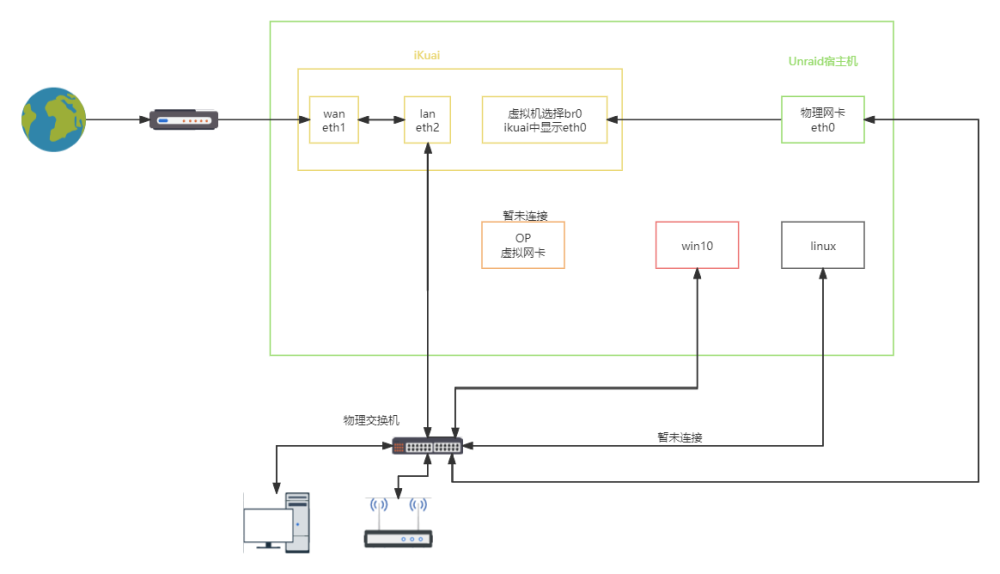
我根据你的建议将虚拟网卡跟直通网卡做桥接(聚合也试了),都发生了环路。然后我想试试直接用虚拟网卡当lan口,再用绑定了wan口的直通网卡拨号,结果还是失败了。 这个是我预期的网络拓扑图
-
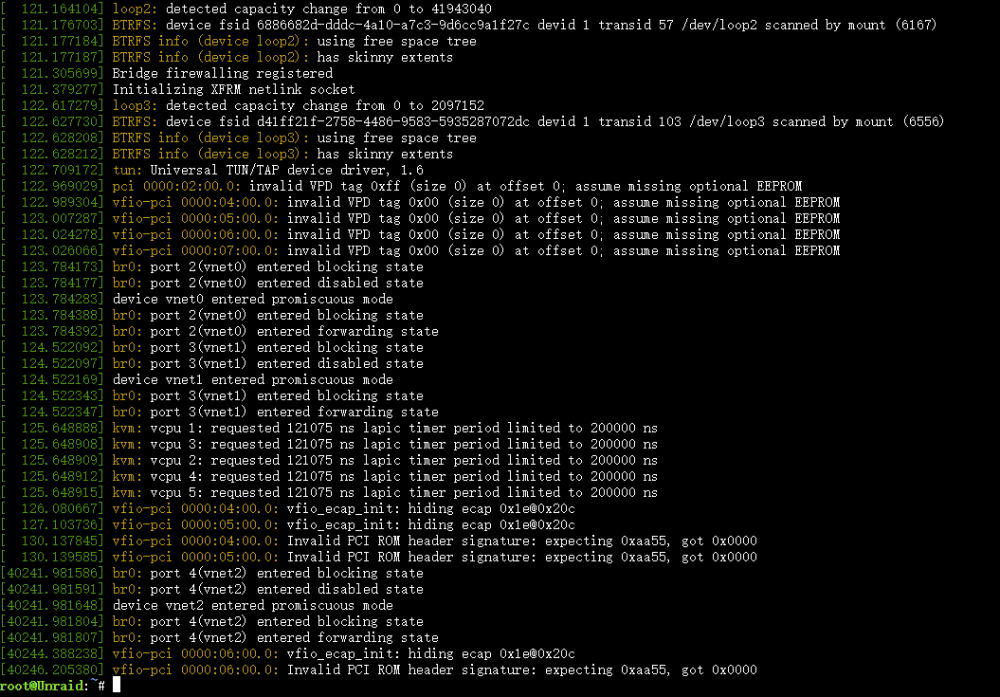
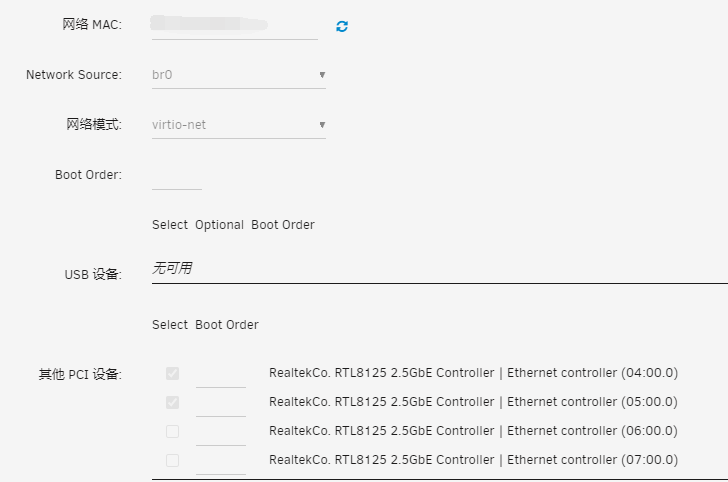
网卡我选择的是diewu 2.5g四口。 我在将网卡直通到爱快虚拟机后,在爱快虚拟机中,将lan1设置为直通的网卡后,就无法访问到管理页面了,wan1也是如此。查看虚拟机的日志后,发现如下提示: -sandbox on,obsolete=deny,elevateprivileges=deny,spawn=deny,resourcecontrol=deny \ -msg timestamp=on char device redirected to /dev/pts/1 (label charserial0) qxl_send_events: spice-server bug: guest stopped, ignoring 2024-02-03T06:52:08.564955Z qemu-system-x86_64: vfio-pci: Cannot read device rom at 0000:04:00.0 Device option ROM contents are probably invalid (check dmesg). Skip option ROM probe with rombar=0, or load from file with romfile= 2024-02-03T06:52:08.566634Z qemu-system-x86_64: vfio-pci: Cannot read device rom at 0000:05:00.0 Device option ROM contents are probably invalid (check dmesg). Skip option ROM probe with rombar=0, or load from file with romfile= 我再查看dmesg后,提示如下: [ 126.080667] vfio-pci 0000:04:00.0: vfio_ecap_init: hiding ecap 0x1e@0x20c [ 127.103736] vfio-pci 0000:05:00.0: vfio_ecap_init: hiding ecap 0x1e@0x20c [ 130.137845] vfio-pci 0000:04:00.0: Invalid PCI ROM header signature: expecting 0xaa55, got 0x0000 [ 130.139585] vfio-pci 0000:05:00.0: Invalid PCI ROM header signature: expecting 0xaa55, got 0x0000 另一台win10的虚拟机也是直通了网卡,选择DHCP自动获取的话,就没法连接网络,手动填写我现在路由器网关下的ip就可以正常联网。 我已经在应用市场中下载了8125的网卡驱动后,还是这样。 查了几天资料后还是没办法确定问题出在哪里,只能怀疑是硬件不兼容,或者虚拟机缺少驱动?希望各位大佬可以帮我解惑,不胜感激。