chriss158
Members
-
Joined
-
Last visited
-
I think the problem here is, that the disk activity checker is broken with the current sleep version. The plugin does not correctly check if a disk is active. Therefore the plugin decides to goto sleep, because no disk activity. This is also fixed in my fork.
-
Please also have a look at my fork for the sleep plugin. It fixes some stuff and adds some features. Have a look here:
-
You can try my fork. - Changed the option "Extra delay after inactivity" so that it runs not only after the inactivity of the array, but after all checks. Please see here:
-
Excatly, I could have said that straight away Ignore the readme. The readme is copied/forked from the original repository
-
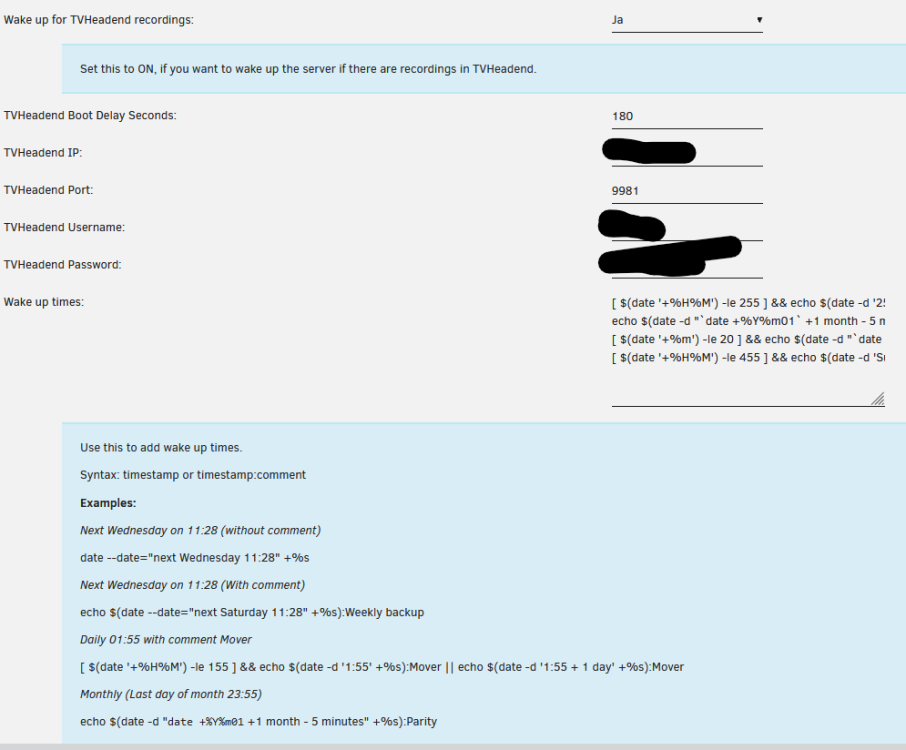
Hi i have made a few improvements to the S3 sleep plugin. One of them is that the disk activity checker is now fixed. I have implemented the features mainly for myself. Therefore, not everything is 100% tested. If I find some time and the TVHeadend integration is ok for @bonienl I will do a PR. Feel free to use my fork that solves the disk activity problem until @bonienl solves the problem. @bonienl See here for the fix: https://github.com/chriss158/dynamix/commit/98213df2c70ab4ee7f08475148ff31b51e677d67 i have made the following improvements. - Check if a recording is currently running in TVHeadend or TVheadend is running a subscription (Live TV) - Wake up the server when a TVHeadend recording is scheduled - Custom wake-up times for the server, for example to wake up the server for a backup or the parity check - Before shutdown/sleep, check whether the next wake-up time is within a defined time (15 minutes). If so, the shutdown/sleep is canceled - Changed the option "Extra delay after inactivity" so that it runs not only after the inactivity of the array, but after all checks. - Add check for running processes. e.g. backup script, wget, cp, rclone etc. You can get the plugin from my forked repository: https://raw.githubusercontent.com/chriss158/dynamix/master/unRAIDv6/dynamix.s3.sleep.plg For each new option there is an explanation when you click on the option. The TVheadend implementation is based on the work of https://github.com/git-developer/autosuspend So thanks to him