Kleinish888
Members
-
Joined
-
Last visited
Everything posted by Kleinish888
-
I just made the change this morning. lets let it buck for a few days, to see if any of my user notice anything out of the ordinary. thank your for your help I will add the jellyfin container and see if I notice any differences
-
lscr.io/linuxserver/plex:latest is the docker container
-
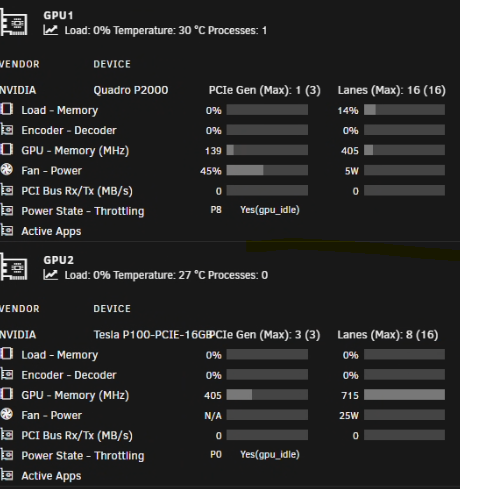
here is the file. I have been doing some testing it seem to be working. however I am noticing when transcoding more then one 4K DoVi/HDR10 (HEVC Main 10) (hw). The movie will not load
-
I was looking to replace the p2000 in my server and use the p100 for transcoding on plex. With the current driver I get a driver crash likely because of the incompatibility with the card. I was figuring that if I compile the vgpu driver that I use on my proxmox server to work with unraid. I could use the p100 for this task
-
looking to add a tesla p100 to my unraid server. I have the data center driver. how would I go about compiling it for unraid? The prices if a p100 is low as of late just wanted to see if I could get it to work.