





overcloker55
Members
-
Joined
-
Last visited
-
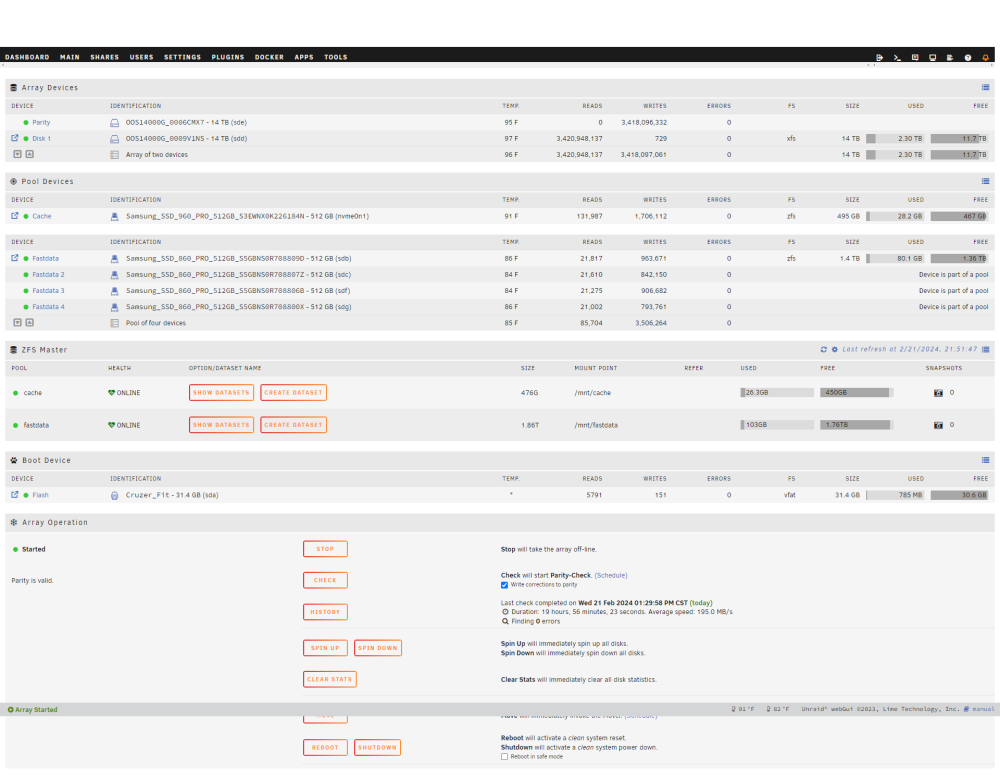
I finally got around to pushing the changes. It all would have worked as you stated but I accidently started expanding the array with the 4TB still in the disk1 section so I stopped it and some how that corrupted the new parity drive and my old parity drive had already started to be over written. I managed to move the newly created 14tb parity drive to disk1 and the second blank 14tb drive to parity but it wouldn't mount because the file system got corrupted. I ran xfs_repair and once it completed successfully I restarted Unraid and started the array at which point parity started to rebuild and after about 20 hours, all is good. Thanks for your help. PS I got rid of the USB drives
-
Thank you so much. Badblocks is almost done with the second pass, once it is I will give it a try. I knew about the USB drives but you got to work with what you got. Before I upgraded my original install was on a micro pc that was about 4 inches by 4 inches (Larkbox) so USB was the only option. Thankfully never encountered any issues and it was very stable. Im replacing with actual internal SATA drives this time and retiring the USB drives.
-
Hi, thanks for the tip. So, stop the array>tools>new config> place 4TB parity drive as disk 1 and then add 14TB drive under parity 1, save, and start array? Is that correct?
-
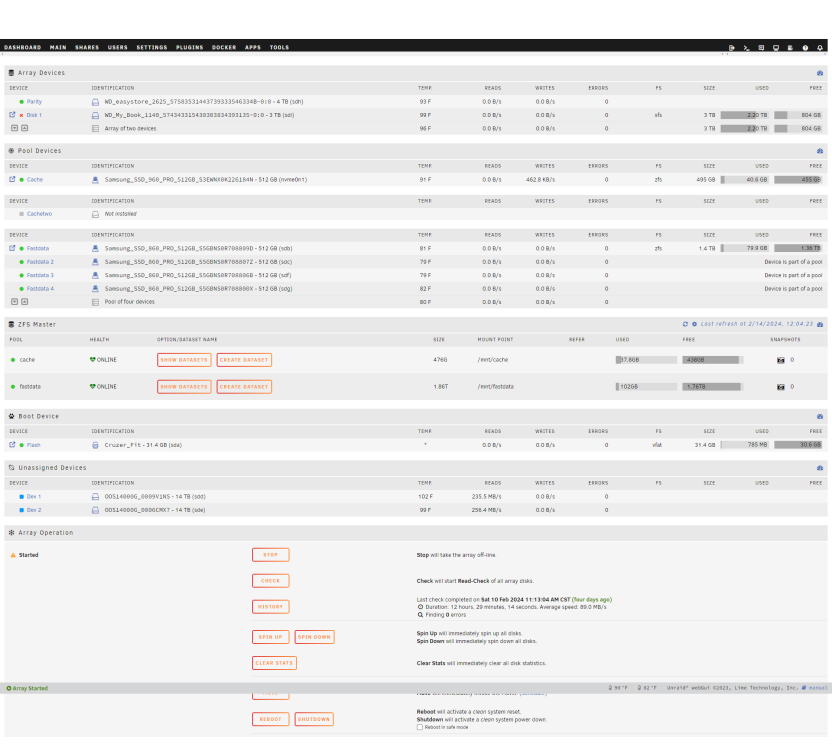
Hello, I couldn't find a thread on my exact scenario, so I was hoping for some guidance. I HAD a 4TB drive as parity and a single 3TB drive as my data drive. My 3TB data drive is dead and disabled. I purchased two 14TB drives and want to replace the 4TB drive with one of the 14TB drives and use the second 14TB drive as my data drive. Can someone please point me in the right direction on how to go about that? My initial thought was to add one of the 14TB drives as my second parity drive, and once that is added, remove the 4TB drive from the system, and lastly, add the second 14TB drive as my new data drive. Right now, my two 14TB drives are unassigned and going through a round of BadBlocks before I proceed to try anything. I'd like to know if, for one, this will work as I expected, and for two is, if there any issues with my resulting 14TB parity drive being left as my only parity drive when it comes to reliability and performance since a second parity drive is created using Reed-Solomon code instead of XOR.
-
overcloker55 joined the community
-
thanks mine was docker.img, unmounting it allowed the array to stop. root@larkbox:~# losetup NAME SIZELIMIT OFFSET AUTOCLEAR RO BACK-FILE DIO LOG-SEC /dev/loop1 0 0 1 1 /boot/bzfirmware 0 512 /dev/loop2 0 0 1 0 /mnt/fastdata/system/docker/docker.img 0 512 /dev/loop0 0 0 1 1 /boot/bzmodules 0 512 root@larkbox:~# umount /dev/loop2


