





Fabske
Members
-
Joined
-
Last visited
-
Thanks, somehow I did not find it after searching for a while.
-
Dear all, I just tried to setup a container variable based on HTML for one of my docker containers <b>${{display_name}}</b> </br><b>Anzahl:</b> ${{items_available}} </br> <b>Preis:</b> ${{price}} </br> <b>Alter Preis:</b> ${{previous_price}}</br> <b>Abholzeit:</b> ${{pickupdate}} </br> <b>Beschreibung:</b> ${{description}} </br><b>Link:</b> ${{link}} </br> </br> <b>Abholort:</b> ${{pickup_location}} </br> <b>Geschäftsname:</b> ${{store_name}} </br> <b>Bewertung:</b> ${{rating}} But it always removes the <> symbols, as soon as I save & start the container. Any woraround for that solution?
-
@Squid The problem is back I expierence again the same problem since I upgraded to 7.2.0. My Server/Machine was stable since Mid may. Back then I thought it was a USB port causing the problems and switching was helping. When I upgraded to the latest stable Unraid Version, which I did it via my mobile phone. There were no other PCs running with the webinterface, so this means the option with Is probably out of scope. Output of: ls -ail /usr/local/emhttp/plugins/dynamix/scripts 98 drwxr-xr-x 2 root root 967 Oct 15 06:42 ./ 97 drwxr-xr-x 14 root root 2732 Oct 22 22:03 ../ 6940 -rwxr-xr-x 1 root root 434 Nov 16 2023 agent* 6941 -rwxr-xr-x 1 root root 229 Nov 16 2023 bootmode* 6942 -rwxr-xr-x 1 root root 420 Nov 16 2023 btrfs_balance* 6943 -rwxr-xr-x 1 root root 330 Aug 15 21:24 btrfs_check* 6944 -rwxr-xr-x 1 root root 819 Nov 16 2023 btrfs_scrub* 6945 -rw-r--r-- 1 root root 1739 Aug 18 20:23 check.source 6946 -rwxr-xr-x 1 root root 775 Nov 16 2023 console* 6947 -rwxr-xr-x 1 root root 39251 Oct 15 06:42 diagnostics* 6948 -rwxr-xr-x 1 root root 774 Nov 16 2023 disk_size* 6949 -rwxr-xr-x 1 root root 489 Nov 16 2023 emcmd* 6950 -rwxr-xr-x 1 root root 728 Feb 16 2025 error_interfaces* 6951 -rwxr-xr-x 1 root root 236 Aug 15 21:24 exfat_check* 6952 -rwxr-xr-x 1 root root 226 Aug 15 21:24 ext_check* 6953 -rwxr-xr-x 1 root root 13602 Apr 4 2025 feedback* 6954 -rwxr-xr-x 1 root root 1693 Nov 16 2023 flash_backup* 6955 -rwxr-xr-x 1 root root 577 Nov 16 2023 ftpusers* 6956 -rwxr-xr-x 1 root root 2114 Aug 14 07:44 install_key* 6957 -rwxr-xr-x 1 root root 15620 Jun 29 2024 monitor* 6958 -rwxr-xr-x 1 root root 6538 Feb 26 2025 netconfig* 6959 -rwxr-xr-x 1 root root 2514 Aug 14 07:44 newperms* 6960 -rwxr-xr-x 1 root root 849 Jan 9 2025 nfsSettings* 6961 -rwxr-xr-x 1 root root 9915 Feb 16 2025 notify* 6962 -rwxr-xr-x 1 root root 229 Aug 15 21:24 ntfs_check* 6963 -rwxr-xr-x 1 root root 1282 Apr 22 2025 open_ssl* 6964 -rwxr-xr-x 1 root root 3390 Dec 17 2024 outgoingproxy* 6965 -rwxr-xr-x 1 root root 1154 Nov 16 2023 parity_control* 6966 -rwxr-xr-x 1 root root 3150 Feb 5 2024 parity_history* 6967 -rwxr-xr-x 1 root root 141 Dec 29 2023 powermode* 6968 -rwxr-xr-x 1 root root 255 Aug 15 21:24 reiserfs_check* 6969 -rwxr-xr-x 1 root root 336 May 10 10:32 reload_services* 6970 -rwxr-xr-x 1 root root 649 Feb 5 2024 replace_key_job* 6971 -rwxr-xr-x 1 root root 677 Mar 26 2025 restore_favorites* 6972 -rwxr-xr-x 1 root root 3583 Feb 16 2024 rsyslog_config* 6973 -rwxr-xr-x 1 root root 1437 Nov 16 2023 run_cmd* 6974 -rwxr-xr-x 1 root root 4582 Jun 23 19:24 select_case* 6975 -rwxr-xr-x 1 root root 4182 Jul 16 2024 set_proxy* 6976 -rwxr-xr-x 1 root root 826 Nov 16 2023 share_size* 6977 -rwxr-xr-x 1 root root 269 Jul 27 2024 show_interfaces* 6978 -rwxr-xr-x 1 root root 4035 Aug 14 07:44 ssd_trim* 6979 -rwxr-xr-x 1 root root 8080 Mar 23 2024 statuscheck* 6980 -rwxr-xr-x 1 root root 9897 Oct 15 06:42 system_information* 6981 -rwxr-xr-x 1 root root 1771 Apr 22 2025 update_access* 6982 -rwxr-xr-x 1 root root 541 May 30 20:22 update_services* 6983 -rwxr-xr-x 1 root root 1602 Nov 16 2023 upnp_poller* 6984 -rwxr-xr-x 1 root root 104 Nov 16 2023 upnp_poller_start* 6985 -rwxr-xr-x 1 root root 1350 May 31 17:54 upnp_port* 6986 -rwxr-xr-x 1 root root 2304 Feb 5 2024 wg_config* 6987 -rwxr-xr-x 1 root root 1649 Mar 31 2025 wireless* 6988 -rwxr-xr-x 1 root root 252 Aug 15 21:24 xfs_check* 6989 -rwxr-xr-x 1 root root 518 Jul 30 19:52 zfs_scrub*
-
@Stiefmeister Still on 7.0.1. But one trick did it somehow for me: Changing the USB Port of my Storage device. Since I plugged in my Unraid FLashdrive into another USB Port I have a stable system since 10 Days.
-
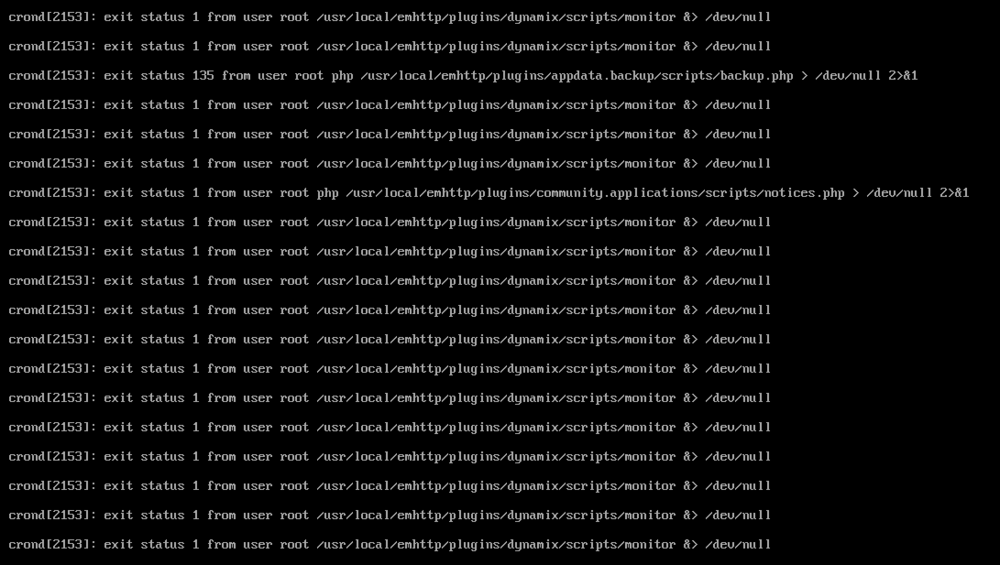
Okay, I did a full reinstall to Unraid and did even change my USB Stick, but still having problems, as soon as the appdata backup starts, my unraid seems to be crashing somehow, thats the log from the console: So it seems, that a plugin (combination?) is causing it.
-
Thanks for the lots of proposals, I will try them out or directly recreate my whole unraid flash drive, its maybe easier, to reinstall everything as I understand? I did not do any changes to the montior php/file, so thats really odd.
-
Attached the requested Monitor file, which I was reffering to monitor
-
I upgraded before the crash to 7.0.1, but did nto restarted. Now after I restarted and 7.0.1 was isntalled I had the crash once again this morning with the same error. Any chance to maybe create the monitor config from scratch? Otherwise I can post it here.
-
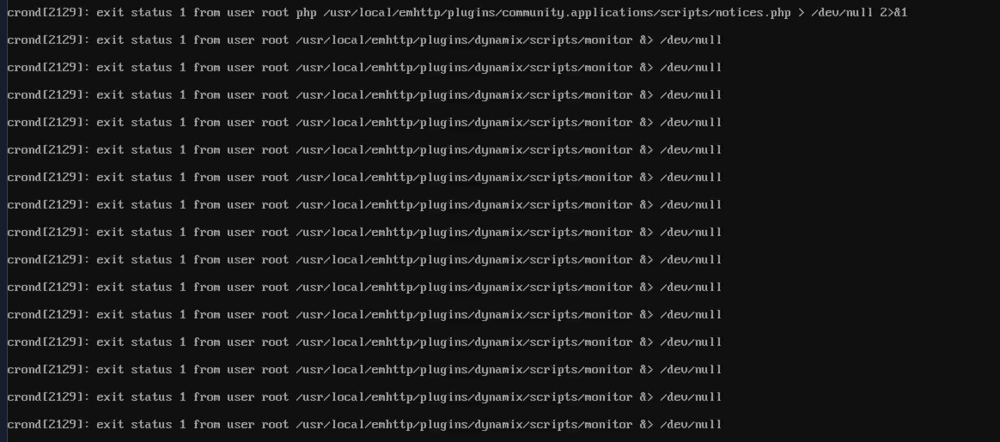
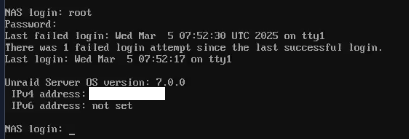
Good morning, problem still occours, Server was not reachable anymore via Web, just via KVM. This is what I got as an error message in the monitor: When I tried to login it just logged in, then logged out directly: As always: after a reboot its fine and I assume its fine for quiete some time now again.
-
Good morning, when I do compare both NGINX Configs I see a difference. In the Backup/old config (.bak) file those three lines are missing: nchan_max_reserved_memory 64M; nchan_message_timeout 30s; nchan_message_buffer_length 100; Its working with the new .conf. I never touched the old config (as far as I remember, espcially not under UNRAID 7) As those crashes are happening on a random base (did not happened for a while) I will report back once its not working anymore.
-
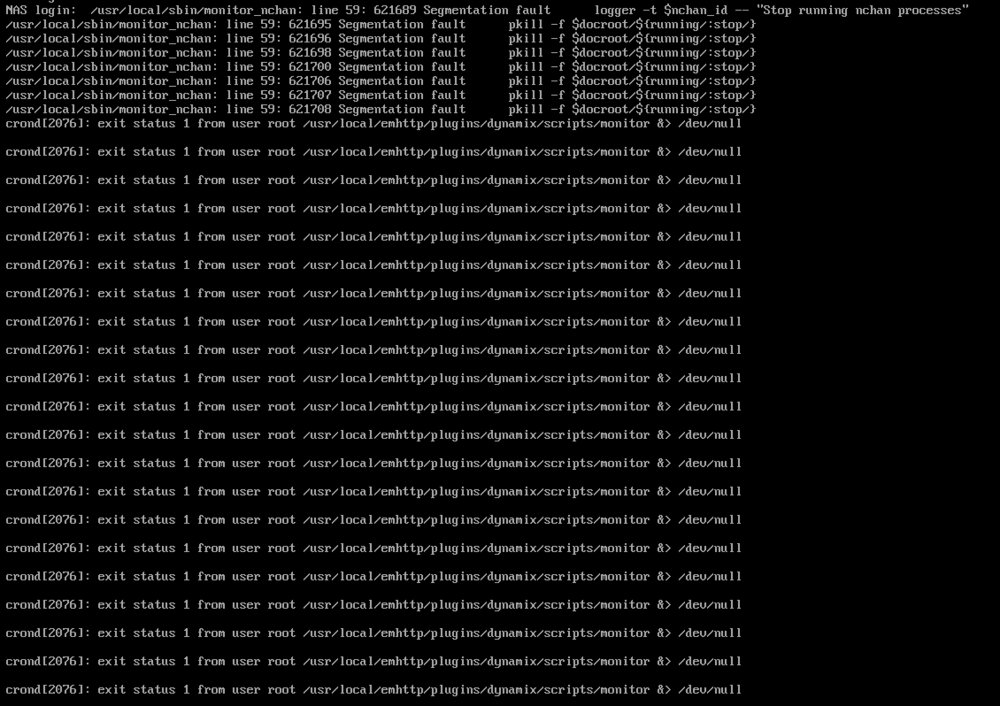
Good morning, I have a problem with unraid, that it on and off crashes without writing errors in the log. Since I now finally got a KVM I am able to see what is happening across my server. So what is happening: - Unraid GUI is not responding on requests - NGINX ProxyManager is still working in the background as it looks like, as I still can access e.g. my KVM with its subdomain. - Some of my docker containers I still can reach via its IP adress and WebGUI and some not - NGINX Proxy Manager is e.g. working via GUI, where Grafana and Bitwarden (and others) is not working anymore (getting a timeout when trying to reach it via IP and 502 Bad gateway, when trying to reach via subdomain) - Also I cant connect via SSH anymore This was the output, when I logged in this morning via my KVM: When I tried to reload NGINX e.g.: Any idea what I can do or how to give you more input? Thanks in advance

-
AN update regards this: It was indeed the br0 Interface, which caused problems. Since I "solved" this issue I had no crashes anymore and the serve ris running stable- Thanks again for the input!
-
Thanks @bmartino1 or shall I say ChatGPT? Ineed I check the docker settings, which might cause a issue/conflict and found out, that IPv4 custom network on interface br0 was set to 192.168.1.0/24, which might could have caused the issue. I disabled the option, and I will see if it helps. FOr sure I did setup a syslog server, to localhost, but also this did not wrote anymore any settings after the unknown crash. I will update the thread, after a days, as those crashs are random mostly within a few days, if it solved the problem.

-
Hello, since a while unraid always crashes for me without any log entry. I thought in the beginning, that it may helps to restart my server once a day with a cron job, but that also did not helped, as even the cron job is not being executed. The server is still reachable via MeshCOmmander, so that atleast I can reboot it via iKVM. So the error must be on the unraid side somewhere. One interesting point: When I try to reach subdomain.domain.com (which I did setup in Nginx Proxy Manager) it shows, that 502 Bad Gateway Info. WHen I try to reach directly my Server via its internal IP, the site will not load. Also it is still able to receive PING signals (maybe because of the iKVM, but I am not sure), so atleast some basic functionalty works. There are also no suspcious entries int he log file. I would very much appricate any help. syslog-127.0.0.1_unraid.log
-
Good morning I was facing the following problem last night. I have added a second identical path to a Docker app. I use the same container path twice for two different host paths. This resulted in an error and the Docker app could not be started. As a result, the Docker app disappeared from my list of apps and was virtually uninstalled. I then stopped the Docker service completely in the hope that the app would come back. Then ALL Docker apps disappeared (the data was still there but the apps had disappeared from the view) How I proceeded: Add another path in a Docker app: For example via "add another path" I have already used the "Container path" in the same app for another "Host path". So I already used /certificate for the host path /mnt/cache/appdata/app/certificates I also wanted to use /certificate for the host path /mnt/cache/appdata/app2/certificates and thus tried to create a second container path for a different host path. I see the use of one and the same container path here, for example if I use the cache, files come to it first and I want to use the same container path for two different host paths before the mover is scheduled.




