





Christian H
Members
-
Joined
-
Last visited
-
Same problem here with 7.1.4. Restart of sshd helped.
-
Danke dir für den Hinweis auf die Plugins und de system temp thread. Das LTE-Plugin hat zumindest einen der 3 verbauten Lüfter gefunden... Jetzt muss ich nur noch rausfinden, welcher das ist.
-
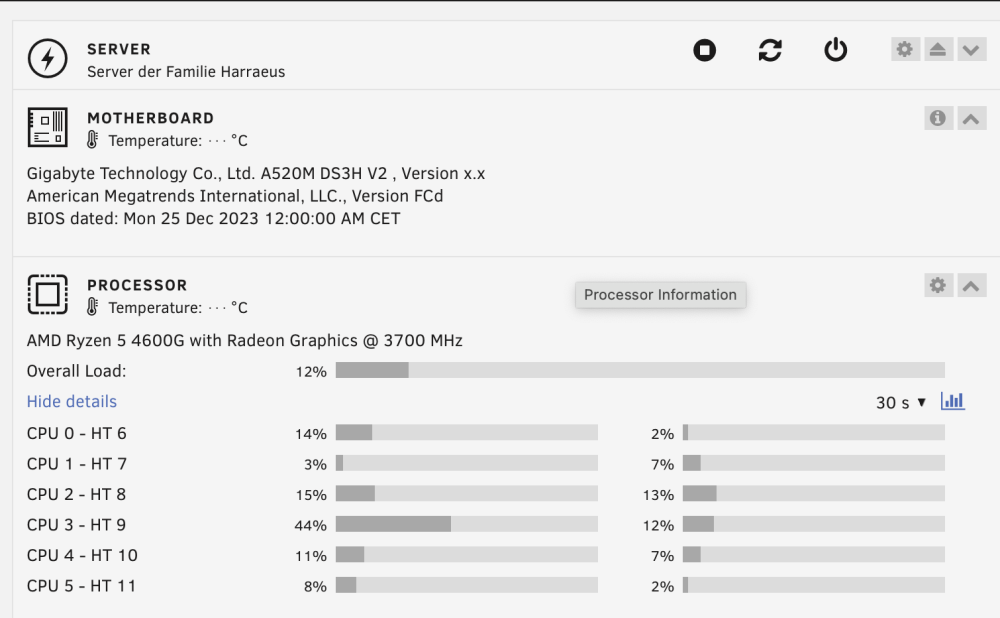
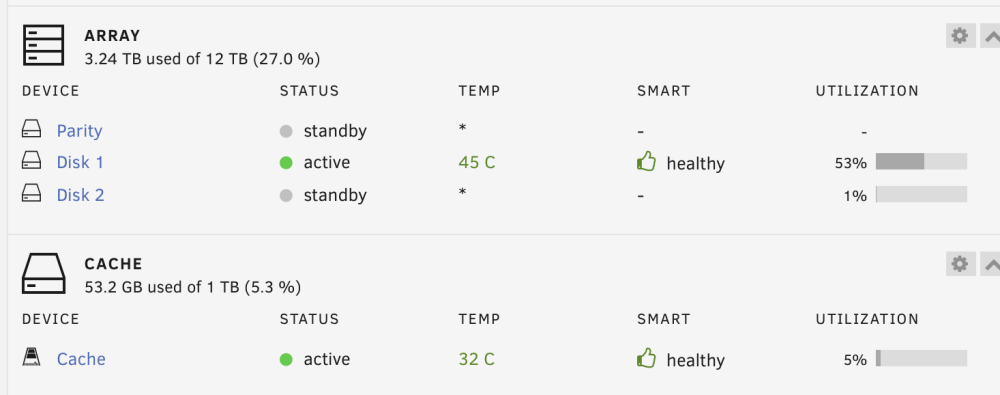
In meinem Dashboard werden keine Temperaturen angezeigt. Die Temperaturen der Festplatten werden aber erkannt. Siehe angehängte Bilder. Ich habe schon versucht, im CLI "sensors-detect" auszuführen. Dort wird aber nichts gefunden außer: Auch die Apps "Dynamix System Temp" und "Dynamix System Auto Fan" finden keinerlei Treiber. Ich vermute, dass ein Treiber fehlt. Welchen brauche ich, wo bekomme ich den her und wie füge ich ihn ein? Lieben Dank für eure Hilfe, Tipps und Hinweise, Christian Unraid-Version: 6.12.8 Mainboard: Gigabyte A520M DSH3 CPU: AMD Ryzen 5 4600G
-
Thank's a lot - you made my day! 😀😀
-
Christian H joined the community
-
as written in the title: My Mac does not find any backup volume. I'm on the latest version of Unraid. Any ideas? Unraid-version: 6.12.8 (same with 6.12.6) MacBook Pro M2: Ventura 13.6 SMB-Settings: Enable SMP: Yes (Workgroup) Hide "dot" files: no Enable SMB Multi Channel: no Enhanced macOS interoperability: yes Enable NetBIOS: no Enable WSD: yes WSD options (experimental): empty SMB-Extras: veto files = /._*/.DS_Store/ SMB Security Settings: Share name: tm Export: Yes/Time Machine Time Machine volume size limit: 2000000 MB Case-sensitive names: Auto Security: Private SMB User Access christian Read/Write <-- this is the same user which I use on my Mac Share Settings: Share name: tm Comments: Time Machine Minimum free space: 97.6 GB Share Status: Share is empty Exclusive access: No Primary storage (for new files and folders): Cache <-- Single SSD pool device Secondary storage: Array Allocation method: High-Water Split level: Automatically split any directory as required Included disk(s): Disk 1 Excluded disk(s): None Mover action: Cache --> Array


