





Nagash79
Members
-
Joined
-
Last visited
-
I apologize for wasting your time. I found some old rule in my firewall, blocking traffic to internet from certain IPs. Including those used for lancache. Disabling the rule fixed the problem. I appreciate your support. I wouldn't figure it out if you haven't pointed me in the right direction. I'm using quite a few of your containers and they are great. Keep up good work! Thank you!
-
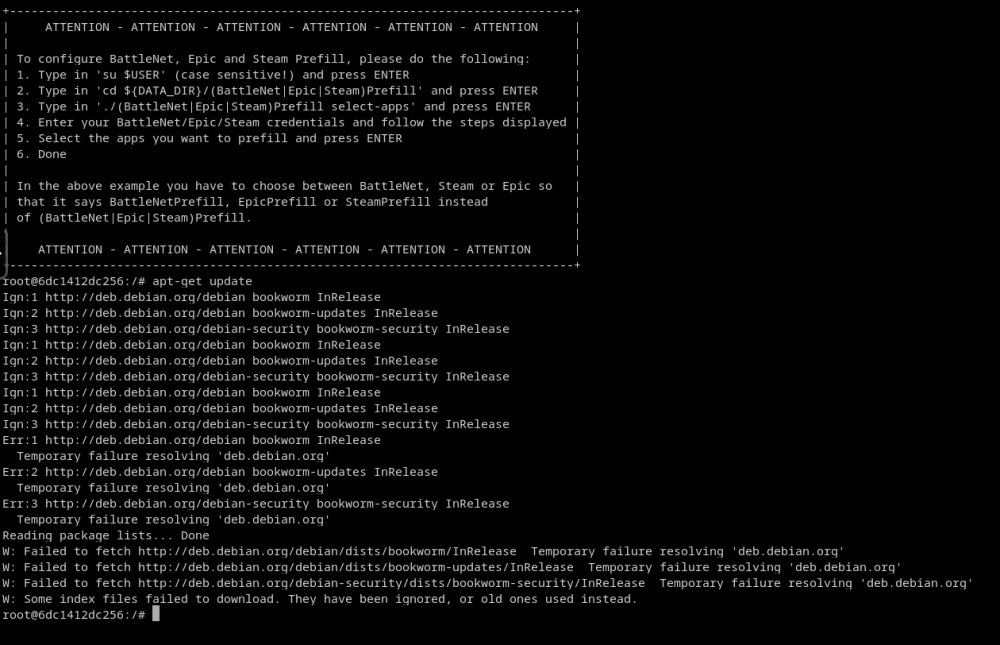
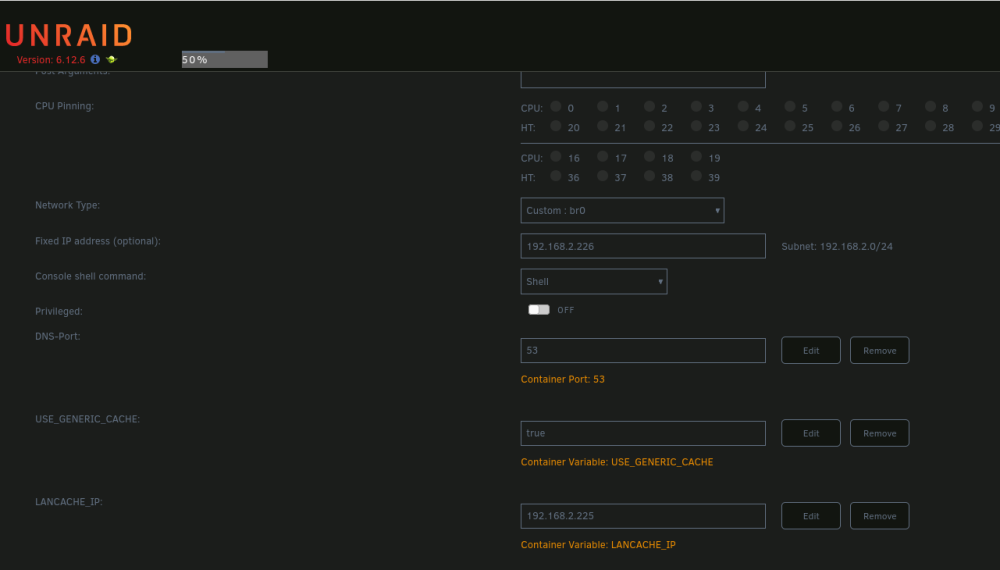
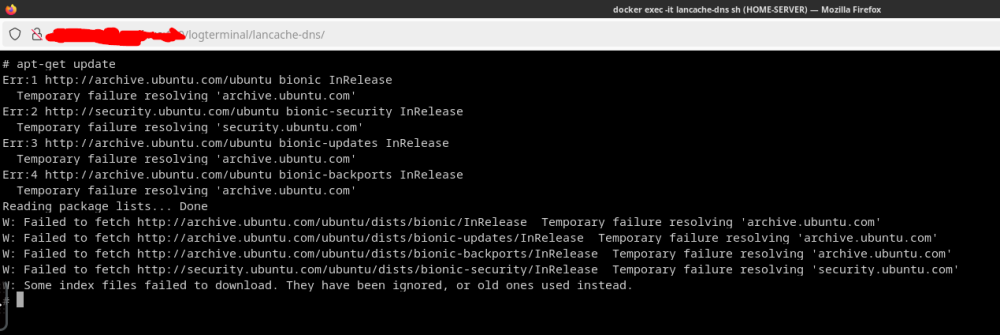
I think the problem is not the container lancache-prefill. It seems to be something with DNS server (lancache-dns). Configuration of lancache-dns: lancache-dns cannot reach the internet too:
-
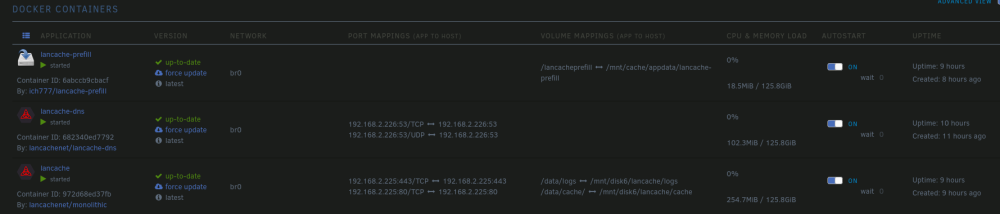
I do have an Unifi Network Application (in docker on the same Unraid) and one AP on my network. I also have pfBlockerNG on my pfsense. I have tried to spin this container on another server in another network, also behind similarly configured pfsense and it worked just fine. I have noticed in Unraid that this container doesn't get the IP address.
-
Hello, I'm having issues with container lancache-prefill. It doesn't start properly and goes to sleep mode. Here's the container log: ---Checking if UID: 99 matches user--- usermod: no changes ---Checking if GID: 100 matches user--- usermod: no changes ---Setting umask to 000--- ---Checking for optional scripts--- ---No optional script found, continuing--- ---Starting cron--- ---Taking ownership of data...--- ---Starting...--- ---SteamPrefill enabled!--- ---SteamPrefill not found, downloading and installing, please wait!--- -----Something went wrong while getting the latest version!----- ---Please try again later, putting container into sleep mode!--- Anybody experienced the same and knows how to solve it? Thank you!



