





Ferdinand
Members
-
Joined
-
Last visited
Everything posted by Ferdinand
-
Thanks to everyone, seems like everyting is back up and running! Learned that a flash drive backup is pretty important
-
Thank you, i finally managed to mount the SSDs and found the Backup folders! I now have a copy of the previous flash drive 🎉 Should i now be able to proceed by copying the config folder or do i need more from the backup? https://docs.unraid.net/unraid-os/manual/changing-the-flash-device/#manual-method I already have created a new USB with UNRAID and a working License Key
-
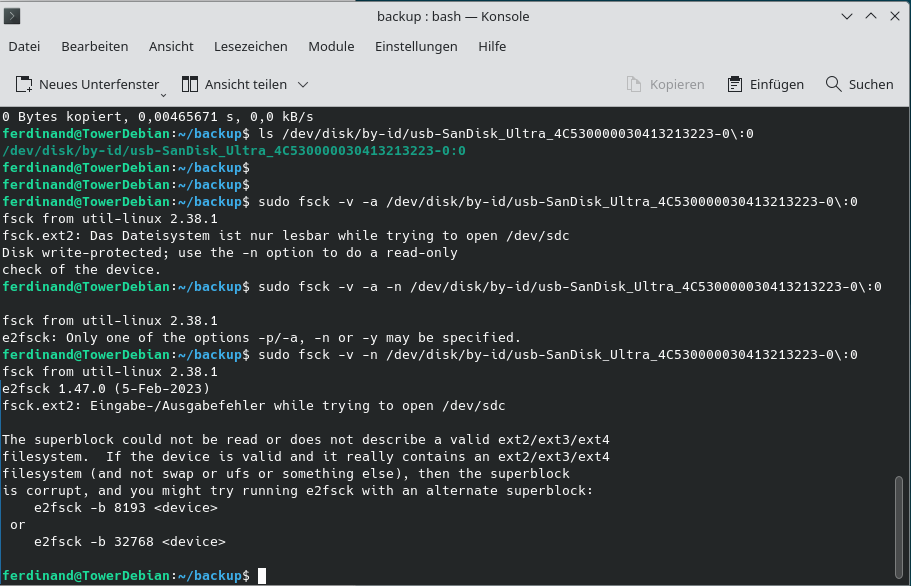
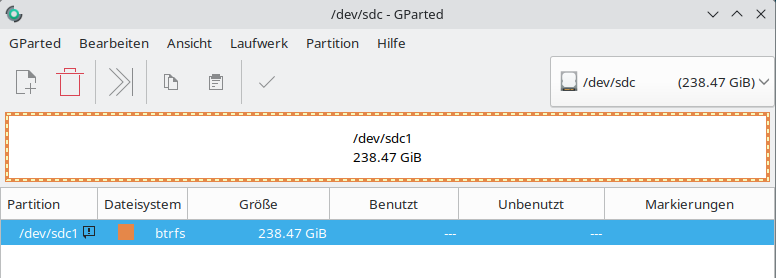
Thanks for your answers so far. The flash drive is broken and inaccessible from either windows or linux (at least with normal automount) I tried fsck and and this is the output: I also tried to mount the SSDs again and they seem to be BTRFS but i dont know how to mount or use them. And yes, they were set up as redundant mirrors: And nope, my only hope for a backup of the flash drive is on the array or cache...
-
Hi guys, i came back from a holiday to find my server in a broken state. It wont boot from the USB and the USB is also not accessible anymore (Windows and Linux). The UNRAID Version should be fairly recent because i did an update (6.12.x) Sadly i have currently no backup ZIP to restore the USB. There should be a backup of the Flash Device made with LuckyBackup on the disks. I have 2x4GB HDDs and 2 SSDs for Cache. I have plugged them all in to another PC with Debian. The HDDs both show data. But both show the same folders ("Shares") and some are missing? Mainly the Backup Share i hoped to find but its not there. I think they where formated as btfrs but i dont know anymore... One should be the parity drive but i thought then it would not be accessible? The SSDs are not accessible. I would now create a new USB and see how far i could get, but the best way would be to find the backup folders somehow to restore the USB Zip that should be backed up... 🥴 I hope someone could give me a little guidance on what to do next. There is still important data on the drives and i would rather not loose it I also hope i didn't f*ck up on the LuckyBackup config and thats what caused the failure 🥴 Kind regards and thanks for any help Ferdinand
