





SeaHeaven
Members
-
Joined
-
Last visited
-
Hello, Sorry for the late reply. WHen i put the hdmi cable to the motherboards directly that's worked thanks !
-
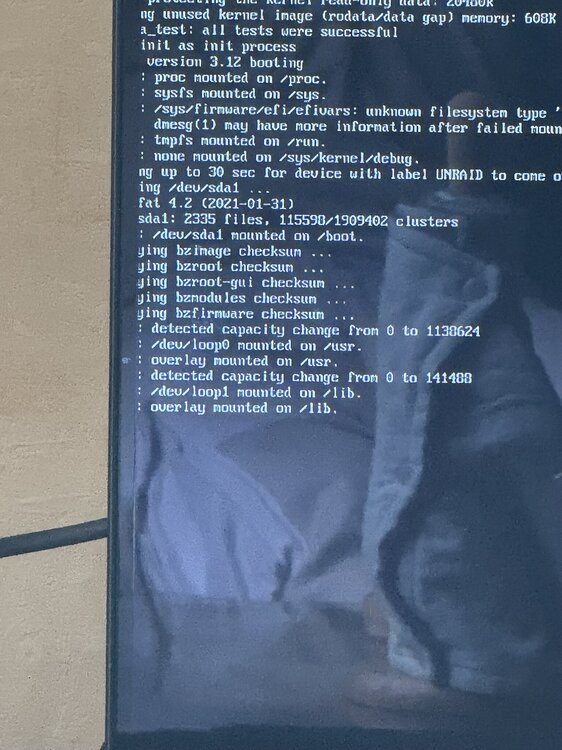
I don’t lose the monitor output it’s just stuck on this line, I already tried to access over the lan and i can’t :(. can i try to plug the hdmi cable directly on motherboard and not via gpu ?
-
Yes. I have a hdmi cable connected to my monitor with the GPU connector
-
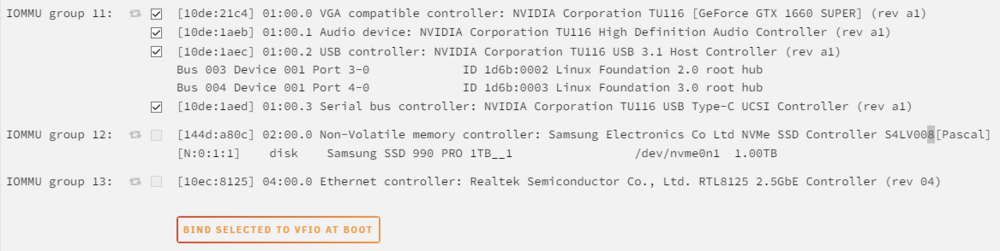
Hello, I have a problem to assign my gpu to my unraid. Whe i want to assign my gpu to the vfio, i restart my unraid and that stucks on overlay mounted on /lib. I have to delete the vfio-pci.txt to make it boot again. What can i do ?
-
Hello, I have a problem with my unraid, the download speed when i add a torrent is really fast (200mb/s) and after few seconds its go down and down (between 5 ans 15 mb/s) I don’t know why… I have an SSD in cache pool. Can you help me please ?


