mastergamer1231
Members
-
Joined
-
Last visited
-
I do not, but I should be getting one in the next few days. Can I still use the array as my Plex server while the disk is down/can I still write to my shares or should I keep the server offline for now? Thank you!
-
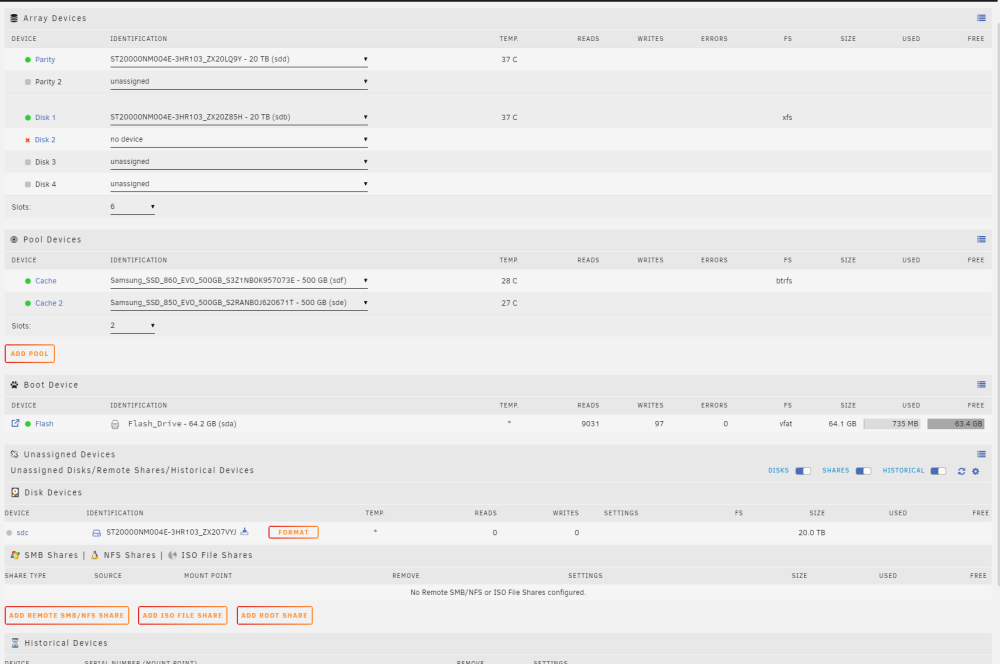
Here is the new diagnostics with the array started and with nothing assigned to disk2 ericsnas-diagnostics-20240312-1845.zip
-
I will post more diagnostics when I get back home from work, thank you everyone!
-
Hi Jorge, Upon reboot the disk is asking to be reformatted. I swapped the SATA cables with the currently working Data Disk and received this. Please see attached diagnostics and picture of the unstarted array.ericsnas-diagnostics-20240312-0734.zip
-
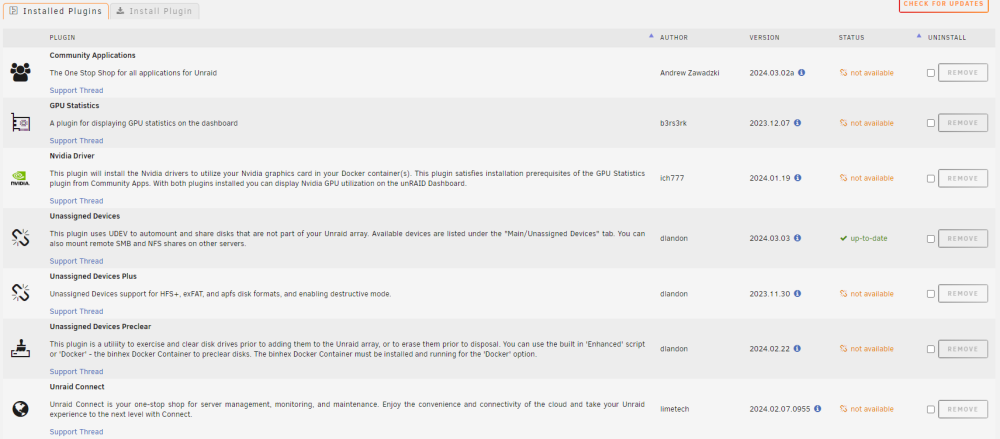
Hi All, First time Unraid user, and after successfully installing my second data drive, it is now reading "Device is Disabled, Contents Emulated" in the array. I looked at my log (attached) and I have a ton of write errors. SMART info looks healthy (also attached). Am I fearing the worse that my drive is now dead? I have yet to try any troubleshooting for this issue since I am still pretty new to Unraid and did not want to creat further issues Unraid Version 6.12.8 Hardware CPU: Ryzen 5 3600 Motherboard: MSI Tomahawk B450 MAX RAM: G. Skill 32GB 3200 GPU: RTX 2070 Super I have attached pictures of my plug ins and docker containers. Thank you ericsnas-diagnostics-20240312-0635.zip