project41
Members
-
Joined
-
Last visited
-
Thanks for confirming, will back the whole system up before attempting that.
-
Ok, appears the usb boot stick is non-responsive when I plug it into another workstation. I am suspecting it is toast, as it is also quite hot to the touch. Can the system be salvaged, and new usb stick be used with the config files backup that I was able to get off of it? Or am I looking at rebuilding the system/arrays and re-registering the license key to the new usb? Thank you for your input and time.
-
Here is the diagnostics zip it generated. diagnostics-20240909-1119.zip
-
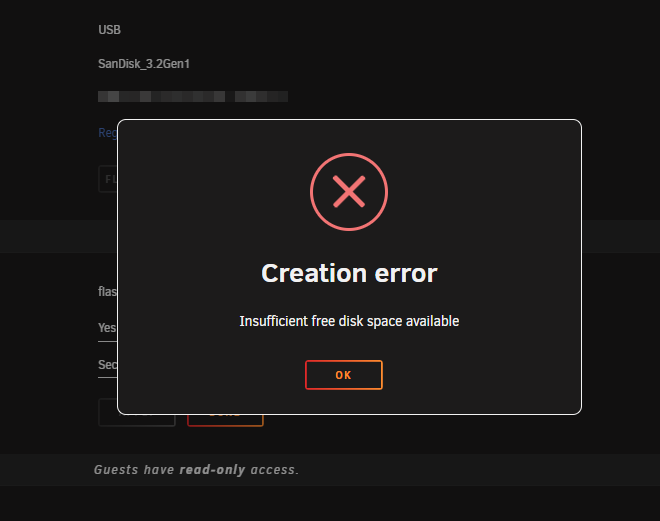
Hello, Rebooted my unraid 6.12.11 server this morning, and trying to preform an upgrade to the latest, and getting this error below. After digging, the usb boot drive is reporting no space? Are there hidden temp files that are eating up space that could be deleted? I did just share the drive, so that I could file copy the files to my desktop as a backup. What is the recommended way to fix this? Thank you in advance for your advise.

-
That worked! 😍 I backed up the original files before re-copying them, and the bzroot file had the issue (wouldn't file copy). THANK YOU AGAIN!
-
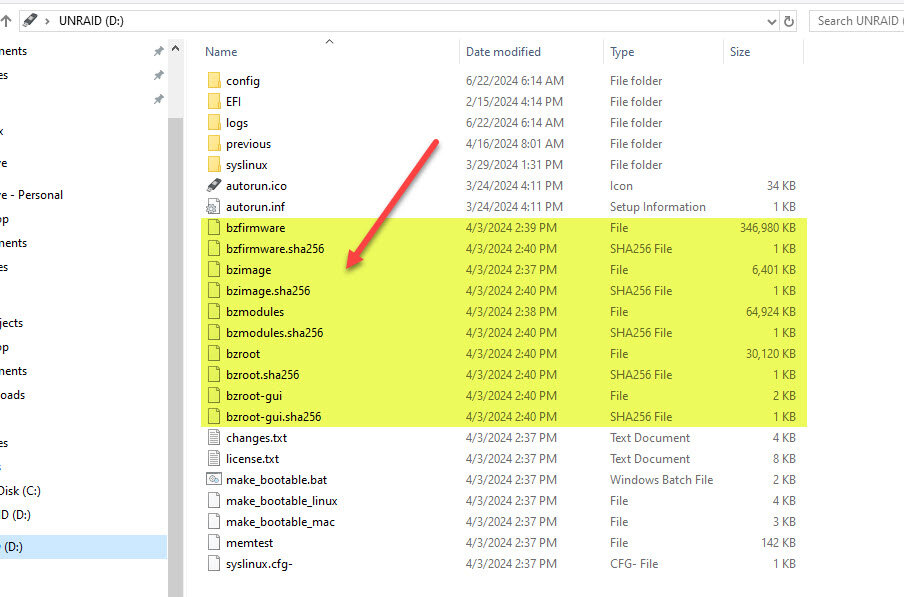
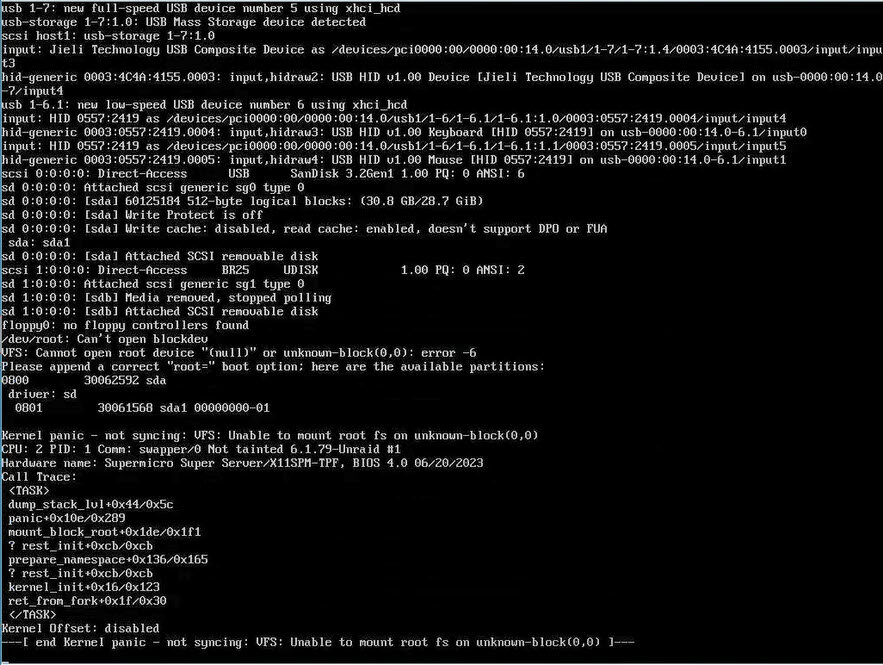
Hello, very new to unraid and just ran into this issue on 6.12.10... Did a clean shutdown of my server, it was off for a couple of days, when powered back on I had this same situation. @itimpi - is it these 10 bz* files in the root directory of the usb drive that need to be replaced with a fresh copy? No other files in the sub-folders? Just trying to clarify. THANK YOU in advance.