





eilif
Members
-
Joined
-
Last visited
Everything posted by eilif
-
This XML file does not appear to have any style information associated with it. The document tree is shown below. <Response code="503" title="Maintenance" status="Plex Media Server is currently running database migrations."/> When I open xxx.xxx.xxx.xxx:32400/web/
-
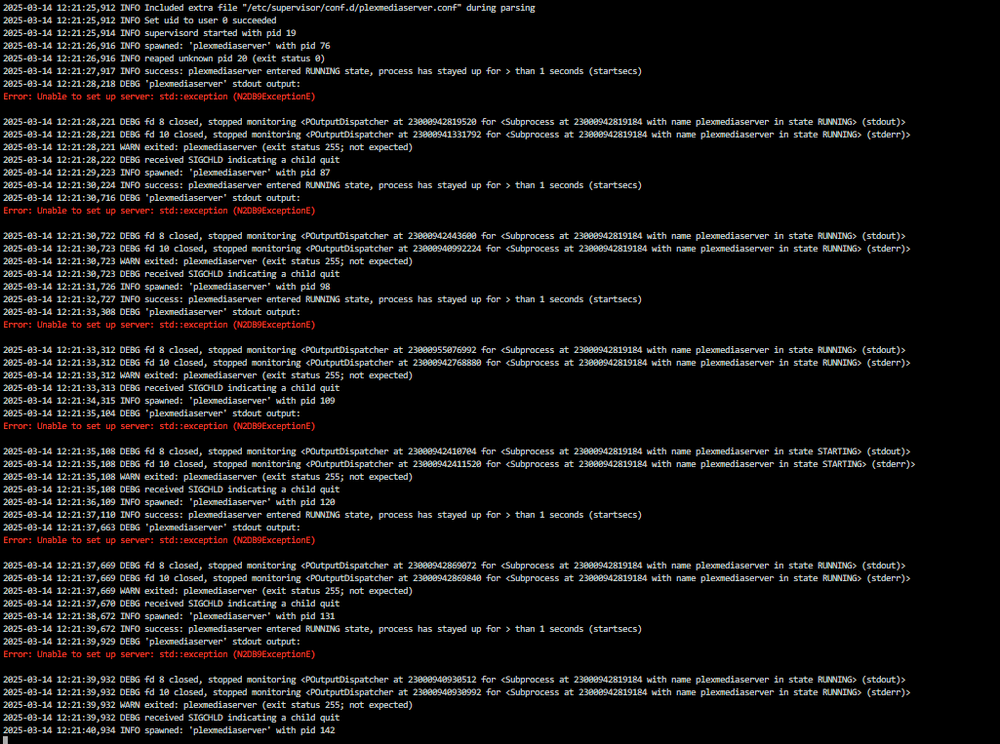
This happens after latest docker update. How do I fix this?
-
I can't get the auto importer working. Here is my firefly setup. I have setup firefly-iii and connected it with importer and managed to import data from my bank via gocardless. I have the config.json as well, and have uploaded it to docker container. Following the guide for auto importing: https://docs.firefly-iii.org/how-to/data-importer/import/automated/ It tells me to run this command: docker exec firefly_iii_importer php artisan importer:import /import/config.json Where firefly_iii_importer is the container ID, and where config.json is the configuration file from the previous step. This should run the import again. However: When checking docker container IDs from unraid SSH I would need to use this command: docker exec ae6225d48e78 php artisan importer:import /var/www/html/storage/upload/import_config_2024-11-13.json However I get the following error: root@Tower:~# docker exec ae6225d48e78 php artisan importer:import /var/www/html/storage/upload/import_config_2024-11-13.json Trying to connect to ... The last 25 chars of the access token are: ApiHttpException: Could not connect to Firefly III at : cURL error 3: URL using bad/illegal format or missing URL (see https://curl.haxx.se/libcurl/c/libcurl-errors.html) for /api/v1/about The last 25 chars of the access token are: No access granted, or no connection is possible to your local Firefly III instance at . Manually running the config via importer web-ui works just fine though. Where am I going wrong? Why is the command failing? I would intend to automate this command into cron jobs or userscripts in unraid.


-
basically its a private meta search engine. Would anyone kind enough add this? https://bitmagnet.io/setup/installation.html https://torrentfreak.com/bitmagnet-allows-people-to-run-their-own-decentralized-torrent-indexer-locally-240218/


