





HoigerA
Members
-
Joined
-
Last visited
-
HI Amane, many thanks for your feedback. Just to ensure I got it correct: I add a new variable: name: "user", value "99:100" and a 2nd variable: name "restart" value "unless-stopped". Did I get that correctly? Thanks and kind regards Holger
-
Hi Amane, many thanks for your reply. I have defined the container directly in the unraid WebUI. Please find attached the screenshots from the configuration. I compared and adjusted the access rights between both systems but no success. Kind regards Holger
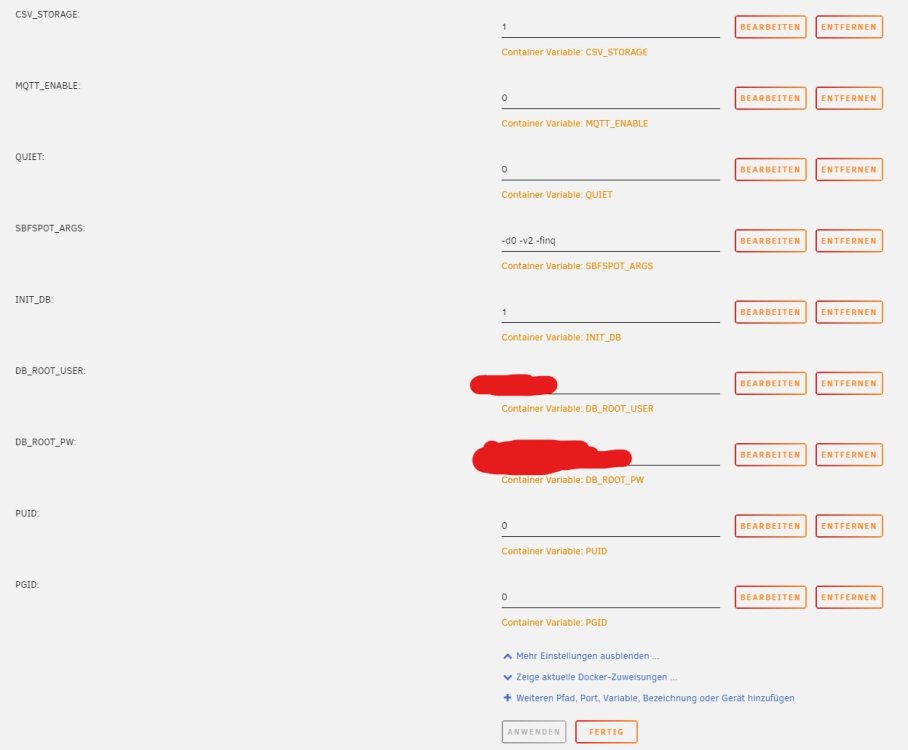
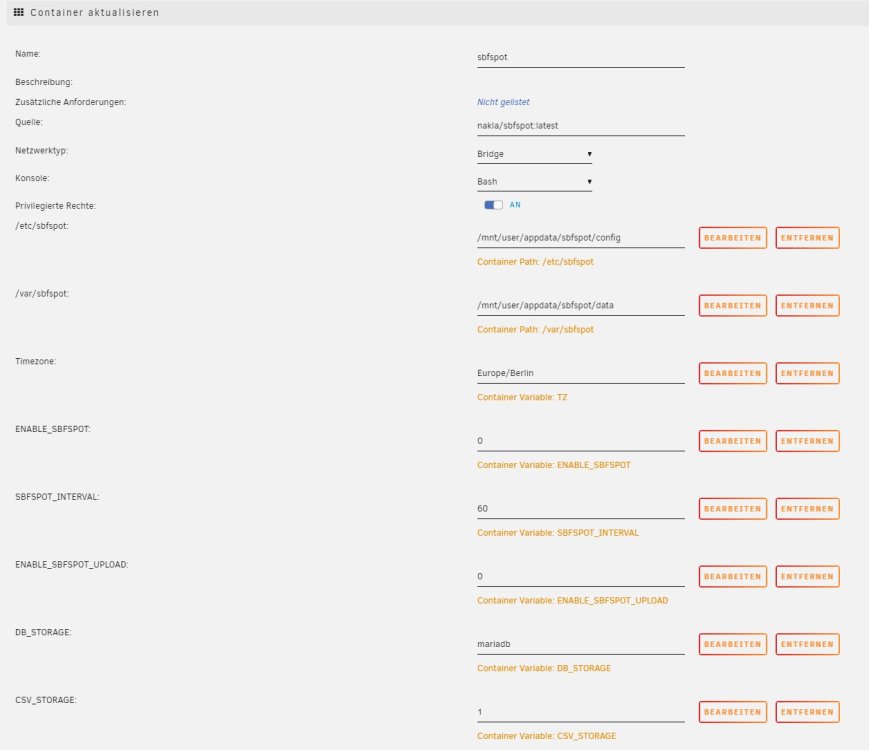
-
Hi all, first of all: I am new to unraid. I read a lot in this community and it is very impressive. I wanted to try it out and after the trail period I bought a license to migrate my old server to unraid. I am running a lot docker containers which I am migrating right now. There is a issue with one container and I am a little bit "stuck" and don't know how to go ahead. https://hub.docker.com/r/nakla/sbfspot By setting up the container I get the follow message in the logs: /etc/sbfspot/SBFspot.cfg is not readable by user with ID 5000. Please change file permissions accordingly and restart the container. The folders on the file system are "777"; the files within have also 777 as access right, but I still get this error message. I have also tried to change the owner of the files to ID 5000 but without success. The settings for PUID and PGID as variable are ignored by the container. On my old Ubuntu Server it worked without issues. Looking forward for some tipps how to solve the issue. Thanks and kind regards Holger

