





ICVDOK
Members
-
Joined
-
Last visited
Everything posted by ICVDOK
-
Hello, I've a simple setup, a docker server and two NAS. one Unraid NAS and one QNAP. I'm using NFS share on my docker compose files with QNAP since a while without any issue. Considering tha I've a better HW with Unraid NAS, I would like to start to use the NFS share on it but I'm fighting a lot to get a mount working, without success. Here and example of the mapping code: volumes: userdata: name: nfs_userdata driver: local driver_opts: type: "nfs" o: "addr=192.168.1.100,rw,noatime,rsize=8192,wsize=8192,tcp,timeo=14,nfsvers=4" device: ":/mnt/user/docker/userdata" On Unraid I've just activated a NFS share called docker with public permission. For this example I've created a folder userdata within mnt/user/docker folder. There is something I've missing on my configuration? I did something wrong? Thanks in advance for your support
-
Thanks for the suggestion, yesterday I did some checks. From UNRAID I was able to mount the QNAP using Unassigned Device plugin via NFS. It could be sufficient for data duplication. I've also check the option suggested to access from QNAP to UNRAID via RSYNC but , I suspect, RSYNC on UNRAID isn't available out of the box (it's true?). I've then installed a simply docker (axiom-data-science/rsync-server: A rsyncd/sshd server in Docker. You know, for moving files. (github.com)) with RSYNC server exposed and, finally I was able to connect to UNRAID via RSYNC from NAS. Creted some replica jobs on QNAP and voilà (no scripting for the moment). Obviously there are still some improvements or fine tuning to do, but it works. The performances are just sufficient (about 50Mbps) but considering the very old HW is OK. Unless I miss something, I would prefer to have RSYNC as a native service on UNRAID. What's your view?
-
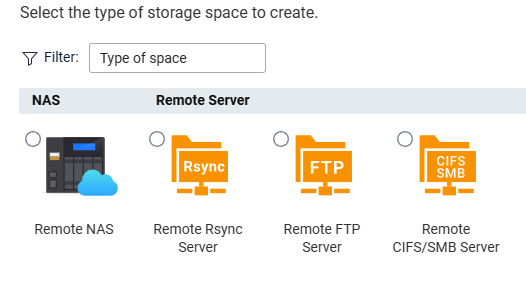
Great, looks OK for my requirements. In the meantime I was able to activate LACP network bound, another little progress. Very last question, there is some kind of repica service to be able to get or pull files from QNAP? Rsync would be the best choice probably but I don't know if it's available as native service.
-
Note: Access from Linux system mounting the drive in caso of failure is possible with this config?
-
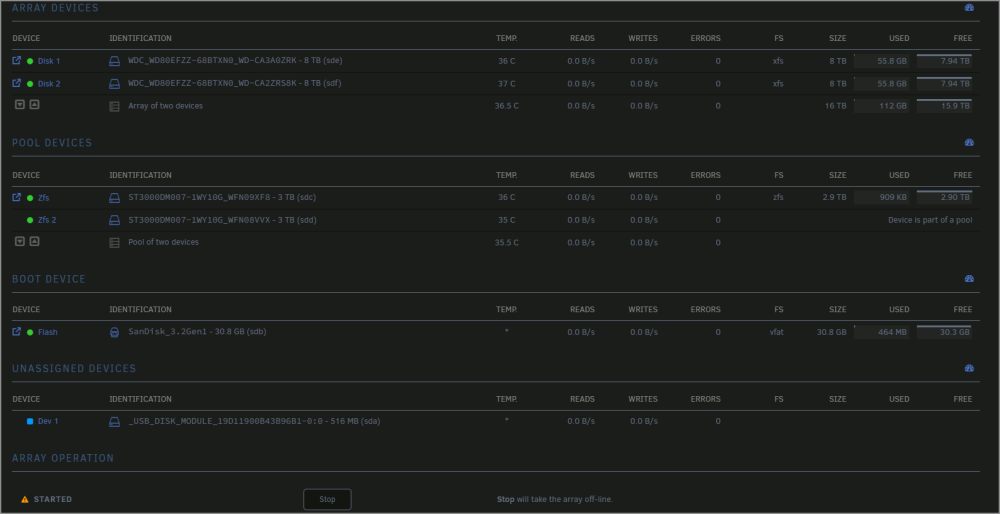
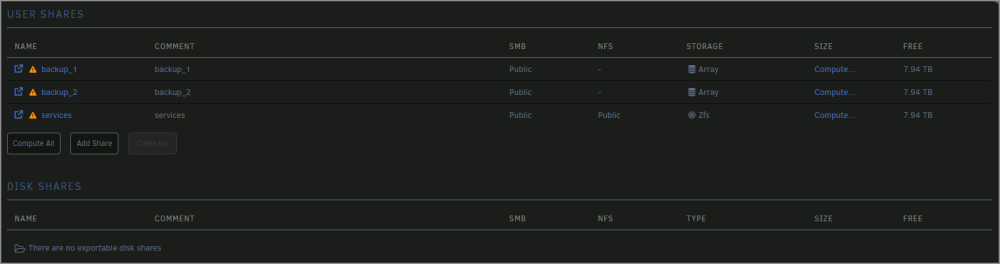
OK, I follow your suggestion and here is the result (maybe) 🙂 The warning message on backups folders should be because no parity is available (it can be deactivated?) . The amount of the service free space is wrong as well as the warning because is on RAID 1. There is something wrong I did? In the meantime let me check the unassigned device plugin but, in case of failure, important to me to be able to access to the data, maybe also from another unraid NAS. If it's possible, I'm fine with this.
-
Hello, many thanks for the clarification, let me elaborate a bit. This NAS is used to duplicate data from the primary one (again QNAP for the moment, new DIY is coming...), mainly used to host pictures, movies and music (Office files are on Azure). I had a very bad experience last summer where a disk on my primary NAS fail and the rebuild process fail as well. Recent backup and a professional QNAP support fortunately mitigate the dataloss but, my backup strategy is changed, no more HW RAID for home lab, just duplicate the data across multiple disks. (explain the 2x8TB st alone) that can be attached everywhere and readed (it is true with Unraid?). An external disk rotation to be moved outside my home. 2X3TB should be used to host nfs volumes for my docker servers (and then duplicated twice on the 2x8TB) , reason why the performances are relevant. I hope that this explain a bit better the requirements. In the meantime I've purchased the first license. Thanks again for the support.
-
Hello Unraid community , I've just installed unraid to test it on a old qnap where I'm try to understand the concept. The device has 4 disks 2x3TB and 2x8TB. I would like to setup the 2x3TB disks with max speed and redundancy (it was a RAID 1) with the old QNAP OS config. Remainig 2x8TB as single disks without any redundancy or fault tolerance. Means 2 disks completely separated. What's the best configuration to achieve this setup? Many thanks


