Gavster
Members
-
Joined
-
Last visited
-
Thanks. I did more research and as you say it's widespread. Checked logs and found many "CIFS: VFS: directory entry name would overflow frame end of buf" I'll wait for the fix. Should know better than to upgrade so quickly. I normally wait a few weeks and see.... Thanks again
-
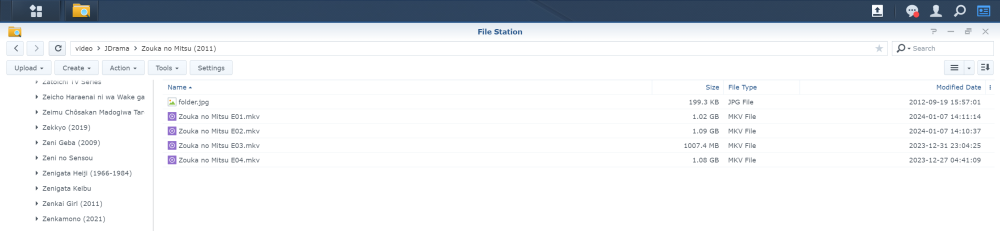
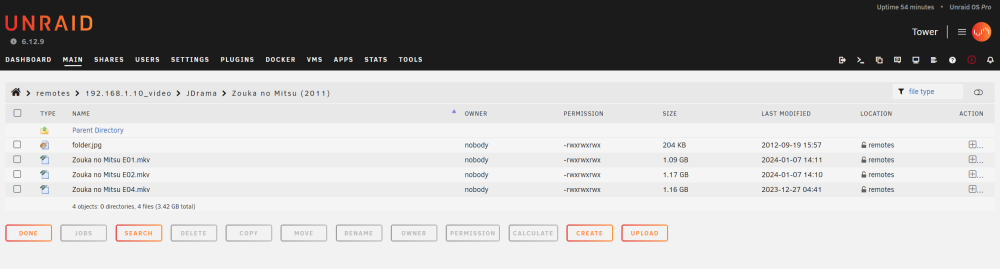
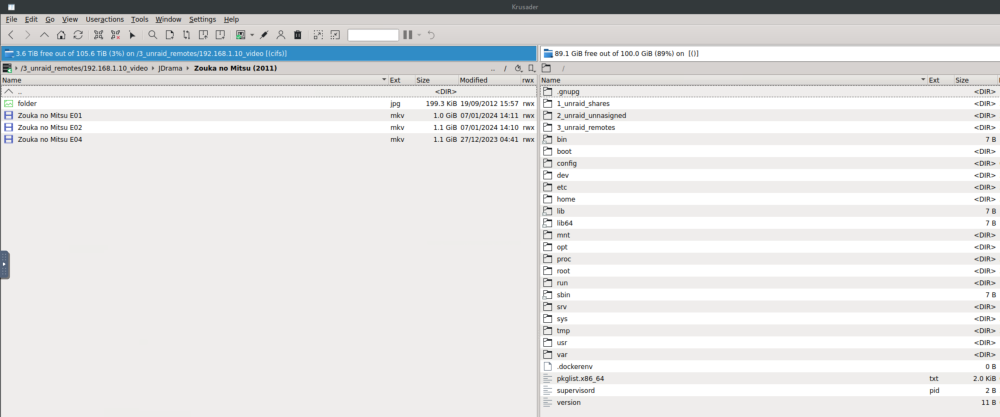
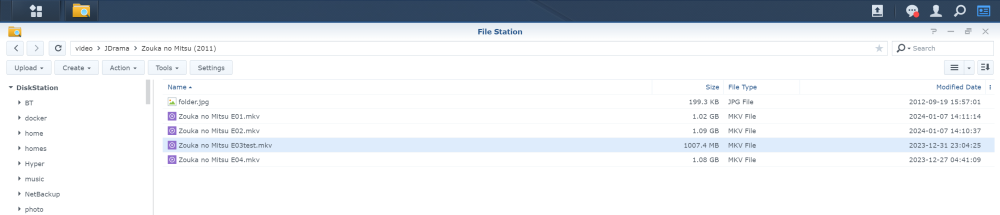
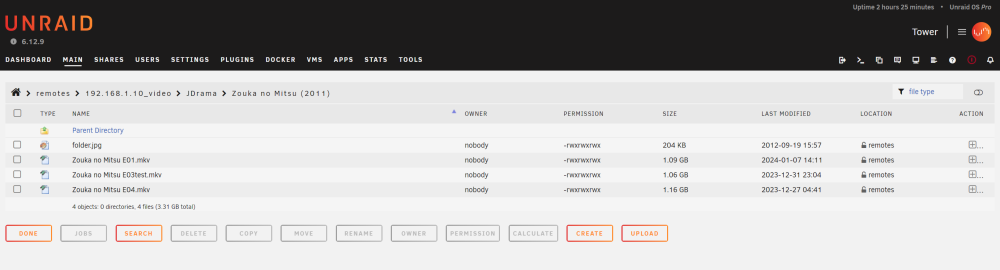
Hi, I have a very strange error when veiwing SMB shares on Unraid 6.12.9 only. I have 7 SMB shares connected to 2x Synology NAS running DSM 6 & 7 respectively. When vewing folders and files on the remote servers various files and folders do not display - either from file explorer, Krusader or terminal. If I downgrade to 6.12.8 the problem goes away - this is purely a problem with 6.12.9 Basically when vewing/listing contents of SMB shares random folders and/or contents of folders are missing. This is with Unraid file explorer, Krusader and terminal. this seems random with no discernable common pattern. example above - contects of folder - 4 mkv files and one jpg from DSM file explorer Now on Unraid Episode 03 is not shown Krusader command line output root@Tower:# dir "/mnt/remotes/192.168.1.10_video/JDrama/Zouka no Mitsu (2011)" Zouka\ no\ Mitsu\ E01.mkv Zouka\ no\ Mitsu\ E02.mkv Zouka\ no\ Mitsu\ E04.mkv folder.jpg However, if I rename one of the files the renamed file is shown but another file goes missing I can keep renaming cyclically but only ever 3 of the 4 mkv files will display. This is just an example of multiple such instances of this behavior. If I use NFS shares the problem goes away. or if I downgrade back then that also cures the problem. Any ideas where to go with this other than to skip 6.12.9?