eddy_4now
Members
-
Joined
-
Last visited
-
all my issue was a USB flash drive malfuction. I switched to another flash drive and used the Unraid USB cretor tool and now my server is up and running with all the OS update and plugins. Somehow the boot flash got into "read-only" mode and thats why Unraid couldnt make any writes on the boot device.
-
So, after several weeks of trying to find the problem, all it was a USB flash drive malfunction, somehow it got to the point where the flash drive only stayed in "read-only" and thats why unraid could not write any of the updates to the boot device. I changed to another flash drive (it took me a hell of work because I did it the hard way) and now my unraid is working find and updates are back for the OS and plugins. Thanks for the replies!
-
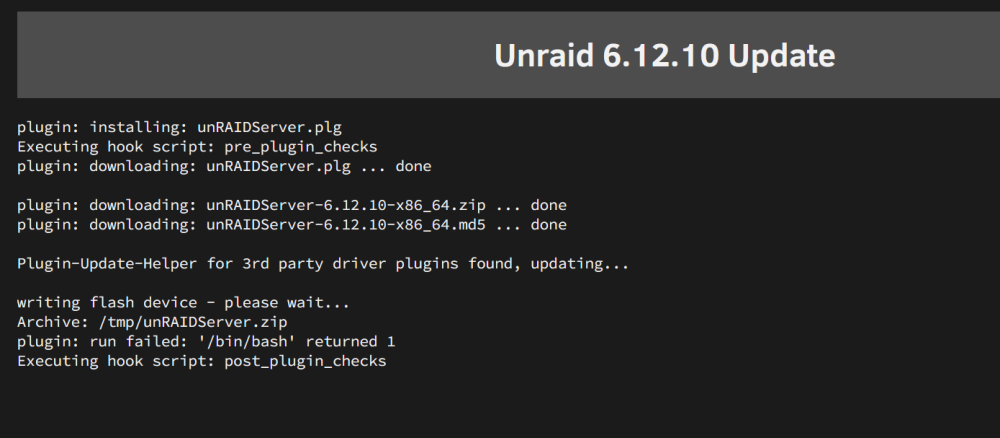
I been having issues with v6.12.8 for two weeks now. None of my plugins want to update, it keeps throwing errors. Same happens when I am trying to update to v6.12.10. I cannot do any settings change, anytime I tried to change settings from docker, I am unable to do so. Already rebooted many times and nothing seems to work at the moment. Worth to point out, after I restart Unraid, in the notifications shows something like "USB Flash error, not read/write" but in the main page the boot flash is showing green bubble. anyone with suggestions/help. Thanks in advance. homeserver-diagnostics-20240408-1855.zip
-
Thanks for the reply, Hope this is what you were asking about. I am attaching the zip file of the diagnostics. homeserver-diagnostics-20240405-1715.zip
-
Hello folks, I am currently on Unraid v6.12.8 and I've been having issues with Unraid lately. One is that it alw ays shows the starting services in the bottom and whenever I am trying to access shares through file explorer, my server keeps unstable (it comes and goes). Two, I try to modify the docker settings but when I try switch the Enable Docker to "NO", it doesn't change the settings, it keeps on yes. Same with the VM manager. Lastly, any of my plugins want to update, it throws an error (picture bellow) and won't update, this is for the Fix common Problems plugin. And before suggesting updating to the new version of Unraid, well that is also the problem that it does not want to update, and it throws an error. I am leaving some pictures, so you have an idea of the errors I am having. Any help, I'd be much appreciated.