Physicalphill
Members
-
Joined
-
Last visited
-
Thank you for the reply, I'll have another look at the link you've mentioned. The default file type at the moment is XFS according to the array infomation. Can this be changed with data on the drives or does it have to be taken off and then put back on? I have noticed that 2 of the drives from the 4 are used a lot more than the others. One other thing whilst I remember, is there a way of making the array or part of it or a share folder being a media streaming etc.? I'd thought I'd made a folder accessable to the Xbox and other devices on the network but it seems not
-
Hi All, I hope things are going well... I'm just looking to try and understand about the UnRaid drive performance since using the drives I've currently installed, the copying/reading/general performance does seem somewhat slower with UnRaid, so I'd like to understand why this might be and if there's a way to make it 'go fast'.... I've 6 x 16TB Seagate EXOS X16 drives in the server, its paired with a Xeon E3-1245 v3 with 16GB of DDR3 (its a little older but worked flawlessly with my Xpenology setup I had on it for years and its still going so, figured I'd carry on using it). It's connected via a 1Gb and 10Gb network so hopefully the copy/read performance over the network is fast... Having used a similar setup before, it was maxing over the 1Gb network at about 110MB/sec to 114MB/sec and then over the 10Gb network about the 450MB/sec to 500MB/sec with the Xpenology setup. I'm finding that the 1Gb network for the most part for UnRaid is almost half that, so I'd like to understand why that is firstly and then work out how I can make it better. I've setup the drives so I have 2 Partity and the rest are for data, so that's about 42TB usable. Could someone please explain to me, why the performance is lower than I've been used to and what I could possibly do to help speed it up. I've got a UnRaid OS Unleashed licence, so I believe I can add in more drives without any issues. I'm fairly new to UnRaid and so I'm still getting the hang of it but I hope I've not set it up wrongly or something when doing the drives... Any and all help is very gratefully appreciated. If there's anything more that you need from me, please do ask away, I will help however I can Massive thanks in advance
-
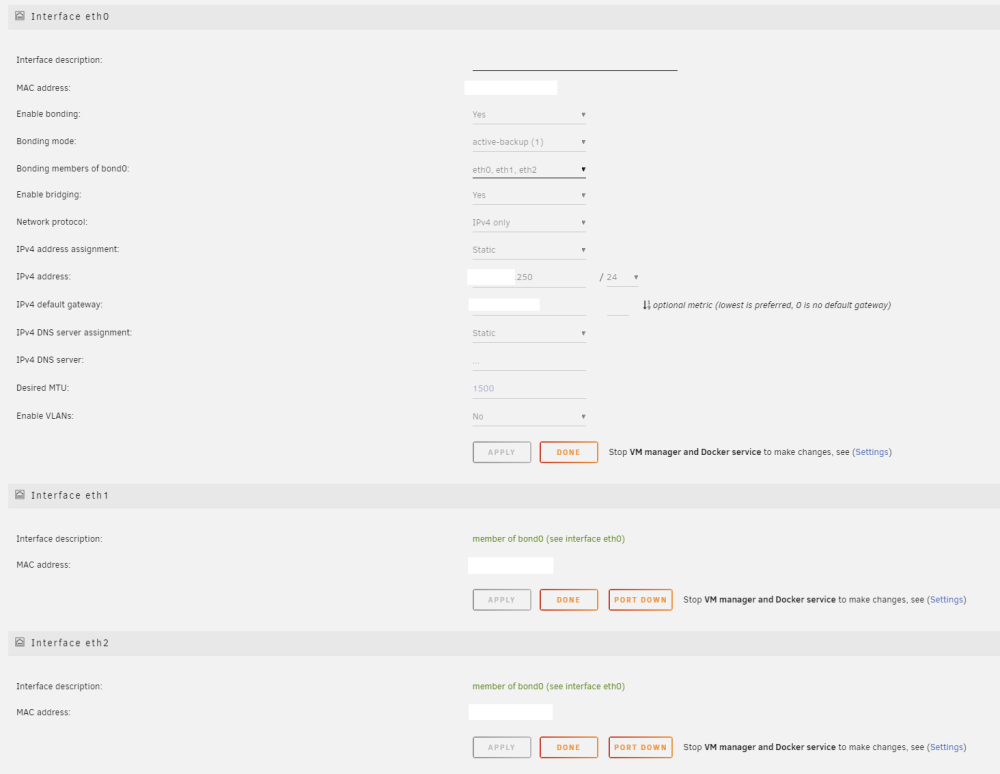
Thanks for the reply @JorgeB It seems however, everything is bonded together as standard, so I'd presume I'd have to stop the server and then edit the IP and network config to get that part of it up and running?
-
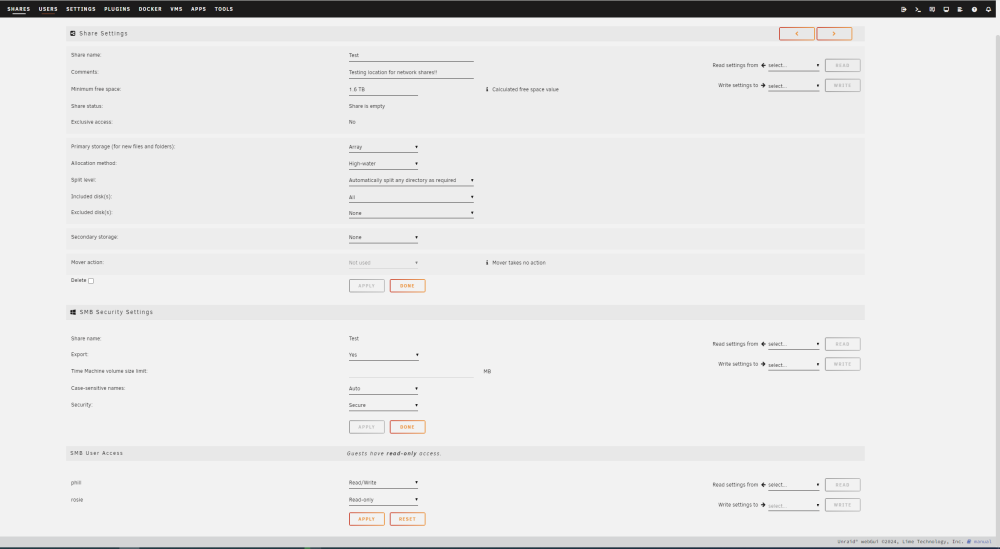
Hi everyone, Hope everyone is doing well and is OK! First time posting here but I thought I'd ask a couple of questions since I'm a complete Novice when it comes to Unraid but I've a little knowledge with Linux, but sometimes a little is never enough! Anyways, recently I've moved away from an Xpenology DSM 6.1.7 build as I was getting issues with it loosing the ability to connect via the web browser. I'm not sure what was causing it but as it was based on the older DSM version and 7 wouldn't work with the hardware I was using with the DSM 6 version I had on it, I decided to go and try something else altogether. So I came across Unraid and I have been running the trial for the last month, this morning it ran out, so before I bite the bullet and purchase it, I'd like to just pick a few brains if I may and then I can get a licence and get learning and working with it... Firstly, the UnRaid version I've installed is 6.12.8 2024-02-15 Secondly, at home currently I have a 1Gb network that everything uses and a 10Gb network that a few machines and servers have access to. I've bought some Intel X540-T2 cards which worked flawlessly in the Synology box and my two Dell R730s and a few other of the PCs I have here. My question for everyone was, is it possible, to set up a 1Gb connection with UnRaid and then have the 10Gb connection there as well but when I plug in the switch for it, anything on the 10Gb network would use that 10Gb connection rather than the 1Gb? Reason being, the 10Gb switch I have (TP Link 8 port thing) is noisy and personally I'm not a fan so I only really use it when I have mass amounts of data to transfer. This is generally for backups or trying to move around data on the network. With the Synology, I was able to use the two together without any problems. Anything that was on the 10Gb network, used to communicate with the 10Gb on the Synology. Performance even with mechanical drives (I've installed 6 Seagate EXOS X16 16TB drives in a RAID 6 for the UnRaid, had tried a RAID 5 and 10 with the Synology, data transfer was rapid and I was very happy with it) so would this be possible to use with UnRaid? Thirdly, which is hopefully simple and I'm just being a bit dumb; network share access/setup. With the Synology I was able to setup shares and different users so they had access in to certain folders or it would be read only or they couldn't see it at all. With UnRaid I have been playing about with that, but not had the greatest of success when trying to set it up. I noticed when setting up a folder, you have Export in the second part of making the folder and Security - Public, Private and Secure (I believe those are the options) Would someone be able to confirm for me, that with this test share I've just created, if I have done it correctly please? I think for anything else right now, I will worry about it as I go, but I think that's the most important thing for me at the moment If I can get these sorted, then I'll grab the licence and see what else I can do with it. Many thanks for anyone's time that replies! :)