spicylizzard20
Members
-
Joined
-
Last visited
-
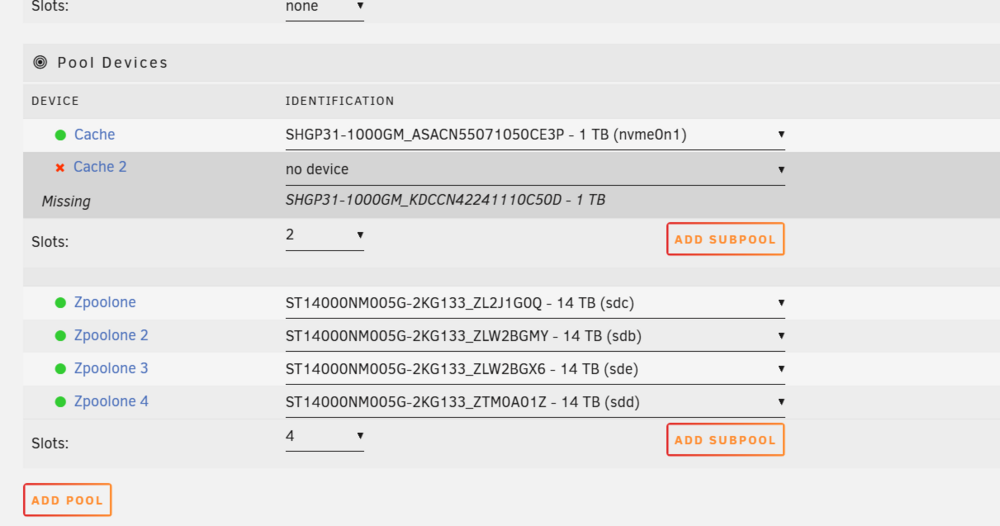
root@Tower:~# zpool import pool: zpoolone id: 5701902944224246049 state: ONLINE action: The pool can be imported using its name or numeric identifier. config: zpoolone ONLINE raidz1-0 ONLINE sdc1 ONLINE sdb1 ONLINE sde1 ONLINE sdd1 ONLINE pool: cache id: 6309638223354245244 state: DEGRADED status: One or more devices contains corrupted data. action: The pool can be imported despite missing or damaged devices. The fault tolerance of the pool may be compromised if imported. see: https://openzfs.github.io/openzfs-docs/msg/ZFS-8000-4J config: cache DEGRADED mirror-0 DEGRADED nvme0n1p1 ONLINE nvme1n1p1 UNAVAIL
-
I had a server failure, and need to mount my drives on an older server. Unfortunately, my cache pool is a 2 drive zfs mirror, but I can only physically connect one of the drives in the pool due to hardware limitations (no second nvme port) When I fire up the server I can see all drives, but of course unraid says it's missing one of the nvme drives. I'm afraid if I use the option "Start will remove the missing pool disk and then bring the array on-line." my pool will be corrupted/damaged. This is where I have all my docker containers and VMs, and can't loose it. Am I safe to start the array with this drive missing? I just need to start the array so that I can get the data off these drives, then I'll be able to move to a new server. Thanks in advance for any info/advise tower-diagnostics-20250131-2252.zip
-
Ahh that did it!! Thanks!
-
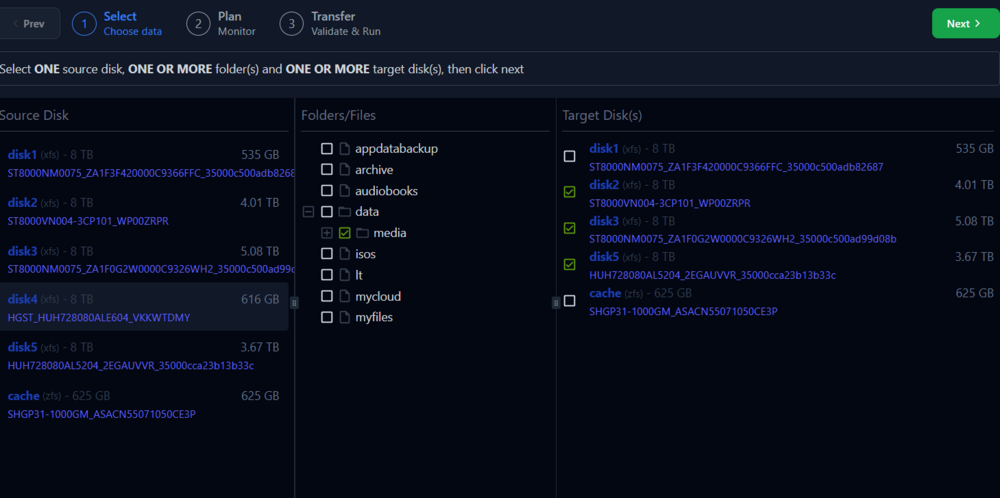
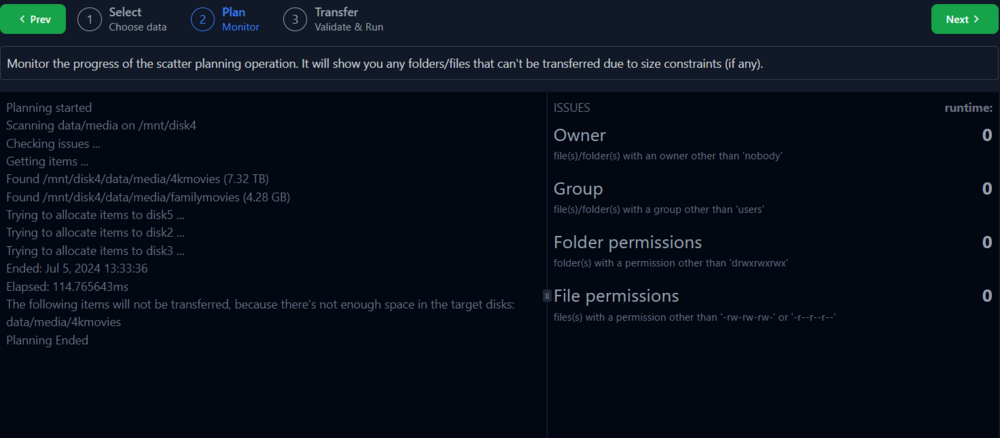
Hello - Can someone advice why unbalanced won't detect enough free space to scatter, even when there's plenty? I'm trying to empty out an old drive, but as you can see in the attachments, unbalanced somehow does not detect enough free space on the other 3 drives. Any ideas?