UCX
Members
-
Joined
-
Last visited
-
ASUS ProArt Marvel AQtion 10Gb port and the 2.5Gb port were problematic. After using another NIC, the problem was resolved. Using Intel X550-T2👌
-
UCX joined the community
-
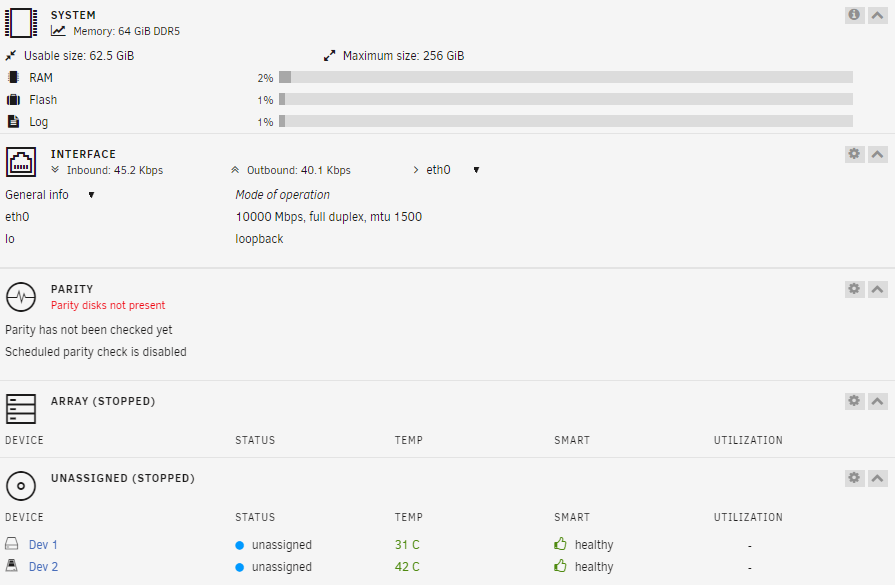
Hi all, I just installed Unraid on my server, but I'm encountering a problem with the connection. I randomly lose connection to my remote connection. I have tried using DHCP, various static IPs, and also set a static IP on my ASUS router, but none have worked. It is freshly installed and works for the first 2-3 minutes, but then it suddenly loses connection. Also tried different cables and routers. *In the BIOS settings, only the 10G LAN is enabled; the other is disabled. *IPv6 is disabled *Bonding = disabled static IPv4: 10.0.0.201 /24 gateway: 10.0.0.1 eth0: 10000 Mbps, full duplex, MTU: 1500 After getting disconnected ill get: Destination Host Unreachable I have the following hardware: -Asus ProArt Z790-CREATOR -2xCorsair Vengeance CMK32GX5M2B7000C40 32 GB 2 x 16 GB DDR5 -Intel Core i7 14700K -Samsung Bar Plus 64GB -Samsung 990 PRO 2TB M.2 SSD (as cache) -1xSeagate HDD NAS 3.5" 8TB -4xSeagate HDD NAS 3.5" 6TB (not installed yet) this is the error ill get in diagnostics/syslogs: Apr 29 15:49:40 UCX kernel: pcieport 0000:00:1c.0: PCIe Bus Error: severity=Corrected, type=Physical Layer, (Receiver ID) Apr 29 15:49:40 UCX kernel: pcieport 0000:00:1c.0: device [8086:7a38] error status/mask=00002041/00002000 Apr 29 15:49:40 UCX kernel: pcieport 0000:00:1c.0: [ 0] RxErr Apr 29 15:49:40 UCX kernel: pcieport 0000:00:1c.0: [ 6] BadTLP Apr 29 15:49:40 UCX kernel: pcieport 0000:00:1c.0: AER: Multiple Corrected error message received from 0000:00:1c.0 Apr 29 15:49:40 UCX kernel: pcieport 0000:00:1c.0: AER: found no error details for 0000:00:1c.0 Apr 29 15:49:40 UCX kernel: pcieport 0000:00:1c.0: AER: Multiple Corrected error message received from 0000:00:1c.0 Apr 29 15:49:40 UCX kernel: pcieport 0000:00:1c.0: PCIe Bus Error: severity=Corrected, type=Physical Layer, (Receiver ID) Apr 29 15:49:40 UCX kernel: pcieport 0000:00:1c.0: device [8086:7a38] error status/mask=00002041/00002000 Apr 29 15:49:40 UCX kernel: pcieport 0000:00:1c.0: [ 0] RxErr Apr 29 15:49:40 UCX kernel: pcieport 0000:00:1c.0: [ 6] BadTLP The pci=noaer did fix this error but still no luck on the connection The disconnection happens in here: Apr 29 16:19:58 UCX webGUI: Successful login user root from 10.0.0.206 Apr 29 16:20:26 UCX network: reload service: nginx Apr 29 16:21:11 UCX kernel: atlantic 0000:03:00.0 eth0: atlantic: link change old 10000 new 0 Apr 29 16:21:11 UCX kernel: br0: port 1(eth0) entered disabled state Apr 29 16:21:14 UCX ntpd[1504]: Deleting interface #1 br0, 10.0.0.201#123, interface stats: received=7, sent=7, dropped=0, active_time=94 secs Apr 29 16:21:14 UCX ntpd[1504]: 216.XXX.XXX.8 local addr 10.0.0.201 -> <null> Apr 29 16:22:02 UCX login: pam_unix(login:session): session opened for user root(uid=0) by LOGIN(uid=0) Apr 29 16:22:02 UCX login: ROOT LOGIN ON tty1 and in ifconfig it says: br0 DOWN 10.0.0.201/24 metric 1 it disables itself???