




-
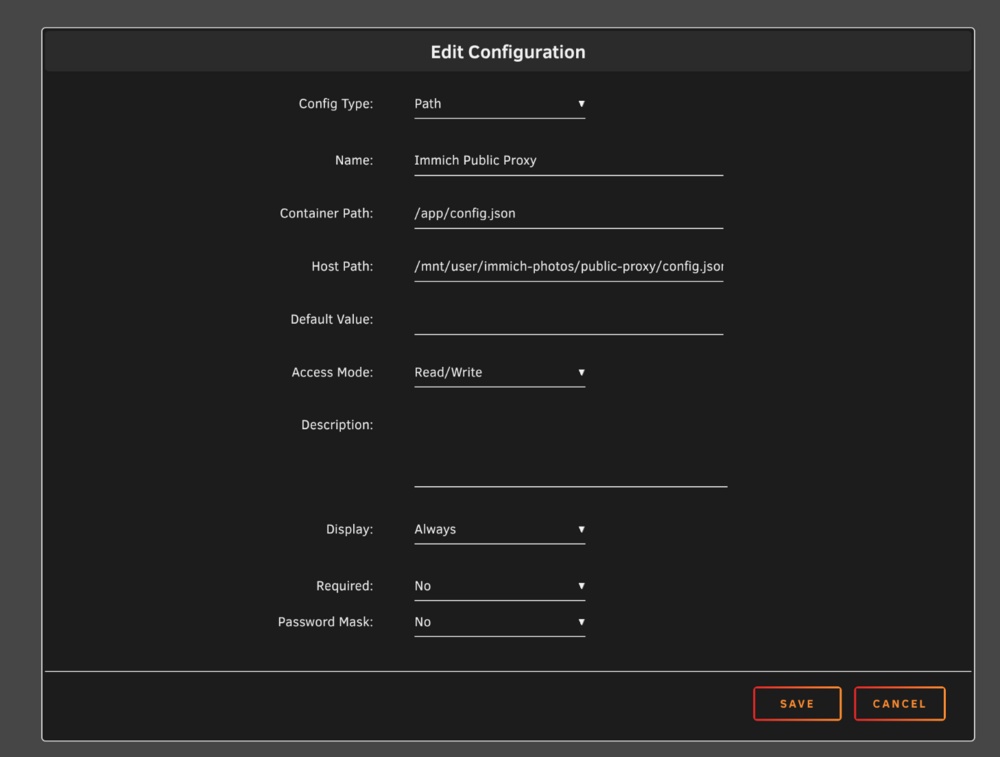
Hey @morejames, if you still want to add custom config to the immich-public-proxy just add a Path like this and edit the config.json to your likings. And Restart the Container. 😉
-
Ich habe die Lösung gefunden. Ich bin auf diesen Forum Post gestoßen wo das Problem auch schon aufkam. Dort wird darauf auf die Release Notes verwiesen (Unraid 6.12.0) https://docs.unraid.net/unraid-os/release-notes/6.12.0/#network-improvements Unter dem Punkt Network improvements. Darin sind die änderungen erklärt und zudem wurde ein weiterer Post verlinkt der erklärt was man in den Einstellungen zusätlich umstellen muss um das WebUi von Unraid via tailscale etc. zu erreichen. Und um das ganze bei jedem Start automatisch zu "starten" (neu laden) gibt es hier ein Skript von SpaceInvaderOne. https://github.com/SpaceinvaderOne/Unraid-ZeroTier-Server-Restart-fix
-
ich habe es probiert mit localhost doch das hat auch nicht funktioniert, ich habe es jetzt auf ipvlan umgestellt. gibt es andere möglichkeiten um sich mit dem home server zu verbinden?
-
Es muss iregendetwas mit Unrad zu tun haben, da wenn ich versuche einen cloudflare tunnel zu erstellen das selbe Problem auftritt. zu den Dockern kann ich ohne Probleme eine Verbindung herstellen jedoch zu Unraid selbst nicht.
-
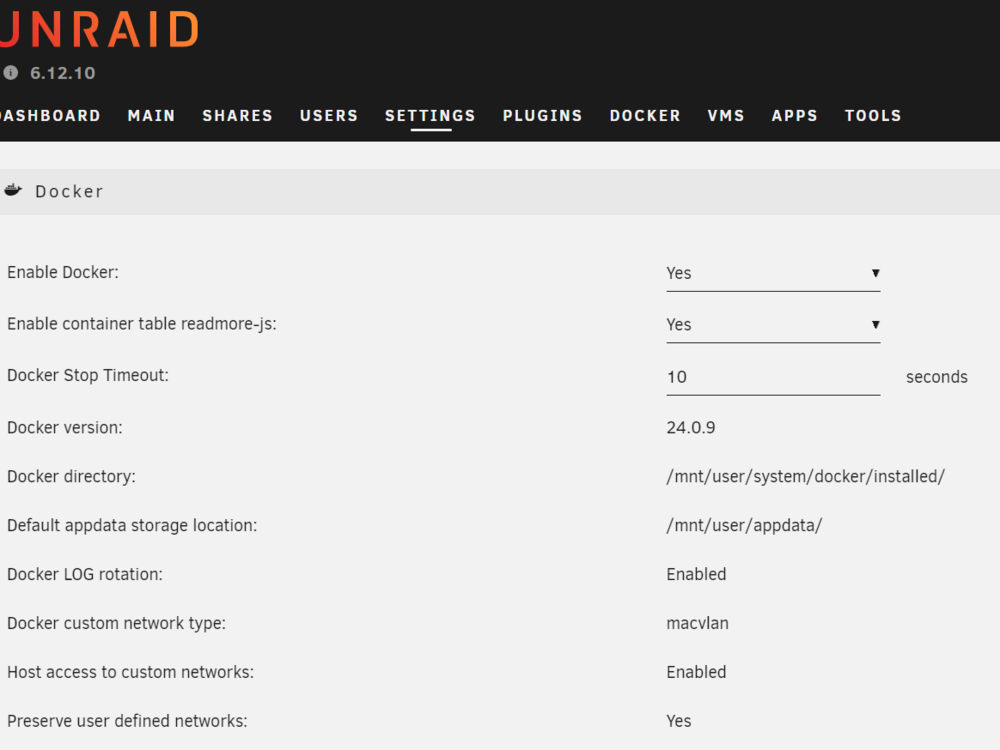
Ja ich nutze den Tailscale Docker und in den docker einstellungen ist host access auch aktiviert
-
Hallo, ich habe erst seit ein paar Tagen einen Unraid Server am laufen und wollte nun meine Docker etc. auch auch von auserhalb meines Heimnetzwerkes zum laufen bringen. Ich habe dafür ein Turorial von Youtube befolgt ( https://www.youtube.com/watch?v=nzBQTJ2isOI ) und soweit funkioniert auch alles einwandfrei, wenn ich WebUi's aufrufen möchte (z.b. unraid:1000 also alle Docker), doch wenn ich direkt auf den unraid server zugreifen möchte (unraid:[port von unraid] funkioniert das nicht und ich bekomme nur eine Fehlermeldung vom Browser.

View in the app
A better way to browse. Learn more.


