





bokchoiboy
Members
-
Joined
-
Last visited
-
Appreciate the help. There is comfort in knowing the expert can't, on first glance, find the problem.
-
Unchanged sadly I ensured I was still using the correct repository. Force updated. Still same looking logs.
-
Sorry to consume your time. It looks like it didn't fail. I tried 1.1.1.1 only as the name_server. Log looks the same, same issue. I appreciate your time kind sir!
-
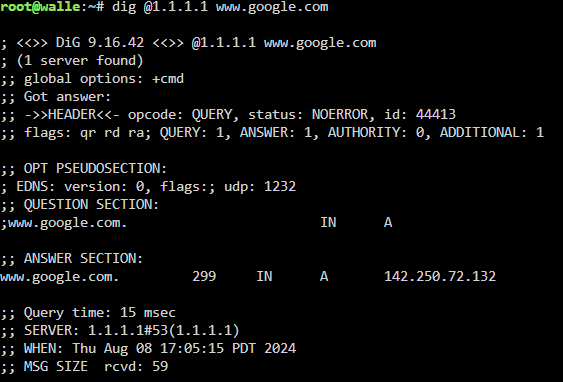
I don't have pihole or any of those. From what I can tell, 53 isn't block. At least, not by me (do ISPs block?). Again, this setup was working, until it didn't without any change. Running netstat -a -n on my cmd I can see Don't know what this means.

-
I must be misunderstanding you. I've tried over a dozen different endpoints. Both strict port forwarding on and off. I appreciate your patience
-
pinging both 1.1.1.1 and 8.8.8.8 are fine. Im not sure which domain youre referring too. but the ip of the container doesn't ping.
-
Thanks. But still running into the same error. I've tried many endpoints. Still cycles with the "network error."
-
Im assuming that's "name_servers" in which case, when I removed them, same issue persists. It does say since there were none defined, it defaults to the servers names in "readme.md"
-
Where/how would I go about doing that? Is that within the container commands? Some config file somewhere?
-
Hi, I've scoured the forums and FAQs and help and reddit to no avail. I can't get my UI to load while the vpn option is enabled. It works without it. When I look at the logs, it seems to me that I can't get an endpoint to work (PIA Wireguard). I've tried many endpoints with both strict port forwarding on and off. According to the Q and A's, I'm supposed to find a list of endpoints in my supervisord? But no such list exists. Sorry if this has been addressed somewhere, I couldn't find it for the life of me. This config/setup was working smoothly, until it wasn't. (I know 8088 isn't the default, something else is using it, but again, it was working correctly) I thank any samaritans ahead of time! Command execution docker run -d --name='binhex-qbittorrentvpn' --net='bridge' --privileged=true -e TZ="America/Los_Angeles" -e HOST_OS="Unraid" -e HOST_HOSTNAME="walle" -e HOST_CONTAINERNAME="binhex-qbittorrentvpn" -e 'VPN_ENABLED'='yes' -e 'VPN_USER'='redacted' -e 'VPN_PASS'='redacted' -e 'VPN_PROV'='pia' -e 'VPN_CLIENT'='wireguard' -e 'VPN_OPTIONS'='' -e 'STRICT_PORT_FORWARD'='no' -e 'ENABLE_PRIVOXY'='no' -e 'ENABLE_STARTUP_SCRIPTS'='yes' -e 'WEBUI_PORT'='8088' -e 'LAN_NETWORK'='192.168.1.0/24' -e 'NAME_SERVERS'='84.200.69.80,37.235.1.174,1.1.1.1,37.235.1.177,84.200.70.40,1.0.0.1' -e 'VPN_INPUT_PORTS'='6881' -e 'VPN_OUTPUT_PORTS'='' -e 'DEBUG'='true' -e 'UMASK'='000' -e 'PUID'='99' -e 'PGID'='100' -l net.unraid.docker.managed=dockerman -l net.unraid.docker.webui='http://[IP]:[PORT:8088]/' -l net.unraid.docker.icon='https://raw.githubusercontent.com/binhex/docker-templates/master/binhex/images/qbittorrent-icon.png' -p '6881:6881/tcp' -p '6881:6881/udp' -p '8118:8118/tcp' -p '8088:8088/tcp' -v '/mnt/user/data/torrents':'/data/torrents/':'rw' -v '/mnt/user/appdata/binhex-qbittorrentvpn':'/config':'rw' --sysctl="net.ipv4.conf.all.src_valid_mark=1" 'binhex/arch-qbittorrentvpn' 9d98cb734d69f6c20d7cd88a4b0da02d3d79e1789c9a0a1b50e5b57d441e9ac2 The command finished successfully! supervisord.log
