dakoriki
Members
-
Joined
-
Last visited
-
I made a new pool with the second drive, copied the data over from the first pool. Then I was able to add the first drive the second pool correctly. I wasn't considering that to be an option that could work because I had just previously made the first pool. With the new correctly 1 MiB aligned pool I was able to combine the 2 drives in a zfs mirror. Also the first time I got that overwriting warning in the UI while doing this

-
# cat /sys/block/sdb/queue/rotational 0 The drive had been assigned in the array with xfs before I got the second drive and started using zfs on the 2 drives. I dont think it would effect the drive anymore? I had it in the array before knowing how to use ssd's properly in unraid .
-
I created a new pool with the empty drive and it shows 1 MiB aligned. If you are talking about sd* names being rotational, yes it seems like after each reboot the sda, sdb,... are reassigned, idk why again 🤷♂️
-
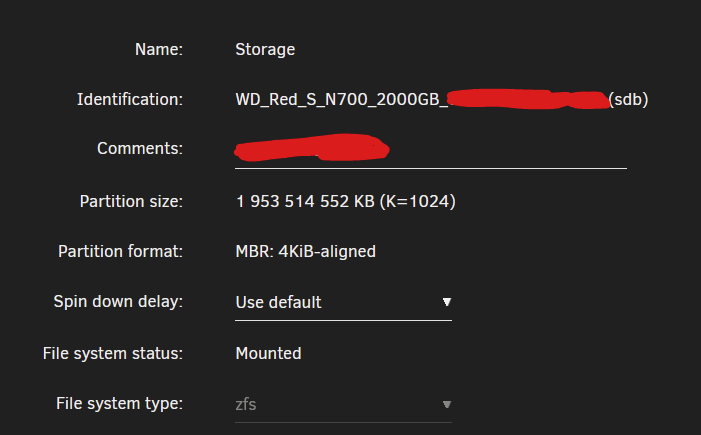
The current pool/zfs formatting is only a couple days old. I was moving data and reformatting the drives as I had first one in use with xfs and wanted both on zfs with a mirror. So the current pool was created in unraid 7.0.0 but it is 4 KiB aligned tho, idk why 🤷♂️ I'll try and create a new pool with the drive that is currently empty, transfer the data and try merging again then
-
# fdisk -l /dev/sdb Disk /dev/sdb: 1.82 TiB, 2000398934016 bytes, 3907029168 sectors Disk model: N700 2000GB Units: sectors of 1 * 512 = 512 bytes Sector size (logical/physical): 512 bytes / 512 bytes I/O size (minimum/optimal): 512 bytes / 33553920 bytes Disklabel type: dos Disk identifier: 0x00000000 Device Boot Start End Sectors Size Id Type /dev/sdb1 64 3907029167 3907029104 1.8T 83 Linux Here
-
Diagnostics diagnostics-20250306-1908.zip
-
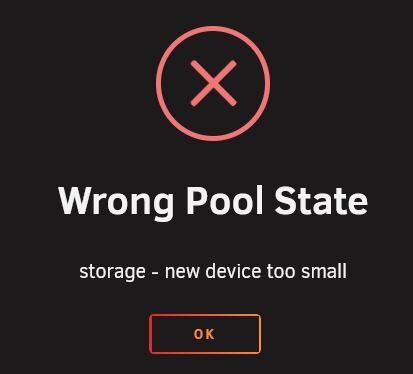
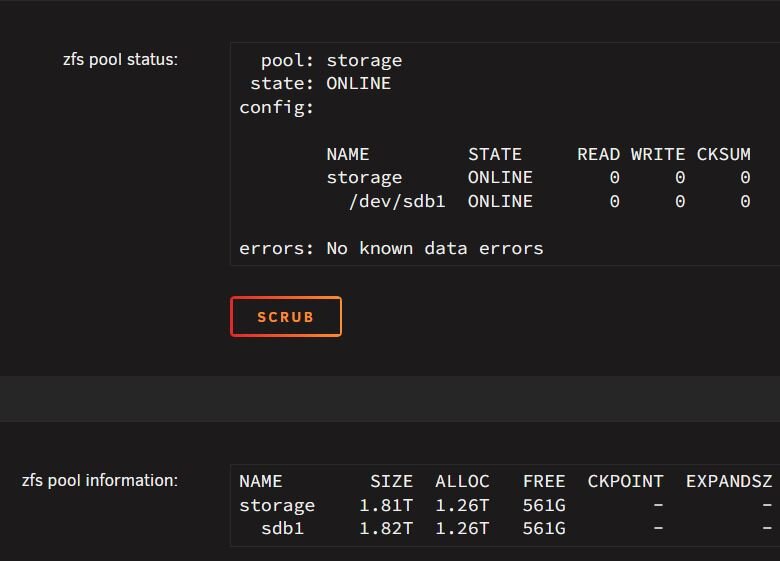
So I have a single drive zfs pool and I recently got a second identical to add a mirror drive to pool. It seems however I'm unable to add the new drive to the pool from the UI. If I change the pool slot size to 2, add the new drive to the pool and go and start the array, it gives me a new device too small error. The 2 drivers are identical so this shouldn't be an issue? During all of this the FS selection is greyed out and acting like the pool only has 1 drive so it never changes to show to option to do a mirror. If I instead change the FS on the first drive to auto before adding a second slot to the pool then add the second drive and start the array, the second drive isn't assigned to the pool and just remains unassigned. After array start If I set FS to auto before the second slot being added and add the second drive then I can set zfs up with a mirror with 2 drives. It still refuses to assign the second drive apon starting the array. Nothing weird in the pool status either Dont the 7.0.0 changelog say that you can add a mirror drive to a zfs pool? I even updated to 7.0.1 to try and fix this but nothing happened. Do I just run zpool attach command in the terminal and hope for the best? Do I have to recreate the pool and zfs partitions on both drives?