joemosfet
Members
-
Joined
-
Last visited
Everything posted by joemosfet
-
No luck, I encountered it in a frozen state this afternoon, nothing on the console display. This time maybe something useful in the log? syslog-previous-again
-
Well, I noticed a SMART alert for reallocated sectors on a parity drive and took it out and sent it back to the seller, seems like things are stable now? Odd. I'll keep an eye on it.
-
Will do (flash latest bios, run with limited RAM), I'll also run a memtest. I have what appears to be an overheating NVME drive that i'll remove as well. So coincidental this happens when I install a license.
-
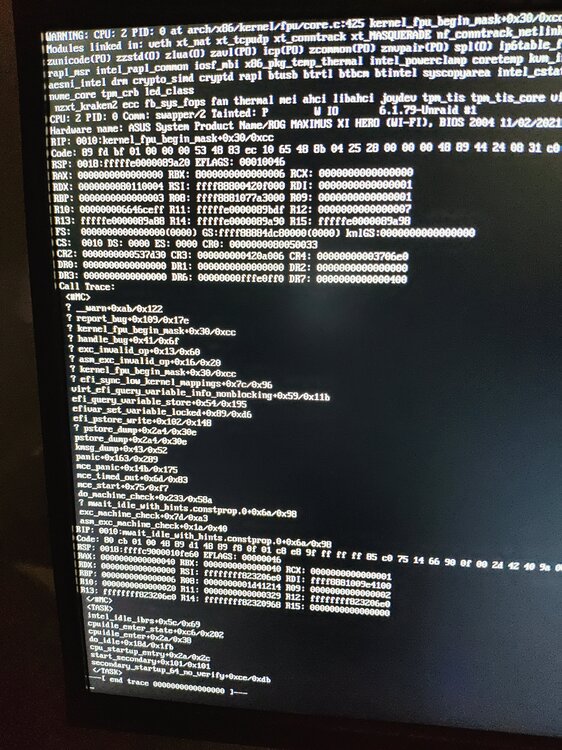
I've been using unraid on old repurposed desktop pc for about a month, and decided to buy a starter license. I activated the license, but now when I go to the GUI, sometimes it's unresponsive, and my docker containers aren't responding. No pings respond and SSH to the box doesn't work (SSH service is usually up). I hard reboot, and things seem to come back up. Nothing jumps out at me in the logs, and I'm not sure what the next steps for troubleshooting are. Let me know if a new diagnostics zip file would be helpful. edit: managed to snap a pic of the console window, attatched. syslog-previous syslog-previous (1) watney-diagnostics-20240516-1925.zip